CoWriter AI

AI writing assistant built around academic drafting and citation

Beginner
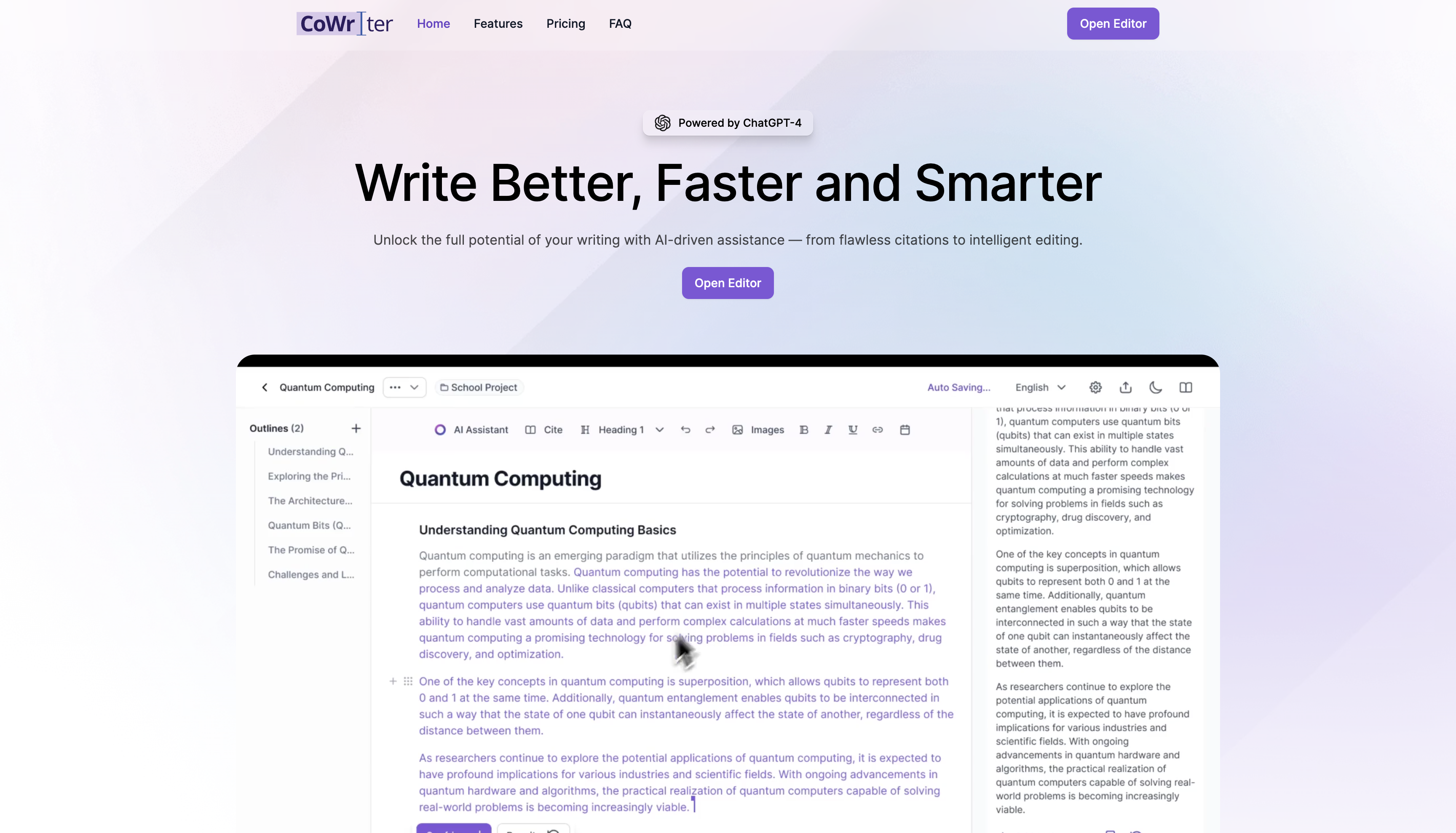
Screenshot of CoWriter AI, AI writing assistant built around academic drafting and citation

What is CoWriter AI?

CoWriter AI is a student-focused writing assistant that combines research import, automatic citation in APA, MLA, Harvard and other styles, bibliography building, grammar and style editing, and plagiarism detection inside one drafting environment. It targets essays, research papers and theses, with tiered plans that scale suggestion limits and citation depth.

CoWriter AI is a writing assistant positioned squarely at students working on essays, research papers and theses. Its pitch is less about generating text from nothing and more about carrying a draft through the whole academic workflow: research, argument development, citation, editing and final export. The site claims more than 100K student users and displays university logos (MIT, Harvard, Oxford, Stanford and others) as social proof, though it does not explain what those relationships consist of. The feature set splits into three rough groups. Research and citation tools include plug and play research import, an instant citation generator, bibliography building and support for APA, MLA, Harvard or any other style. Drafting helpers include thought autocompletion and completion suggestions, plus prompt patterns that let a writer ask for a persuasive post in the style of a film character or a speech in the style of a public figure. Editing and integrity tools cover grammar and style corrections, plagiarism detection and an AI detection proof claim, alongside document regeneration, references and multiple export formats. In practice the tool behaves like a document editor with an assistant layered on top. A student brings in sources, asks for missing arguments or new citations, runs a plagiarism check, then edits the result in place. The marketing is explicit that the draft stays the writer's to control, and the multi-user feature suggests group projects are a supported scenario. Plans are tiered by suggestion volume and depth of citation and plagiarism features. The obvious comparison is general purpose assistants such as ChatGPT or Claude, which are broader but not built around citation styles or bibliographies, and dedicated reference managers, which handle sources but not drafting. CoWriter's value depends on whether a student wants an academic-specific harness. The site leans heavily on style emulation and genius framing in its marketing, so buyers should weigh the concrete citation and export features rather than the presentation.

How do you use CoWriter AI?

  1. 1Create your account
    Head to the site and sign in to reach the writing workspace. A login is required before any drafting, citation or editing tools become available.
  2. 2Pick a tool for the task
    Open the tools page to see the individual capabilities on offer, from citation generation to editing helpers, and choose the one that matches the stage of your paper.
  3. 3Import your research and start the draft
    Bring your sources into the workspace using the research import, then write or prompt the assistant for missing arguments and supporting points as the draft takes shape.
  4. 4Generate citations and a bibliography
    Use the citation generator to format references in APA, MLA, Harvard or your required style, and let the bibliography build itself as sources are added.
  5. 5Run editing and integrity checks
    Apply grammar and style corrections, then run the plagiarism and AI detection checks on the finished text before submission.
  6. 6Choose a plan and export
    Compare the Pro and Premium tiers on the pricing page, select monthly or annual billing, and export the finished document in your preferred format.

Pros and cons

Pros

  • Citation generator and bibliography cover APA, MLA, Harvard and other styles in one workspaceAI
  • Combines research import, drafting help, editing and plagiarism checks instead of sending students between separate toolsAI
  • Tiered plans scale from a light editing option to unlimited completion suggestions and advanced citationAI
  • Multiplayer support makes it usable for group papers and shared courseworkAI
  • Export options let finished work leave the platform in more than one formatAI

Cons

  • Pricing is only shown monthly and annual with a stated 40 percent saving; no free tier is described on the homepageAI
  • AI detection proof and plagiarism proof are asserted without published methodology or sample reportsAI
  • Style emulation prompts (write like a film character or a public speaker) sit oddly beside academic integrity messagingAI
  • The premium feature list mixes substantive capabilities with vague perks such as VIP treatment and birthday surprisesAI
  • No information on supported file imports, word limits or which citation sources can be searchedAI

How much does CoWriter AI cost?

Pricing

Two paid tiers. Pro is $11.99/month with basic editing, 50 completion suggestions per day, standard plagiarism detection, grammar and style corrections, two export formats and priority email support. Premium is $23.99/month (shown with a 40 percent saving on annual billing) and adds unlimited completion suggestions, enhanced citation, autocomplete, advanced plagiarism detection and more exports.

Learn more

Support

Pro includes priority email support. Premium lists priority customer support and fast-track support with personal account help, though no response times or support channels beyond email are specified.

Learn more

Features

Research import, instant citation generation in APA, MLA, Harvard and other styles, bibliography building, thought autocompletion, grammar and style corrections, plagiarism detection, AI detection proof, document regeneration, references, multiple export formats and multiplayer collaboration.

Learn more

Frequently asked questions about CoWriter AI

  • How much does CoWriter AI cost?
    Two paid tiers. Pro is $11.99/month with basic editing, 50 completion suggestions per day, standard plagiarism detection, grammar and style corrections, two export formats and priority email support. Premium is $23.99/month (shown with a 40 percent saving on annual billing) and adds unlimited completion suggestions, enhanced citation, autocomplete, advanced plagiarism detection and more exports.
  • How do you use CoWriter AI?
    The walkthrough on this page covers 6 steps: 1. Create your account 2. Pick a tool for the task 3. Import your research and start the draft 4. Generate citations and a bibliography 5. Run editing and integrity checks 6. Choose a plan and export.
  • What platforms does CoWriter AI support?
    CoWriter AI is available on Web App.
  • What are the limitations of CoWriter AI?
    Pricing is only shown monthly and annual with a stated 40 percent saving; no free tier is described on the homepage. AI detection proof and plagiarism proof are asserted without published methodology or sample reports. Style emulation prompts (write like a film character or a public speaker) sit oddly beside academic integrity messaging.

Status

StatusActive
Views0
Outbound clicks0
Added10/21/2026

Platforms

Web App

Pricing

PaidSubscription