Free trial
The homepage offers a Start for Free entry point and a Start Free button on individual features, plus a free demo booking link. No trial length or credit allowance is stated.
Learn moreRetouch the expression, not the whole photo
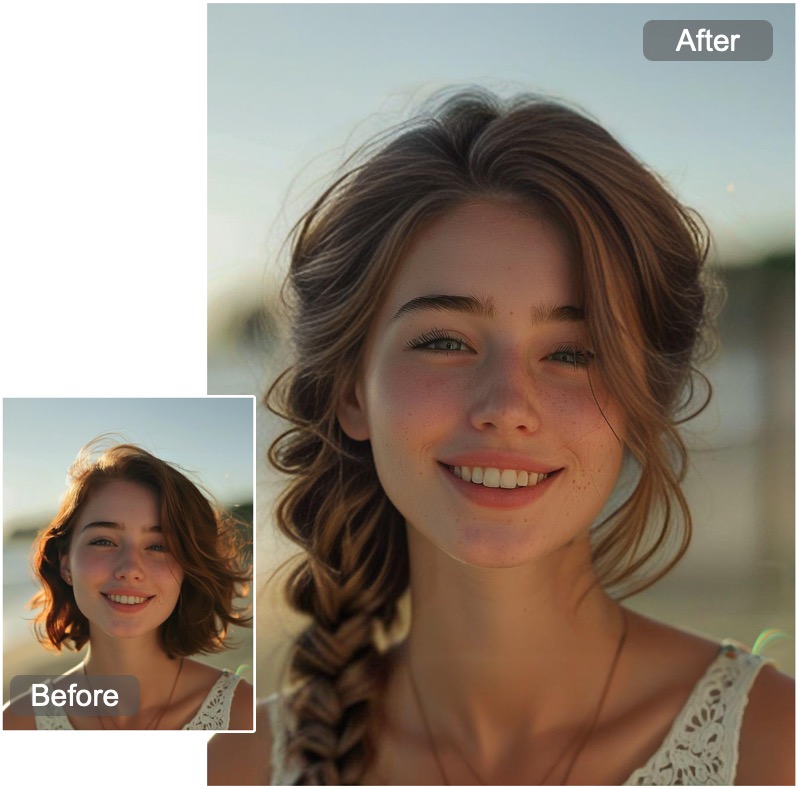
CrazyFace is a face editor tool. CrazyFace changes or edits the expression on an existing photo through mouse dragging, text prompts, templates or a reference image, with downloads up to 8K. Extras include a selfie generator, pet expression tools, a hairstyle preview filter and limited video editing.
CrazyFace is a browser based photo tool built around one narrow but surprisingly common problem: the face in an otherwise good picture is wearing the wrong expression. Instead of regenerating a whole image, the service keeps the original photo, finds the face, and lets the user change only what the mouth, eyes and brow are doing. The homepage frames the product as an expression changer and expression editor rather than a general image generator, and the workflow reflects that focus. Three control methods sit side by side. Users can drag facial features directly with a mouse, describe the desired look in a chat prompt, or pick from a library the site describes as 1000+ templates. A reference image can also be uploaded to guide the result. The marketing leans hard on special expressions that go beyond a simple smile, listing facepalm and hand over mouth as examples the company says competing tools do not handle. Separately, a Crazy Selfie Generator creates new selfies from one upload, choosing fresh expressions automatically or following selfie templates, with unlimited regeneration until the output looks right. Downloads go up to 8K resolution, and the site credits a proprietary Face Detailer process for skin texture and hair detail. The audience is mostly consumer and creator oriented: people fixing a selfie, YouTubers building thumbnails, photographers dealing with subjects who default to a flat poker face, and social media users producing pet memes. A newer animal section extends the same idea to pets with expression editing and short meme videos, and a hairstyle filter lets users preview cuts such as a buzz cut, mohawk or cornrows. Video support exists too, with frames editable and a photo able to mimic faces from a supplied clip, though the longer video mode is marked Pro only. It sits closest to AI photo editors and avatar generators, but its value is narrower than either. The face editor is stronger on facial nuance and weaker on everything around the face, so buyers who want full scene changes or heavy styling will need a general editor alongside it.
The homepage offers a Start for Free entry point and a Start Free button on individual features, plus a free demo booking link. No trial length or credit allowance is stated.
Learn moreA 30 minute demo can be booked through a Calendly link on the homepage. There is no published help centre or documentation page.
Live drag face editor, expression templates, a parameter based editor with 10+ controls, a selfie generator, an expression video generator with long video for Pro users, reposing into viral selfie poses, and frame level face editing in video. Newer additions cover animal face changing, pet expression editing, animal meme video generation and a hairstyle preview filter.
Learn more AI Angels400+ customizable AI girlfriends for NSFW chat, voice calls, and roleplay
 Candy AIExperience the future of companionship with AI friends who chat, role-play, and connect with you on a human level.
 ourdream.aiA vast AI roleplay platform with millions of characters for chat, images, video and voiceAI Angels400+ customizable AI girlfriends for NSFW chat, voice calls, and roleplayCandy AIExperience the future of companionship with AI friends who chat, role-play, and connect with you on a human level.ourdream.aiA vast AI roleplay platform with millions of characters for chat, images, video and voice