Free trial
Free tools are available without a credit card, including the Market Idea Generator for validating course demand. Full course generation requires a paid package.
Learn moreTurn a topic into a ready-to-sell video course, automatically.
Own CreateCourseWithAI? Verify ownership to get a dofollow link

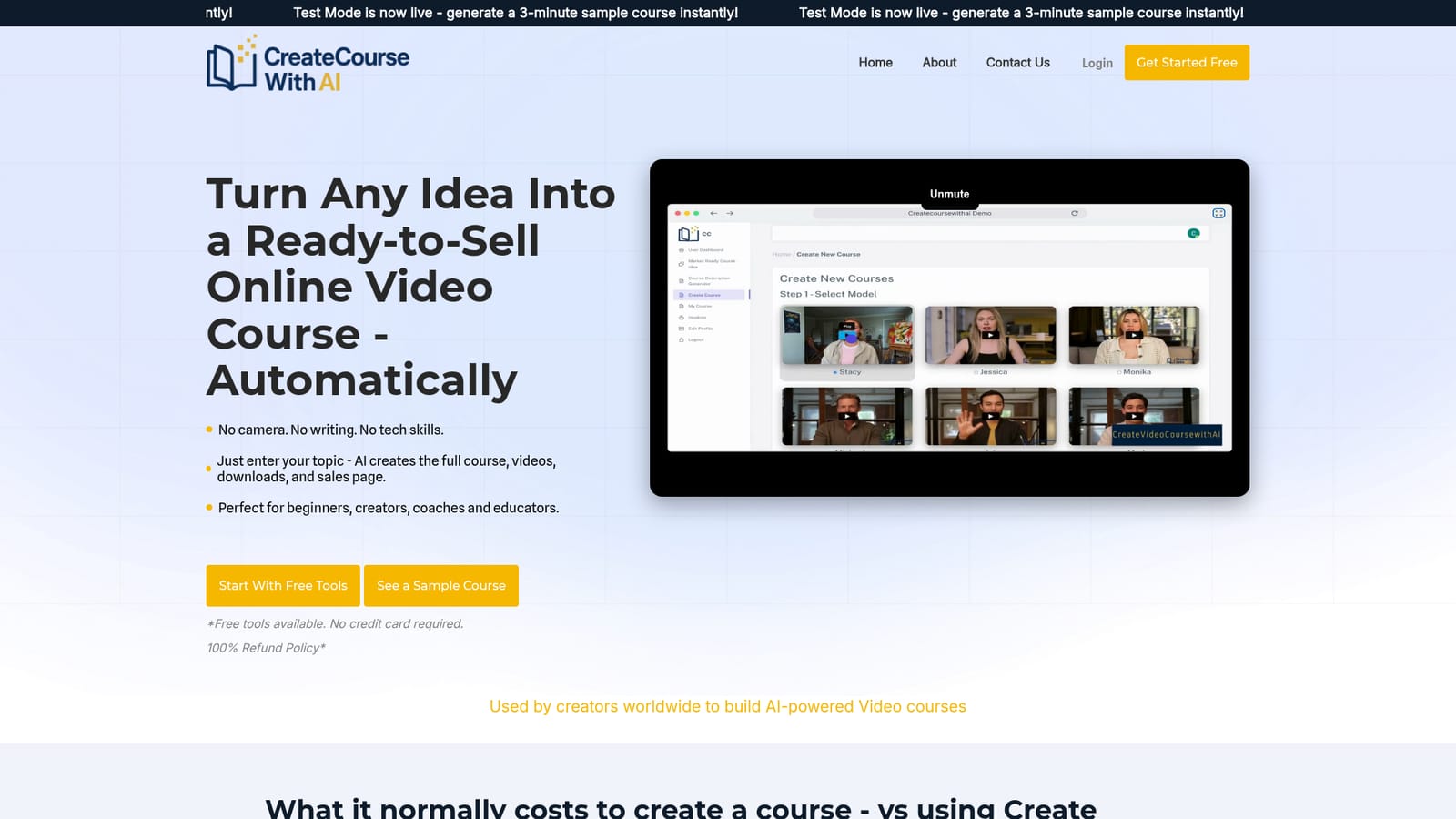
CreateCourseWithAI is a content tool that turns a topic into a ready-to-sell video course, automatically. CreateCourseWithAI turns a topic into a sellable online course: five AI avatar video lessons, PDFs, handouts, quizzes, and sales copy, delivered as downloads for a one time fee.
CreateCourseWithAI is a web based service that generates a complete online video course from a single topic description. The user types in a course title and a short description, and the platform produces a full package: five AI avatar video lessons with voiceover, a course overview PDF, handouts and worksheets in PDF and DOCX, a quiz with an answer key, and sales page copy. No camera, scriptwriting, or editing is involved, and the finished files arrive as downloadable MP4, PDF, DOCX, and text assets. The tool is aimed at first time course creators, coaches, educators, and solo operators who want to test an idea without hiring freelancers. A separate free Market Idea Generator lets a user enter a keyword and country to see which course topics show demand before committing to a build. The paid step then produces the package for a one time fee, and the creator keeps full rights to sell the result on Udemy, Teachable, Gumroad, Kajabi, or a personal site. In practice the workflow is short: validate an idea, describe the course, pay for a generation, and download the assets. The platform claims no subscription and no recurring charges, with two flat packages based on target video length (about 30 minutes for $97, about 60 minutes for $179). The generated videos use AI presenters and synthetic voiceover, so the result is a faceless product rather than a personal brand recording. CreateCourseWithAI sits in a narrow lane. General purpose writing assistants can draft a syllabus, and avatar video tools can render a talking head, but this product bundles both with handouts, quizzes, and sales copy in one purchase. The trade off is that the course is generic by design: buyers who need custom visuals, live demonstrations, or a recognizable instructor on screen will still need outside production. It is best treated as a fast first product or market test, not a replacement for a fully produced flagship course.
Free tools are available without a credit card, including the Market Idea Generator for validating course demand. Full course generation requires a paid package.
Learn moreTwo one time packages: Quick Start at $97 for about 30 minutes of video, and Full Length at $179 for about 60 minutes. Each includes one course with five AI avatar video lessons, scripts, handouts, quizzes, downloadable PDF/DOCX/MP4 files, and sales copy. No subscription or recurring charges are stated.
Learn moreNo direct integrations are listed. Courses are exported as files for manual publishing to Udemy, Teachable, Gumroad, Kajabi, Skillshare, or a personal website.
Course generation from a title and description: five AI avatar video lessons with voiceover, course overview PDF, handouts and worksheets, quizzes with answer keys, and sales page copy. A free Market Idea Generator checks demand by keyword and country. Output is downloadable as MP4, PDF, DOCX, and text and can be published on Udemy, Teachable, Gumroad, Kajabi, Skillshare, or a personal site.
 AI Angels400+ customizable AI girlfriends for NSFW chat, voice calls, and roleplay
 Candy AIExperience the future of companionship with AI friends who chat, role-play, and connect with you on a human level.
 ourdream.aiA vast AI roleplay platform with millions of characters for chat, images, video and voiceAI Angels400+ customizable AI girlfriends for NSFW chat, voice calls, and roleplayCandy AIExperience the future of companionship with AI friends who chat, role-play, and connect with you on a human level.ourdream.aiA vast AI roleplay platform with millions of characters for chat, images, video and voice


