Free trial
A free preview of the generated resume is available before paying, but it is a limited look rather than full access to the finished document.
Learn moreAI resume builder that turns a short brief into an ATS-ready document

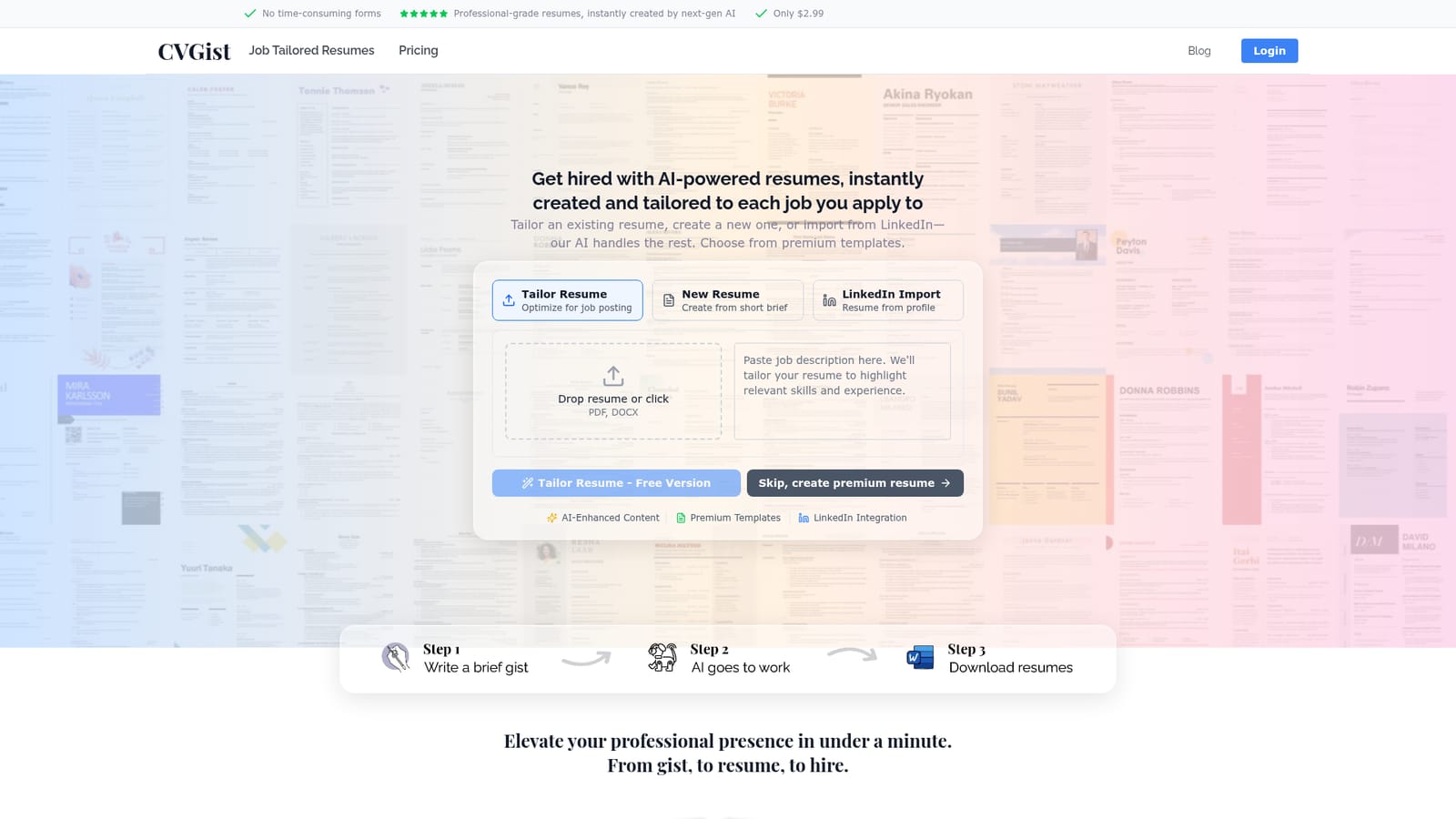
CVGist builds and tailors ATS-friendly resumes from a short brief, an uploaded PDF or DOCX, or a LinkedIn profile. It targets job postings by URL, offers a Chrome extension for bulk tailoring across open tabs, and exports to Word templates.
CVGist is an AI resume builder that skips the usual form-filling grind. Instead of walking through a dozen screens of fields, you give the tool a short brief, drop in an existing PDF or DOCX, or point it at your LinkedIn profile, and it produces a formatted resume in well under a minute according to the site. The output is delivered in Microsoft Word format using templates the company says are tested against major applicant tracking systems, with a library of more than 90 designs to choose from. The tailoring angle is where the product separates itself from static template tools. You can paste a job posting URL and have the AI rewrite and reweight your resume for that specific role, pulling in relevant keywords without padding. For people running a wide search, a Chrome extension can work through every open job tab at once, so a batch of listings turns into a batch of matched resumes in a single pass. Editing stays prompt-driven: you describe the change and the model revises that section rather than making you hunt through a form. The engine behind it is Google's Gemini 3 Pro, which the site credits for the language quality and keyword work. The stated workflow is brief, generation, download, and the pitch is aimed at active job seekers applying at volume: career changers, new graduates, and anyone currently rewriting a resume for the tenth time. Against traditional builders like a manual template editor, CVGist trades granular control for speed, and against generic chatbots it offers structure and ATS formatting that a raw text prompt will not reliably give you. The site reports 20,000+ resumes created for 4,000+ customers and cites users at large employers. The honest trade-off is that this is a lean, single-purpose product. Someone who wants deep control over layout, ongoing document management, or a free tier for unlimited use will find the scope narrow. It is best treated as a fast first-draft and tailoring engine, with a human pass at the end to verify facts and tone.
A free preview of the generated resume is available before paying, but it is a limited look rather than full access to the finished document.
Learn moreA full resume is listed at $2.99. A free preview is offered before purchase, and the site describes the paid version as unlocking AI-enhanced content, premium templates, and LinkedIn integration. The homepage does not describe subscription tiers or per-month plans.
Learn moreLinkedIn profile import and a Chrome extension for batch tailoring across open job tabs. The homepage does not list other integrations.
Three entry paths (tailor an existing resume, create from a brief, or import LinkedIn), Gemini 3 Pro powered editing, job URL tailoring, bulk tailoring through a Chrome extension, ATS keyword optimization, over 90 Microsoft Word templates, and a free preview before purchase.
 AI Angels400+ customizable AI girlfriends for NSFW chat, voice calls, and roleplay
 Candy AIExperience the future of companionship with AI friends who chat, role-play, and connect with you on a human level.
 ourdream.aiA vast AI roleplay platform with millions of characters for chat, images, video and voiceAI Angels400+ customizable AI girlfriends for NSFW chat, voice calls, and roleplayCandy AIExperience the future of companionship with AI friends who chat, role-play, and connect with you on a human level.ourdream.aiA vast AI roleplay platform with millions of characters for chat, images, video and voice


