Free trial
A free account is available with no credit card required, positioned as a way to connect your CRM and see what Data Parrot finds in your pipeline.
Learn moreAI revenue intelligence that turns CRM data into deal truth
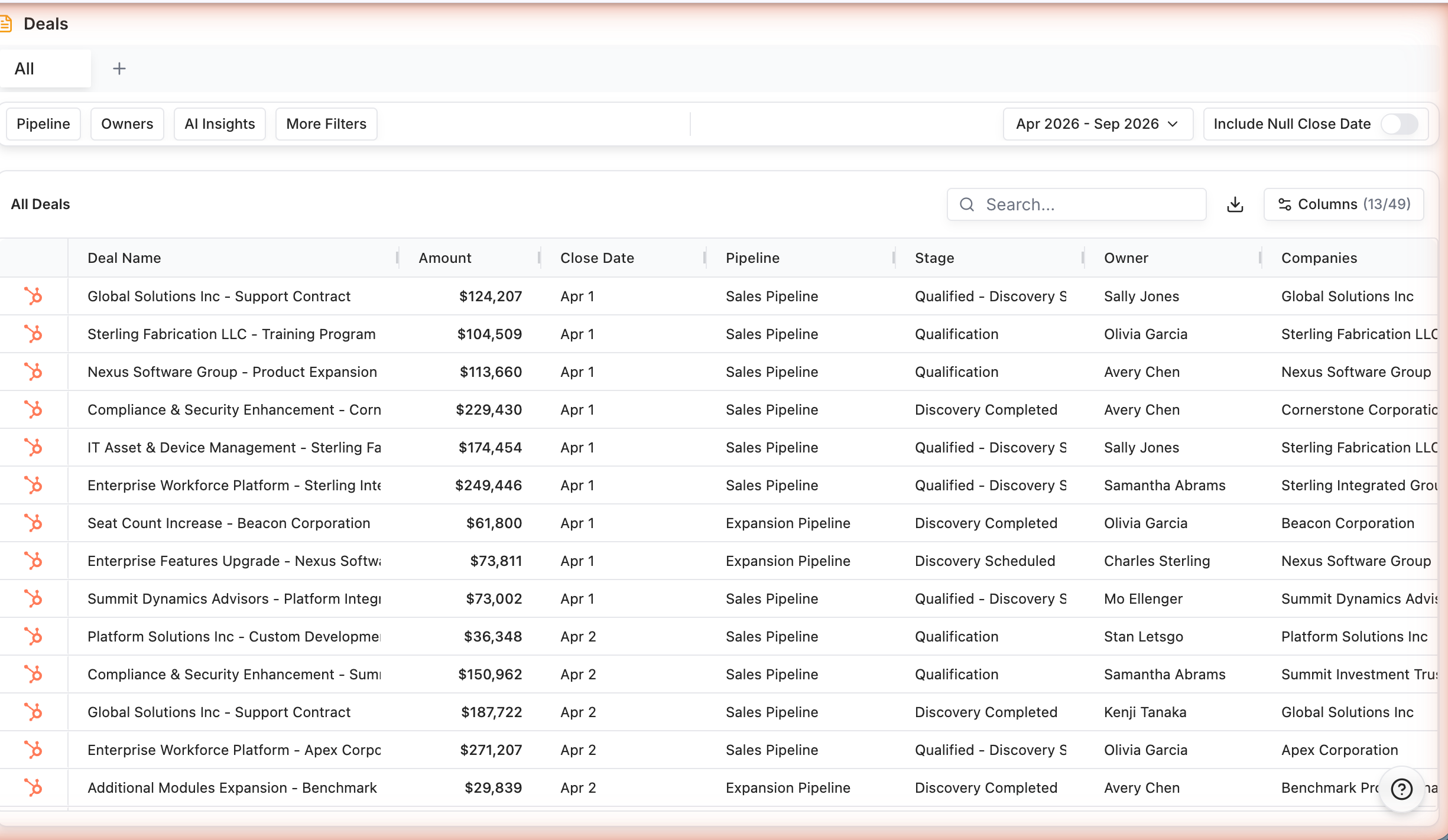
Data Parrot is an analytics tool. Data Parrot connects to your CRM and uses AI to score deal health, build defensible forecasts, inspect pipeline movement and flag customer churn risk. Aimed at CEOs, CROs and revenue operations teams that want an objective read on the pipeline rather than another dashboard.
Data Parrot is an AI revenue intelligence platform built for the people who own a number: CEOs, CROs, sales leaders and revenue operations teams. It connects to the CRM you already run, then teaches itself how your company actually sells, including your teams, your stages and your customers. The core promise is objectivity. Instead of reading what a rep remembered to log, Data Parrot analyzes real communications, activity patterns and deal progression and turns that into a live picture of deal health and forecast risk. The product breaks into a handful of connected surfaces. Deal Health scores every open opportunity and flags which ones are stuck, with coaching prompts on where to intervene. Sales Forecasting produces conservative and optimistic views backed by deal level evidence, so a leader can present a number they can defend. Pipeline Inspection tracks what grew and shrank a pipeline over time through historical snapshots, down to the individual deal. Customer Health extends the same analysis to post-sale accounts, surfacing churn risk and expansion signals before renewal conversations begin. Win-Loss explains outcomes from actual conversations rather than manual postmortems, and Research Trends groups recurring positive patterns, negative blockers and buyer requests across deals. In practice, setup is handled by the system rather than a long internal project. Once connected, Data Parrot continuously watches the linked systems for changes, so the view stays current without anyone maintaining dashboards. Daily Briefs deliver the deals, pipeline shifts and team activity that need attention, which makes it a morning tool as much as a reporting layer. It fits best alongside a CRM rather than replacing one. Teams evaluating Clari, Gong or similar revenue intelligence suites will find a narrower, faster to deploy option focused on interpretation over raw dashboards and on giving leadership one shared picture across new and existing business. Companies with small sales orgs or thin communication data will get less out of it.
A free account is available with no credit card required, positioned as a way to connect your CRM and see what Data Parrot finds in your pipeline.
Learn moreThe homepage states that Data Parrot is free to start and requires no credit card, but it does not publish plan tiers or paid pricing. Any paid pricing has to come from a demo or sales conversation.
Learn moreConnects to CRM and workflow systems including HubSpot and Salesforce, with communication and meeting sources such as Slack, Microsoft Teams, Fathom, Google Docs, Notion, Office 365 and Apollo.
Learn moreDeal Health scoring based on real communications and deal progression, sales forecasting with conservative and optimistic views, pipeline inspection with historical snapshots, customer health and churn risk analysis, automated win loss explanation, research trend extraction, and daily briefs covering deals, pipeline changes and team activity.
Learn more AI Angels400+ customizable AI girlfriends for NSFW chat, voice calls, and roleplay
 Candy AIExperience the future of companionship with AI friends who chat, role-play, and connect with you on a human level.
 ourdream.aiA vast AI roleplay platform with millions of characters for chat, images, video and voiceAI Angels400+ customizable AI girlfriends for NSFW chat, voice calls, and roleplayCandy AIExperience the future of companionship with AI friends who chat, role-play, and connect with you on a human level.ourdream.aiA vast AI roleplay platform with millions of characters for chat, images, video and voice