Free trial
No time limited trial is described, but a permanent free tier covers all editors, two projects and ten credits.
Learn moreDescribe a diagram in plain English, refine it in chat, export an editable file

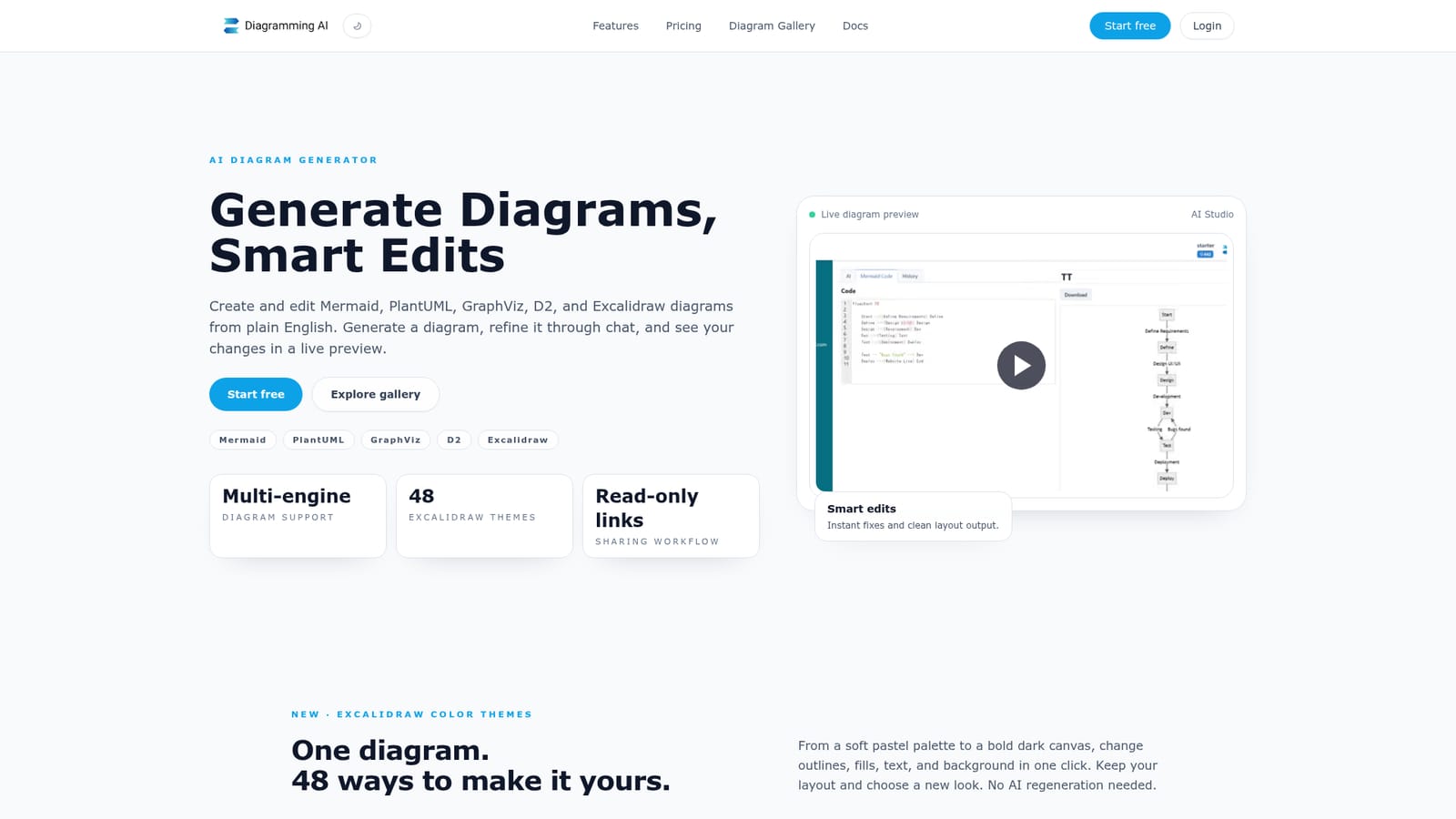
Diagramming is an architecture diagram tool. A browser based AI diagram generator that writes Mermaid, PlantUML, GraphViz, D2 and Excalidraw diagrams from prompts, URLs or images, then lets you refine them through chat, fix syntax automatically and restyle the canvas with theme presets.
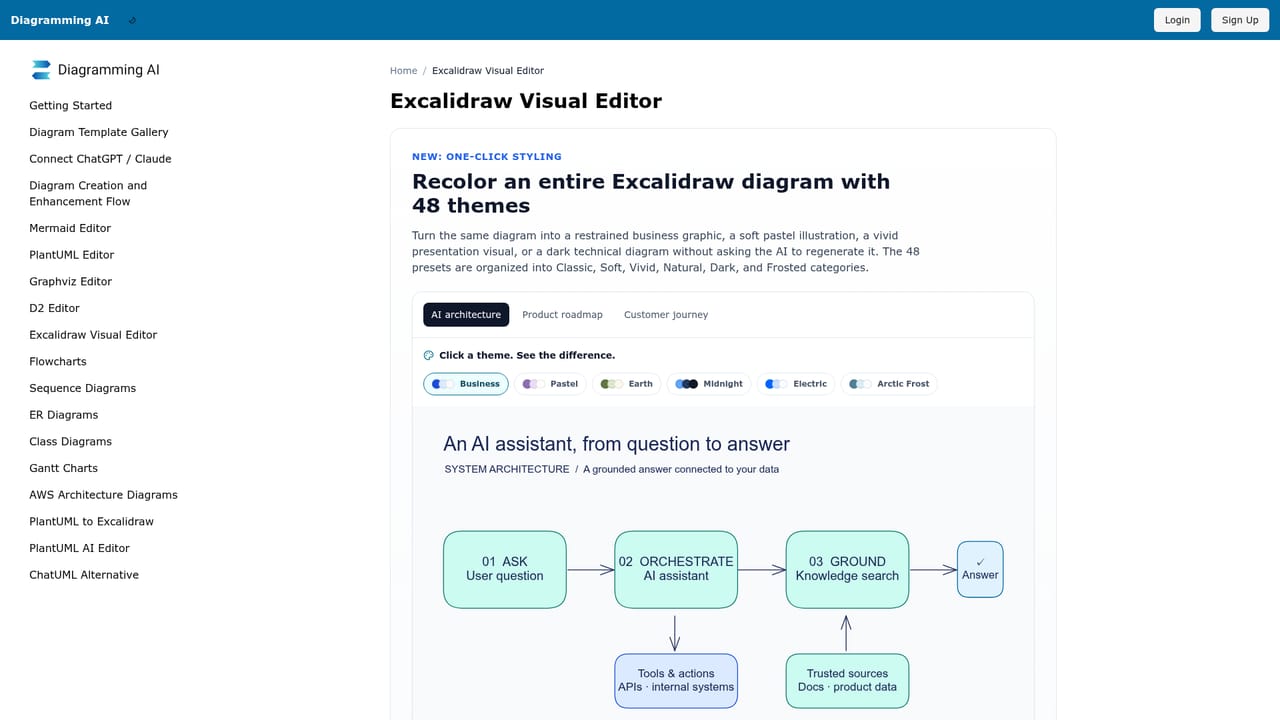
Diagramming AI is a browser based workspace that turns plain English prompts into structured diagrams. Ask for a flowchart, sequence diagram, Gantt chart, class diagram, ER diagram, mind map or C4 model and the tool generates the underlying Mermaid, PlantUML, GraphViz or D2 code alongside a rendered preview. A URL or an uploaded image can also be used as the starting point, which is useful when the source material is a live site or a screenshot rather than a written specification. The workflow is built around iteration rather than one shot generation. A chat panel runs in two modes: Discussion Mode for exploring suggestions and open questions about a diagram, and Update Mode where instructions are applied directly to the diagram. A live preview updates as the code changes, an auto fix routine interprets error messages and corrects broken Mermaid, PlantUML, GraphViz or D2 syntax, and Quick Edit handles sizing and styling of individual parts without touching the source. For visual work there is a one click conversion into Excalidraw, where the same diagram becomes a drag and drop canvas. That converted scene can be restyled with 48 color theme presets across six categories, either applying a unified palette or preserving the original hues, and the result can be reverted without regenerating anything through the AI. Infographics can be produced the same way from a natural language description, with a hand drawn aesthetic suited to presentations and teaching material. Projects hold diagrams in any of the supported formats together with notes, versions and read only public links for review. The tool sits somewhere between a text based diagram compiler and a canvas editor, so developers explaining system design, project managers building schedules, analysts mapping data flows and educators drawing out concepts all land in the same place. Accounts connect to external AI apps through an MCP connection that is currently in beta. The free tier is genuinely usable but narrow: two projects, three diagrams per project and 10 credits. All editors and Quick Edit are free at that level, while URL to Diagram and Image to Diagram require a paid plan.
No time limited trial is described, but a permanent free tier covers all editors, two projects and ten credits.
Learn moreFree at $0 with all editors, 2 projects, 3 diagrams per project, 10 credits and 3000 input characters. Starter at $6 per month adds unlimited projects and diagrams, 800 credits, 12000 characters plus URL and Image to Diagram. Pro at $14 per month raises that to 2500 credits and 20000 characters. Every plan includes all models.
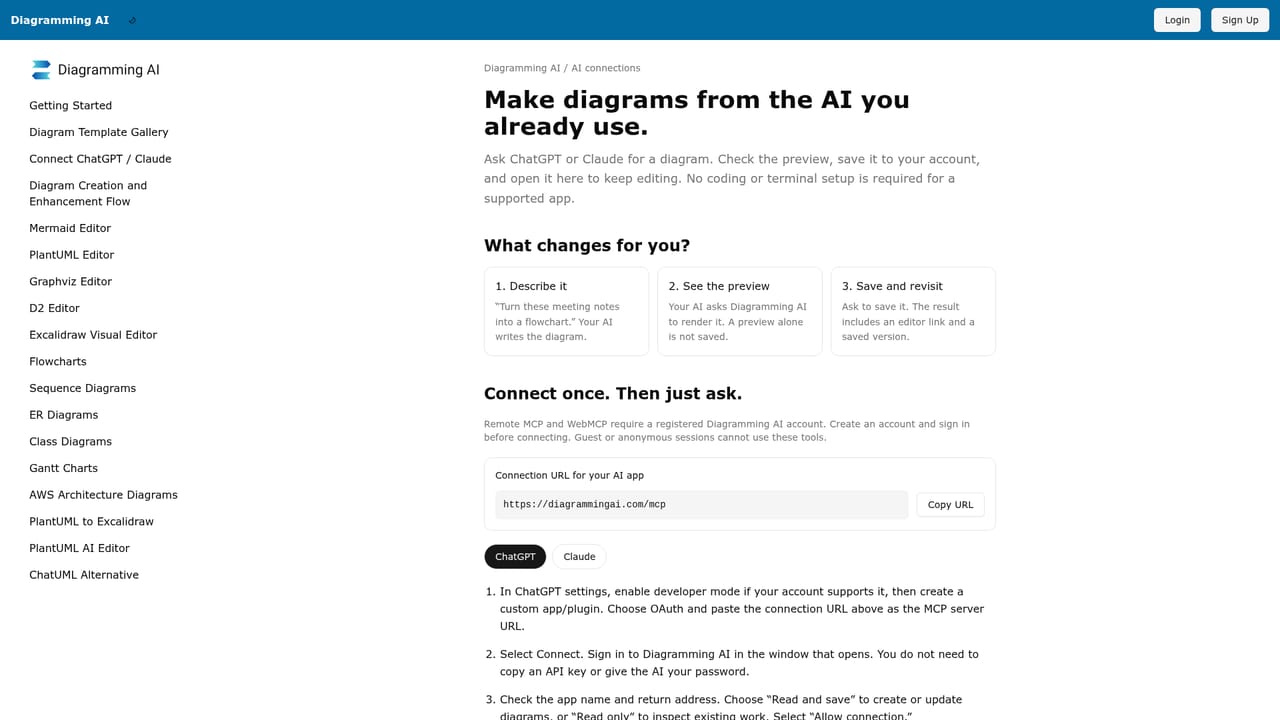
Learn moreDiagrams export through a Kroki integration as SVG or PNG, and an MCP connection (beta) links ChatGPT, Claude or another compatible AI app to Diagramming AI.
Learn morePrompt to diagram across Mermaid, PlantUML, GraphViz, D2 and Excalidraw; chat in Discussion or Update Mode; auto fix for syntax errors; Quick Edit for sizing and styling; one click Excalidraw conversion with 48 color themes; URL to Diagram and Image to Diagram; infographic generation; template library covering flowcharts, Gantt, ER, C4 and AWS architecture; versioned projects with read only sharing.
Learn more AI Angels400+ customizable AI girlfriends for NSFW chat, voice calls, and roleplay
 Candy AIExperience the future of companionship with AI friends who chat, role-play, and connect with you on a human level.
 ourdream.aiA vast AI roleplay platform with millions of characters for chat, images, video and voiceAI Angels400+ customizable AI girlfriends for NSFW chat, voice calls, and roleplayCandy AIExperience the future of companionship with AI friends who chat, role-play, and connect with you on a human level.ourdream.aiA vast AI roleplay platform with millions of characters for chat, images, video and voice


