Support
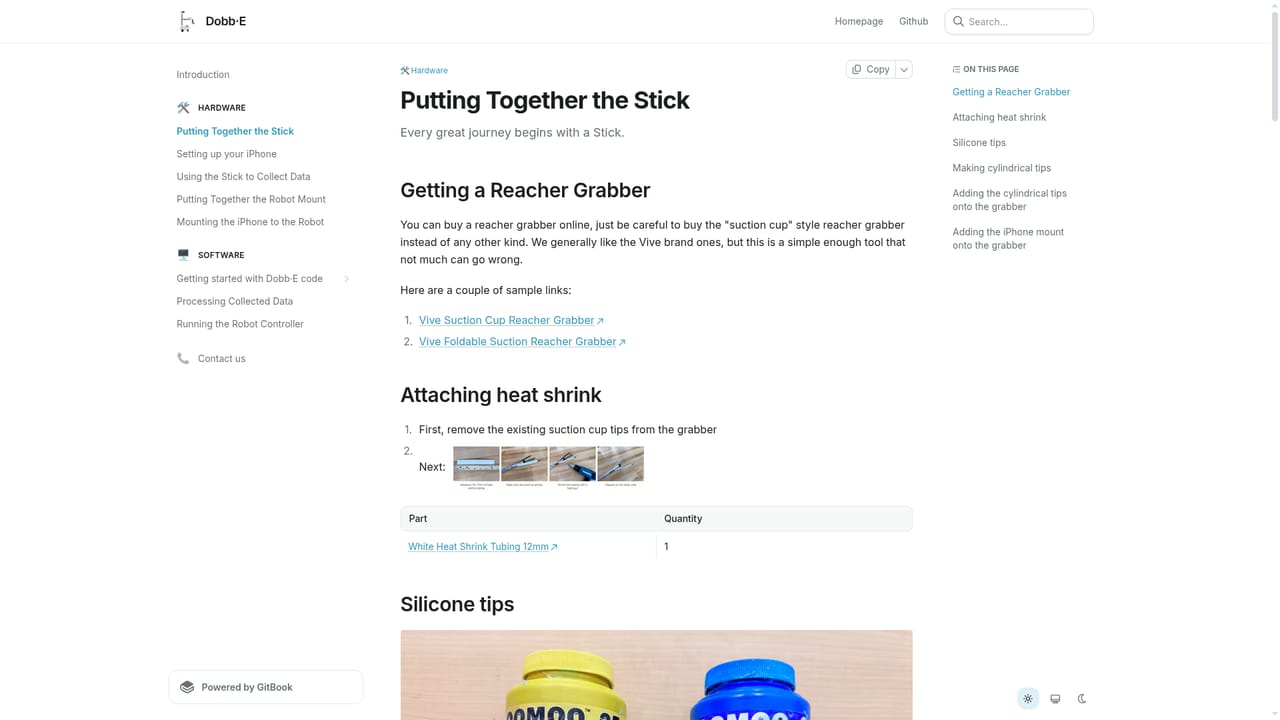
Support runs through the GitHub repository, where questions and issues are directed to the maintainers. A separate documentation site covers hardware assembly and software setup.
Open-source framework for teaching home robots new tasks in 20 minutes

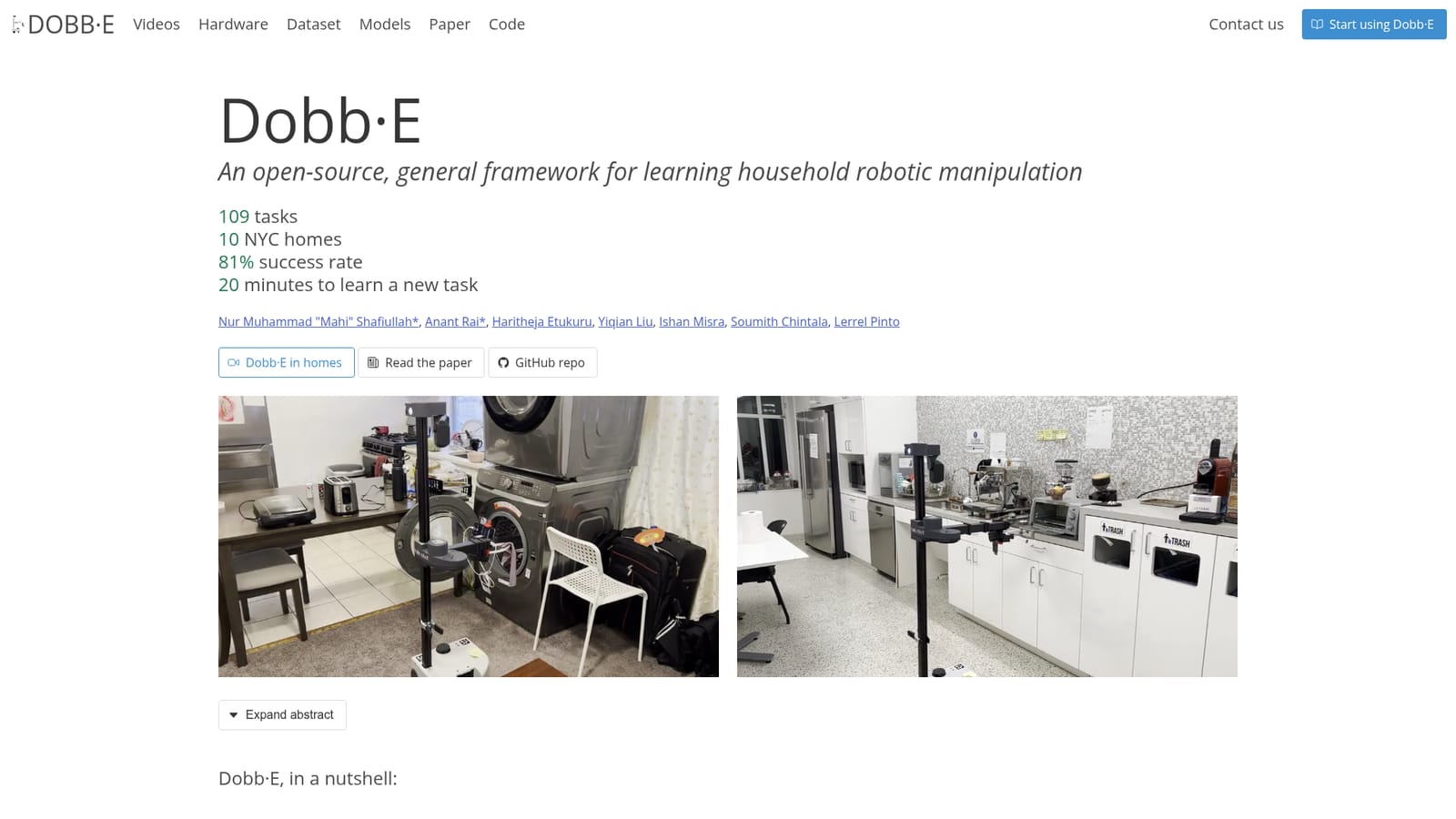
Dobb-E is an open-source framework for learning household manipulation tasks from about five minutes of demonstration. It pairs the Stick, a cheap iPhone-based demo collector, with the HoNY dataset and the HPR pretrained model, reaching an 81 percent success rate across 109 tasks in 10 New York homes on a Stretch robot.
Dobb-E is an open-source research framework for teaching a mobile manipulator new household tasks from a few minutes of human demonstration. The project targets the gap between lab robotics and real homes: instead of hand-coding behaviors or training in controlled environments, a person shows the robot what to do once, and the system adapts a pretrained model to that single task. The published results cover 109 tasks across 10 New York City homes with an 81 percent average success rate. The workflow rests on two artifacts. The Stick is a demonstration tool assembled from a roughly 25 dollar reacher-grabber, 3D printed mounts and an iPhone, and it records the operator's motion while they perform a task by hand. Data gathered this way across 22 homes forms Homes of New York (HoNY), a dataset of 13 hours of RGB and depth video with annotated gripper pose and opening angle. From HoNY the team trained Home Pretrained Representations (HPR), a ResNet-34 backbone built with the MoCo-v3 self-supervised objective. In a new home, five minutes of demonstration plus fifteen minutes of policy adaptation produce a working controller for a Stretch mobile robot. Dobb-E suits robotics researchers, graduate students and hardware tinkerers who already own or can access a manipulator and want a reproducible imitation learning pipeline rather than a closed product. It is not a consumer appliance layer: the code, weights, dataset and 3D files are released openly, but assembling the Stick, calibrating a robot and running training assumes comfort with Python, PyTorch and command line tooling. Against lab-specific imitation learning stacks, its distinguishing asset is the home-collected dataset and the pretrained representation that shortens adaptation on unfamiliar scenes. Practical use is best understood as a research loop. Build the Stick from the published instructions, record task demonstrations in the target room, then fine-tune the HPR-initialized policy on the frontier hardware and evaluate success over repeated trials. Documented failure modes include strong shadows and inconsistent demonstration quality from non-expert operators, so results vary with lighting and operator technique more than a product pitch would suggest.
Support runs through the GitHub repository, where questions and issues are directed to the maintainers. A separate documentation site covers hardware assembly and software setup.
The HPR model is available on Hugging Face and can be loaded through TIMM with the hf-hub model identifier. Code, dataset creation scripts and hardware files live on GitHub.
Covers demonstration capture with a DIY Stick built from a reacher-grabber, 3D printed parts and an iPhone; the HoNY dataset of 13 hours of RGB and depth video with gripper action labels; the HPR ResNet-34 model pretrained with MoCo-v3 and distributed on Hugging Face; and a policy adaptation pipeline tested on the Stretch robot across 109 tasks in 10 homes.
 AI Angels400+ customizable AI girlfriends for NSFW chat, voice calls, and roleplay
 Candy AIExperience the future of companionship with AI friends who chat, role-play, and connect with you on a human level.
 ourdream.aiA vast AI roleplay platform with millions of characters for chat, images, video and voiceAI Angels400+ customizable AI girlfriends for NSFW chat, voice calls, and roleplayCandy AIExperience the future of companionship with AI friends who chat, role-play, and connect with you on a human level.ourdream.aiA vast AI roleplay platform with millions of characters for chat, images, video and voice


