Integrations
Lab data can be sent through API or HL7 with structured reports returned into an LIS, CRM or EHR, or handled entirely inside Docus interfaces with no integration required.
AI layer that turns lab results into clear reports and follow-ups
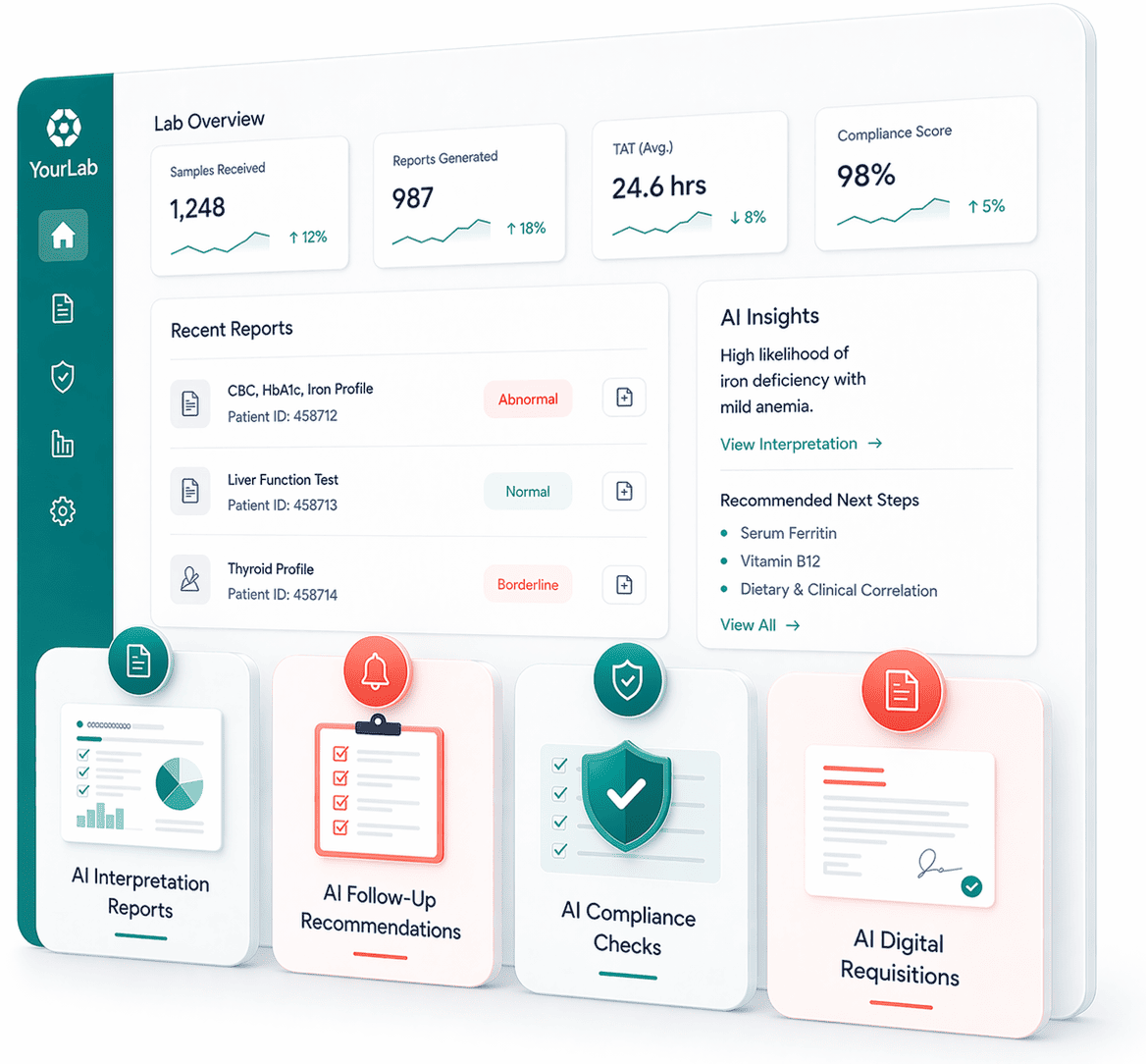
Docus AI is an image analysis tool. Docus is an AI layer for diagnostic labs that generates clinical and patient-friendly interpretation reports, recommends follow-up tests, checks orders against diagnosis codes for compliance, and automates digital requisitions. It connects through API/HL7 or through ready-made Docus interfaces.
Docus is an AI platform built for diagnostic laboratories: direct-to-consumer labs, reference labs, and in-house labs attached to hospitals or clinics. Rather than selling a single tool, it layers several connected modules over a lab's existing workflow. Interpretation reports translate raw results into two formats at once, a clinical report for the ordering doctor that includes a differential diagnosis, follow-up suggestions and a clinical plan, and a plain language version for the patient. Analysis draws on historical test data, so context carries across visits, and the system covers routine panels as well as specialty areas such as microbiology, pathology, toxicology and pharmacogenomics. Around that core sit modules aimed at the business side of a lab. Follow-up recommendations suggest the next tests based on results and identified risks, then send reminders to patients; doctors can also set manual consultation reminders. An AI compliance agent cross-checks ordered tests against ICD codes, verifies repeat testing frequency against allowed rules, and alerts both the lab and the ordering doctor before a claim turns into a denial. Digital requisitions shorten order entry with autocomplete and guided inputs, draft medical necessity text from the selected tests and codes, support doctor and patient e-signatures, and route completed forms into the Docus interface or straight into a LIS. Practice setup is flexible. Labs with engineering resources can push data through API or HL7 and receive structured outputs back into their LIS, CRM or EHR. Labs without that capacity can work inside Docus interfaces for labs, doctors and patients with no integration at all. Context-aware assistants extend the same patient history to conversational answers, one version for clinicians and one for patients. The audience is lab operators and clinical leadership, not individual consumers; Docus runs separate patient and doctor products for those users. Compared with standalone interpretation engines, the pitch is breadth: reporting, retention, compliance and ordering handled by one vendor. The published Blood Cells case study reports test volume growth of 230 percent and follow-up testing rising from 5 to 27 percent, though those figures come from a single customer and Docus publishes no pricing on its homepage.
Lab data can be sent through API or HL7 with structured reports returned into an LIS, CRM or EHR, or handled entirely inside Docus interfaces with no integration required.
Core modules cover AI interpretation reports for doctors and patients, follow-up test recommendations with patient reminders, a compliance agent that validates test orders against ICD codes and repeat testing rules, digital requisitions with AI-drafted medical necessity and e-signatures, and context-aware assistants for clinicians and patients.
Learn more AI Angels400+ customizable AI girlfriends for NSFW chat, voice calls, and roleplay
 Candy AIExperience the future of companionship with AI friends who chat, role-play, and connect with you on a human level.
 ourdream.aiA vast AI roleplay platform with millions of characters for chat, images, video and voiceAI Angels400+ customizable AI girlfriends for NSFW chat, voice calls, and roleplayCandy AIExperience the future of companionship with AI friends who chat, role-play, and connect with you on a human level.ourdream.aiA vast AI roleplay platform with millions of characters for chat, images, video and voice