Free trial
A free trial signup is offered without a credit card, and the Community Edition stays free after it with 50 transcriptions per month.
Learn moreAmbient AI scribe that turns patient visits into SOAP notes and EMR-ready text
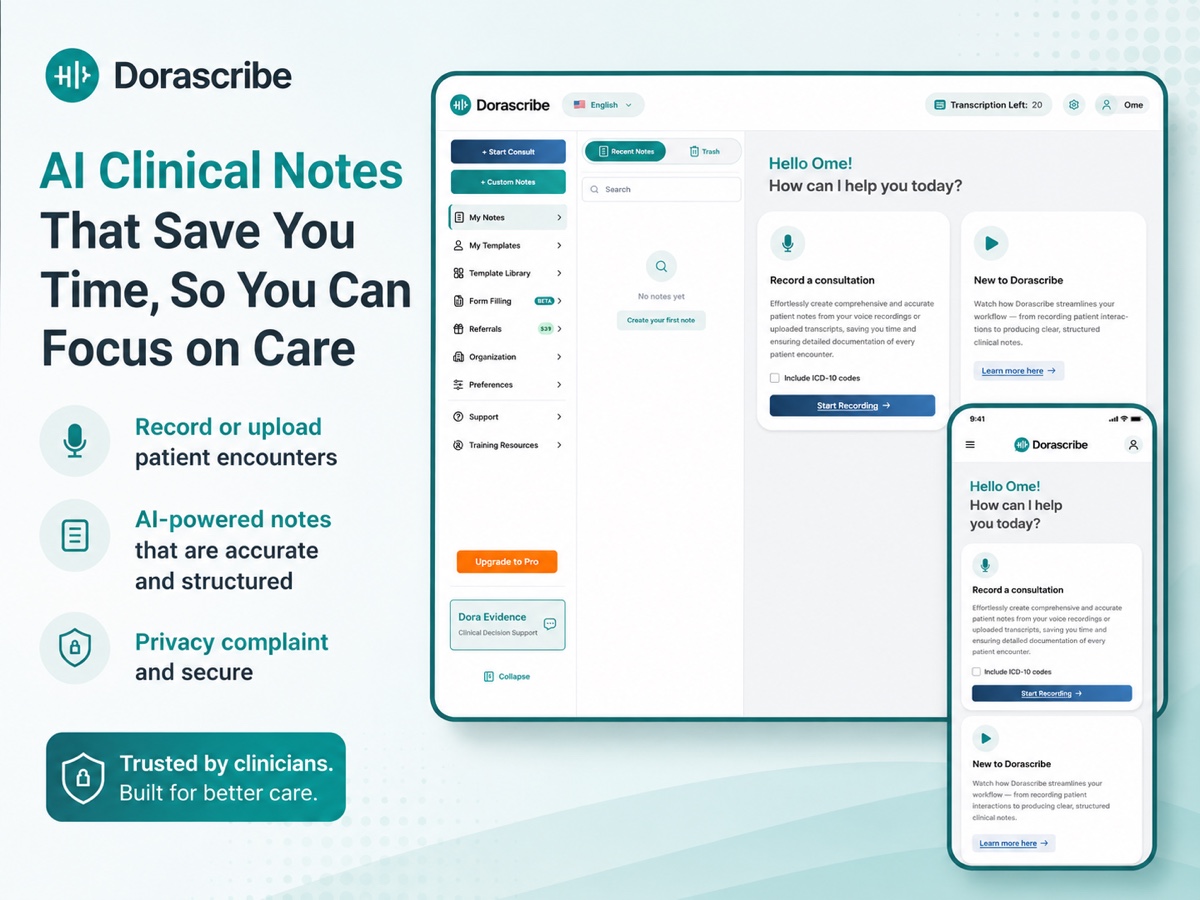
Dorascribe is an ambient AI medical scribe that records consultations and generates structured, EMR-ready clinical notes, with templates, prescriptions, referral letters and built-in clinical decision support. Web and mobile apps, multi-language transcription, and a free tier of 50 transcriptions per month.
Dorascribe is an ambient medical scribe built by healthcare professionals for clinicians who lose too much of their day to charting. It records the patient consultation, transcribes the conversation in multiple languages, and produces a structured note (SOAP format or a template of your choosing) that is ready for review the moment the visit ends. The stated goal is to move documentation off the clinician's evening and back into the encounter itself, so attention stays on the patient rather than the keyboard. In practice the workflow is short. You start a consult, optionally add patient details and pick a note type, and begin recording. Dorascribe generates the note as the visit progresses, then lets you refine it with voice or text input before export. Beyond the core note, the platform includes patient handouts, drafted referral letters, prescription generation, smart form completion, custom templates and Dora Evidence, a clinical decision support tool that answers clinical questions with evidence. The vendor positions it as a broader clinical platform rather than a standalone transcription app. The product is aimed at individual practitioners and group practices across a wide range of specialties, from primary care and internal medicine to psychiatry, dermatology, physiotherapy, dentistry and palliative care. It runs on the web and as mobile apps for iOS and Android, and the vendor advertises EMR integration so finished notes can move into existing records systems with less copying and pasting. Data handling is backed by HIPAA, GDPR, POPIA, PIPEDA and SOC2 compliance claims, documented through a public trust center. Against alternatives, Dorascribe competes on the breadth of the bundle (templates, prescriptions, letters, decision support), a low entry price and a free Community tier, rather than on deep specialty modules or custom enterprise builds. The trade-offs are typical for this class of tool: quality depends on audio conditions and review discipline, coverage of the specialty list is not documented feature by feature, and the EMR connection is described qualitatively rather than as a published list of supported systems.
A free trial signup is offered without a credit card, and the Community Edition stays free after it with 50 transcriptions per month.
Learn moreFour tiers billed monthly or yearly: Community is free with 50 transcriptions per month and standard email support; Essential is $25 per user per month for 150 transcriptions, custom templates, unlimited Dora Evidence and prescriptions; Professional is $39 for 300 transcriptions plus priority email and phone support; Premium is $59 for unlimited transcriptions and 1:1 onboarding.
Learn moreStandard email support on free and Essential plans, priority email and phone support on Professional and Premium, 1:1 onboarding on Premium, and a contact route for custom setups.
Learn moreThe site states that Dorascribe connects to your existing EMR so completed notes can move into it with less manual work, but no specific EMR or EHR systems are named.
Ambient recording with real-time, multi-language transcription; structured SOAP notes and custom templates; voice or text editing after generation; patient handouts, referral letters and prescription generation; smart form completion; Dora Evidence clinical decision support; cross-device access on web, iOS and Android.
Learn more AI Angels400+ customizable AI girlfriends for NSFW chat, voice calls, and roleplay
 Candy AIExperience the future of companionship with AI friends who chat, role-play, and connect with you on a human level.
 ourdream.aiA vast AI roleplay platform with millions of characters for chat, images, video and voiceAI Angels400+ customizable AI girlfriends for NSFW chat, voice calls, and roleplayCandy AIExperience the future of companionship with AI friends who chat, role-play, and connect with you on a human level.ourdream.aiA vast AI roleplay platform with millions of characters for chat, images, video and voice





