Free trial
No free trial is advertised. A free waiting list with no payment is offered, and demos can be booked.
Learn morePersonalized donor impact reports and thank-you notes, generated in minutes

Dreamwriter is a content tool. Dreamimpact by Dreamwriter generates personalized donor impact reports, thank-you letters, monthly updates, and internal donor briefs from CRM data and program outcomes. Built for nonprofit advancement teams that need major-donor-level stewardship across their full donor file, with source transparency and human review baked in.
Dreamwriter's Dreamimpact is a donor stewardship tool built for nonprofit advancement and fundraising teams. It takes the raw material most organizations already hold (donor giving history from a CRM, program outcomes, and an approved brand voice) and turns it into finished donor communication: impact reports, monthly impact updates, gift acknowledgments, internal donor briefs, and proposals. The pitch is straightforward: the facts behind a personal thank-you are usually already on file, but assembling them into something a donor would want to read tends to consume weeks of gathering, drafting, reviewing, and designing. Dreamimpact compresses that into minutes. In practice the workflow is conversational. A user picks a donor (the site's running example is a long-time supporter with 11 years and $255,000 in lifetime giving), chooses an output type, and an AI editor named Dreamy drafts the piece using that donor's record and the organization's brand kit. Outputs come in donor-ready formats such as a US Letter PDF, a share link, or plain text you can paste into email. If none of the templated formats fit, a free-form prompt lets the team describe what it needs in a sentence or two, and Dreamy asks clarifying questions (email or printed card, for example) before producing the draft. The product's stated design priorities are transparency and control. Each draft shows which donor and program information supported it, so a reviewer can check sourcing before anything goes out. Brand and mission fidelity keeps colors, logo, tone, and voice consistent. Human review is the final gate: the team edits, comments, and approves. Dreamimpact is aimed at nonprofit advancement shops that want major-donor-style stewardship across the whole file, not only the top of it. Early adopter feedback cited in the site reports an average NPS of 9/10 from three final survey respondents and 5+ hours a week saved in peak season. The tool is in founding beta, so it is a bet on a maturing product rather than an established platform. Competitors in this space are generic AI writing assistants and nonprofit CRMs with template libraries; Dreamimpact's differentiator is donor-specific grounding plus brand fidelity, at the cost of being narrow by design.
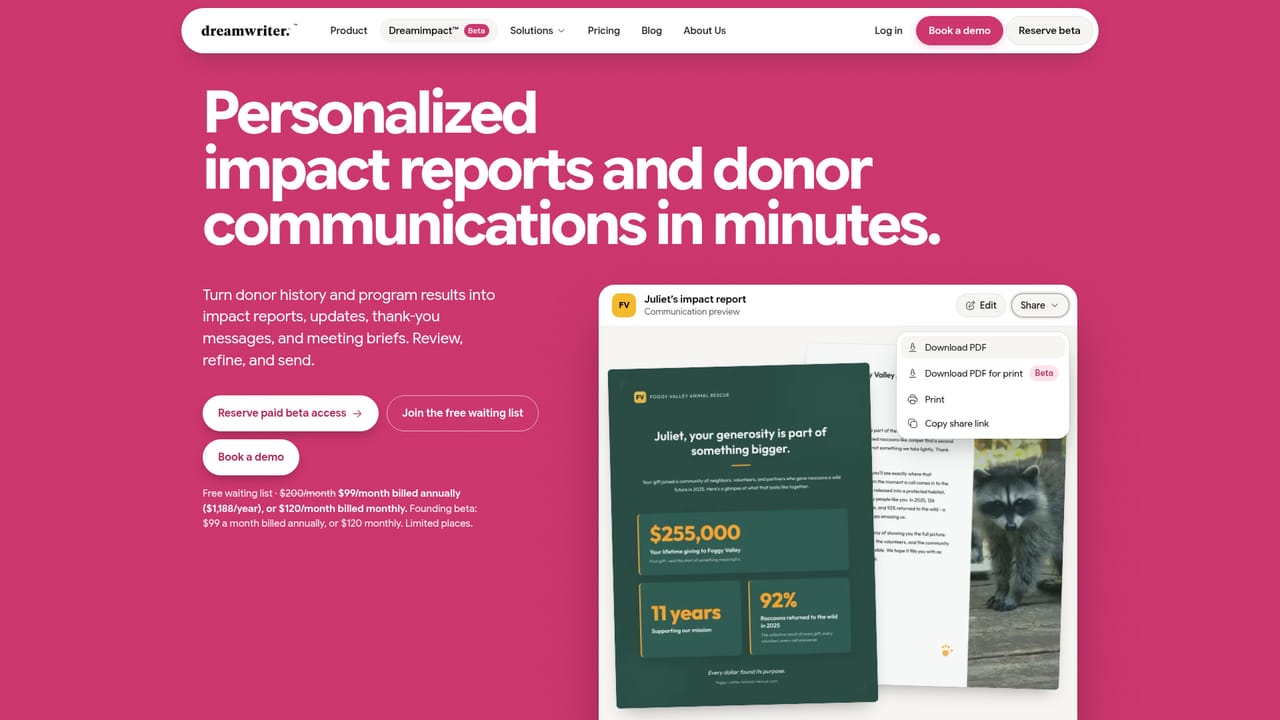
No free trial is advertised. A free waiting list with no payment is offered, and demos can be booked.
Learn moreFounding beta is $99 per month billed annually, or $120 month to month, with limited places available. The waiting list requires no payment. No other tiers are listed.
Learn moreSupport details are not described on the homepage. Demo booking is the stated route for learning the product.
Learn moreThe homepage references pulling donor history from your CRM and visual identity from your website, but names no specific CRM integrations or connectors.
Turns donor history, program outcomes, and brand voice into donor impact reports, monthly impact updates, gift acknowledgments, internal donor briefs, donor proposals, and custom document types. Includes source transparency for each draft, brand and mission fidelity, and a human review and editing layer with an AI editor that responds to comments.
Learn more AI Angels400+ customizable AI girlfriends for NSFW chat, voice calls, and roleplay
 Candy AIExperience the future of companionship with AI friends who chat, role-play, and connect with you on a human level.
 ourdream.aiA vast AI roleplay platform with millions of characters for chat, images, video and voiceAI Angels400+ customizable AI girlfriends for NSFW chat, voice calls, and roleplayCandy AIExperience the future of companionship with AI friends who chat, role-play, and connect with you on a human level.ourdream.aiA vast AI roleplay platform with millions of characters for chat, images, video and voice


