
EasyGen

AI writing partner that turns trending LinkedIn topics into posts.

Beginner
Screenshot of EasyGen, AI writing partner that turns trending LinkedIn topics into posts

What is EasyGen?

EasyGen is a LinkedIn focused AI writing tool from Ruben Hassid. It uses top creator data and trending topics to help draft posts that sound less generic. Best for founders, marketers and creators who publish on LinkedIn regularly and want faster topic discovery plus structured drafts.

EasyGen is a writing tool built specifically for LinkedIn posts. It was created by Ruben Hassid, who says he reached 100 million views on the platform before launching the product. That origin story shapes the pitch: instead of a generic text generator, EasyGen positions itself as a way to copy the patterns that already work for top LinkedIn creators, using data from the top 1 percent plus trending topic signals to suggest what to write about. The intended user is anyone who publishes on LinkedIn and wants more reach without spending hours on research. That covers founders, consultants, marketers, job seekers and creators who post regularly but feel like they are guessing. The tool addresses three common complaints the homepage names directly: finding fresh topics takes forever, it is unclear why certain posts go viral, and drafts end up sounding generic. EasyGen frames its job as solving all three while keeping the writer's own voice intact. In practice the workflow starts with picking or discovering a trending topic, then generating a post draft that follows patterns observed in high performing creator content. The workspace also includes a place to save authors you want to learn from, since the homepage shows profiles like Paul Graham and Sahil Bloom with an add to list action. The emphasis is on drafting assistance rather than full automation, so the writer still reviews and edits before publishing. EasyGen sits in a crowded field of AI writing assistants but narrows its focus to a single network and a single format. Tools like ChatGPT or Jasper can write LinkedIn posts if prompted well, while EasyGen bakes LinkedIn specific signals and creator examples into the product. The tradeoff is that it is not a general purpose writing tool, and the homepage does not detail pricing, integrations or a mobile app, so buyers should confirm those details before committing. It is best treated as a specialized companion for people who post on LinkedIn consistently and want a faster path from idea to draft.

How do you use EasyGen?

  1. 1Open EasyGen and sign in
    Go to the EasyGen site and use the log in link to reach the app sign in page. New users can create an account from the same entry point.
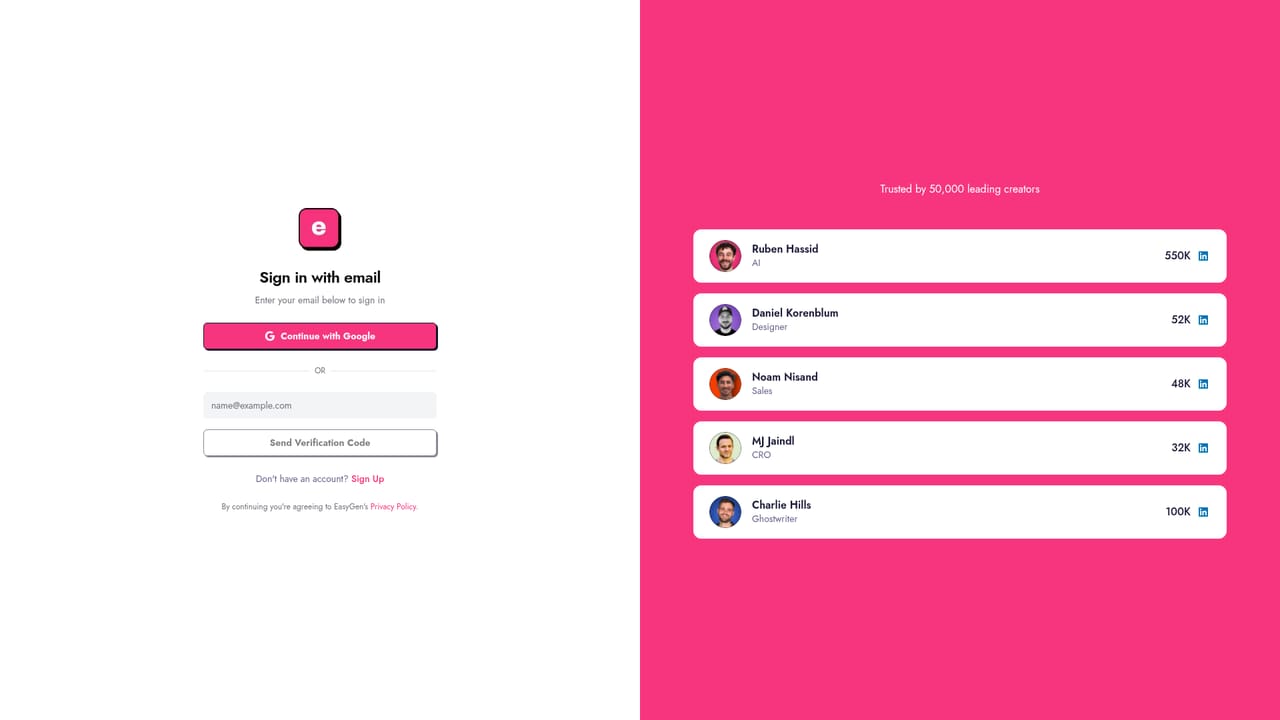
    EasyGen — Open EasyGen and sign in
  2. 2Add creators you want to learn from
    Use the creator list to save authors whose LinkedIn style you want to study. The homepage highlights figures like Paul Graham and Sahil Bloom as examples.
    EasyGen — Add creators you want to learn from
  3. 3Pick a trending topic
    Browse the topic intelligence the tool provides and select a subject that fits your expertise. This replaces manual research for what is currently getting attention.
  4. 4Generate a first draft
    Ask EasyGen to write a post on the chosen topic. The tool draws on high performing creator patterns and your own voice preferences.
  5. 5Edit and publish
    Review the draft for accuracy and tone, adjust anything that sounds off brand, then copy it into LinkedIn to post.

Pros and cons

Pros

  • Built specifically around LinkedIn post formats and creator patterns rather than general contentAI
  • Trending topic intelligence helps surface ideas without manual researchAI
  • Emphasis on preserving the writer's authentic voice instead of producing generic copyAI
  • Creator list feature lets users study top performers like Paul Graham and Sahil BloomAI
  • Backed by a founder with a documented 100 million view LinkedIn track recordAI

Cons

  • No pricing information is shown on the homepage, so cost has to be checked inside the appAI
  • Limited to LinkedIn writing, with no coverage for blogs, email or other channelsAI
  • No integrations, API or mobile app details are published on the homepageAI
  • Relies on patterns from top creators, which may push output toward a similar tone over timeAI
  • Users still need to review and edit drafts, so it is not a fully automatic posting toolAI

How much does EasyGen cost?

Features

EasyGen generates LinkedIn post drafts using data from top 1 percent creators and trending topic intelligence. It includes a creator reference list for studying high performing authors, and it is designed to keep the user's authentic voice while reducing generic output. The homepage does not list advanced features, API access or export options.

Frequently asked questions about EasyGen

  • How do you use EasyGen?
    The walkthrough on this page covers 5 steps: 1. Open EasyGen and sign in 2. Add creators you want to learn from 3. Pick a trending topic 4. Generate a first draft 5. Edit and publish.
  • What platforms does EasyGen support?
    EasyGen is available on Web App.
  • What are the limitations of EasyGen?
    No pricing information is shown on the homepage, so cost has to be checked inside the app. Limited to LinkedIn writing, with no coverage for blogs, email or other channels. No integrations, API or mobile app details are published on the homepage.

Status

StatusActive
Views0
Outbound clicks0
Added10/21/2026

Platforms

Web App

Pricing

PaidSubscription