Pricing
The editor and its features are free, with no card required, no trial countdown and no watermark on exports. The site states there is no per-export cap and no daily quota. Paid tiers are not mentioned on the homepage.
Learn moreBrowser-based multi-track video editor with captions, AI voiceover and no watermark
Own Edit-Videos-Online? Verify ownership to get a dofollow link
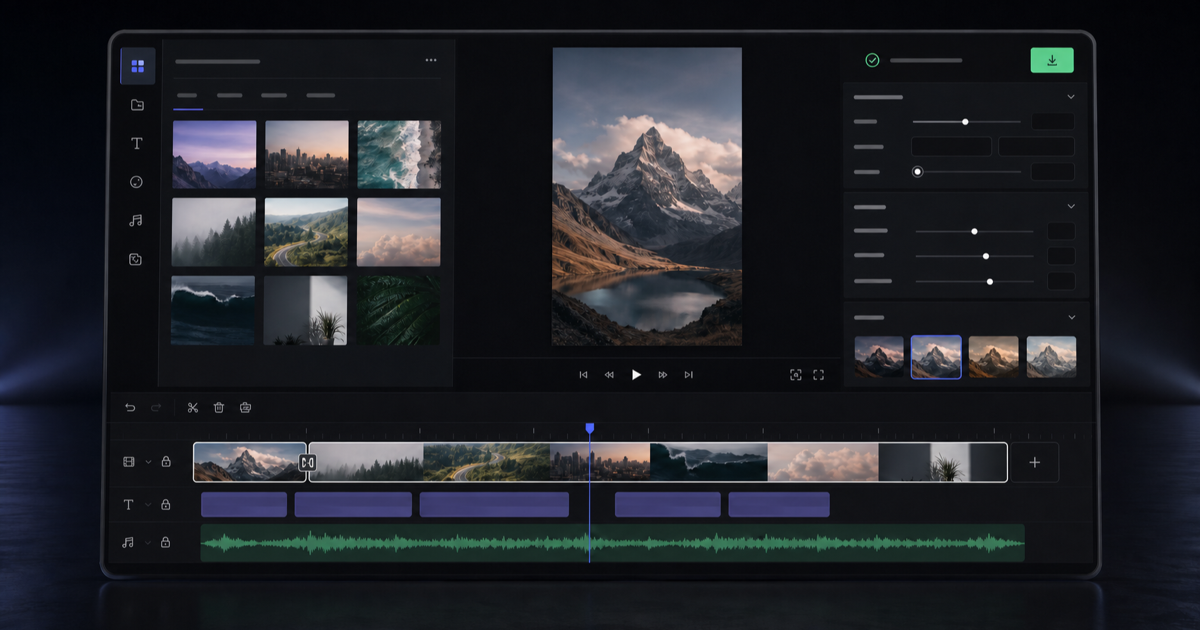
Edit-Videos-Online is a reels tool. A free browser video editor with a real multi-track timeline, automatic captions, AI voiceover in 54 voices and one-click background removal. No install, no account and no watermark on exports. Includes 51 single-purpose conversion and cleanup tools alongside the main editor.
Edit-Videos-Online is a browser-based video editor built around a genuine multi-track timeline rather than a single-clip trimmer. Clips, text, music, captions and voice narration can be stacked on separate layers, split at the playhead, dragged between tracks and trimmed to the frame. The preview updates as you work and matches what the export produces. Nothing is installed, and the editor opens without an account; signing in with Google is optional and only exists to keep projects between visits. The AI features sit inside the same workspace rather than in a separate product. Speech in your own footage can be turned into word-by-word captions that are restyled across every cue at once, without retyping the lines. Narration can be generated from a script using 54 voices across 9 languages and dropped straight onto the timeline. Background removal lifts a person or product out of the shot in one click, with no green screen or manual masking. Keyframes animate position, scale, opacity and volume, and transitions sit between clips. Output is an MP4 in vertical, square or widescreen framing, ready for Reels, TikTok, Shorts, the Instagram grid, YouTube or LinkedIn. Source files can be MP4, MOV, WebM, MKV or AVI video, MP3, WAV or M4A audio, and PNG, JPG or WebP images. Rendering happens on the local machine, so there is no queue and no render farm, though a long timeline will export faster on a plugged-in laptop than on a phone. Alongside the editor, the site hosts 51 single-purpose tools for jobs that do not need a timeline: converting MP4 to MP3 or MOV to MP4, compressing video, resizing for TikTok, generating subtitles, text to speech, AI voice generation and background removal from stills or footage. Those quick tools hand back a downloadable file and do not currently feed results into the editor, so anyone expecting a full edit should start there with the original footage. The comparison set is the usual crop of freemium browser editors that hold features or exports behind an account. This one does not stamp a watermark, cap exports or impose a daily quota. The cost of that model is a smaller feature surface than desktop suites and an editing interface that assumes a mouse and a wide window.
The editor and its features are free, with no card required, no trial countdown and no watermark on exports. The site states there is no per-export cap and no daily quota. Paid tiers are not mentioned on the homepage.
Learn moreNo third-party integrations are documented. Google sign-in is offered as the only optional account link.
Multi-track timeline with split, trim, drag and reorder; keyframes for position, scale, opacity and volume; transitions between clips. Automatic word-by-word captions with bulk restyling; AI voiceover in 54 voices across 9 languages; one-click background removal for video and images. Accepts MP4, MOV, WebM, MKV, AVI, MP3, WAV, M4A, PNG, JPG and WebP, and exports MP4 in vertical, square or widescreen. Rendering runs locally in the browser.
Learn more AI Angels400+ customizable AI girlfriends for NSFW chat, voice calls, and roleplay
 Candy AIExperience the future of companionship with AI friends who chat, role-play, and connect with you on a human level.
 ourdream.aiA vast AI roleplay platform with millions of characters for chat, images, video and voiceAI Angels400+ customizable AI girlfriends for NSFW chat, voice calls, and roleplayCandy AIExperience the future of companionship with AI friends who chat, role-play, and connect with you on a human level.ourdream.aiA vast AI roleplay platform with millions of characters for chat, images, video and voice