Free trial
The homepage invites users to try all features for free in Studio, and the demo figure can be converted directly on the page without an account.
Learn moreAI figure generation with true SVG and PPT editability
Own Editable Figure? Verify ownership to get a dofollow link
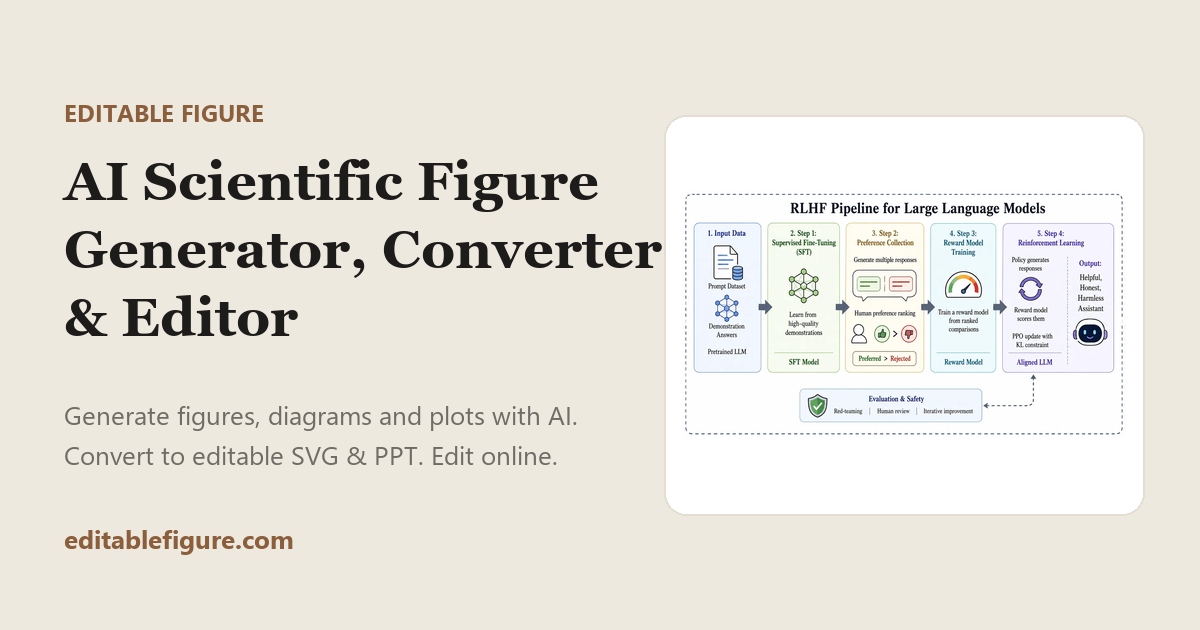
Editable Figure is a graphical abstract generator tool. A browser studio that generates scientific figures with AI, vectorizes raster images into editable SVG and PPT files, and lets you refine labels, shapes and layout online before exporting to PowerPoint, Illustrator or Inkscape.
Editable Figure is built around a problem that most AI image generators quietly create: the figures look right but cannot be edited. Text becomes pixels, arrows become noise, and any label change means starting over. The tool addresses that gap in three linked stages, Generate, Convert and Edit, all inside a browser workspace called Editable Figure Studio. Generation produces scientific figures, diagrams and illustrations from text, sketches or reference images. Conversion is the distinguishing step: raster figures are vectorized into SVG while keeping text, arrows, shapes and overall visual structure intact, and the same output can be exported to PowerPoint. The online editor then handles label wording, color, geometry and layout adjustments, with standard vector controls such as grouping, alignment, layer order, path nodes, marker styles and text formatting. Finished work exports to SVG, PPT, PDF, PNG, JPEG, BMP or WebP, and the SVG and PPT files drop into PowerPoint, Illustrator or Inkscape for further work. Researchers, graduate students and lab teams preparing manuscripts, posters and slide decks are the obvious audience, and the site leans on that with 80 or more templates spanning molecular biology, chemistry, physics, medicine, computer science, geosciences and general diagram types such as flowcharts and methods overviews. Educators and anyone who builds technical diagrams repeatedly will find the template library useful too. A demo figure can be vectorized directly on the homepage, which makes it easy to judge conversion quality before committing. The product sits between AI image generation and traditional vector editors. Compared with a general image model, it trades some artistic range for structure and editability. Compared with Illustrator or Inkscape, it removes the manual redrawing step but offers a narrower set of editing tools, so it complements professional design software rather than replacing it.
The homepage invites users to try all features for free in Studio, and the demo figure can be converted directly on the page without an account.
Learn moreThree connected stages: AI generation of scientific figures from text, sketches or references; vectorization of raster figures into SVG and PPT with text, arrows and shapes preserved; and an online vector editor for labels, colors, shapes, alignment, layer order, path nodes and text. Exports SVG, PPT, PDF, PNG, JPEG, BMP and WebP, with 80 or more field-specific templates.
Learn more AI Angels400+ customizable AI girlfriends for NSFW chat, voice calls, and roleplay
 Candy AIExperience the future of companionship with AI friends who chat, role-play, and connect with you on a human level.
 ourdream.aiA vast AI roleplay platform with millions of characters for chat, images, video and voiceAI Angels400+ customizable AI girlfriends for NSFW chat, voice calls, and roleplayCandy AIExperience the future of companionship with AI friends who chat, role-play, and connect with you on a human level.ourdream.aiA vast AI roleplay platform with millions of characters for chat, images, video and voice