Free trial
No trial is described because the core tool is free to use. Premium is the paid upgrade, billed monthly per server.
Learn moreVisual Discord embed builder with webhooks, buttons and scheduling
Own Embed Generator? Verify ownership to get a dofollow link

Embed Generator is an AI chat bot tool. A visual editor for Discord embeds, buttons and select menus that sends messages through a webhook or the Embed Generator bot. Free to start, open source, with optional Premium for scheduling, custom commands and a branded bot.
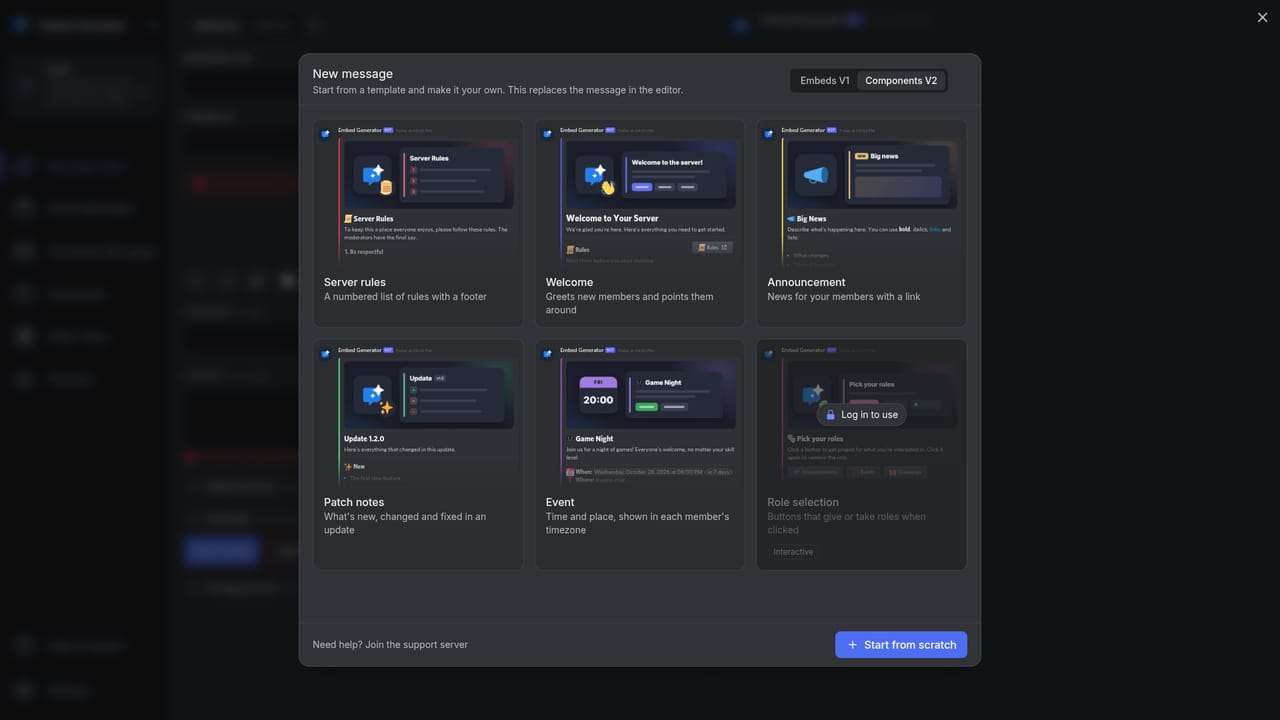
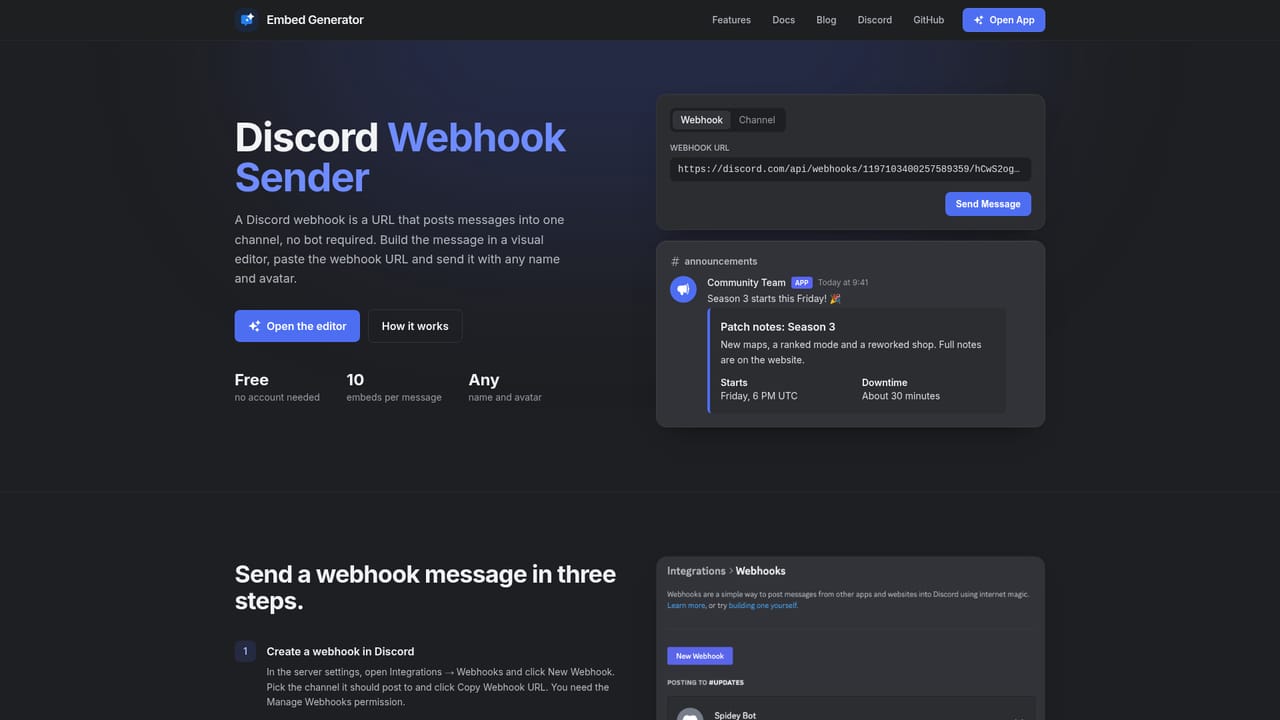
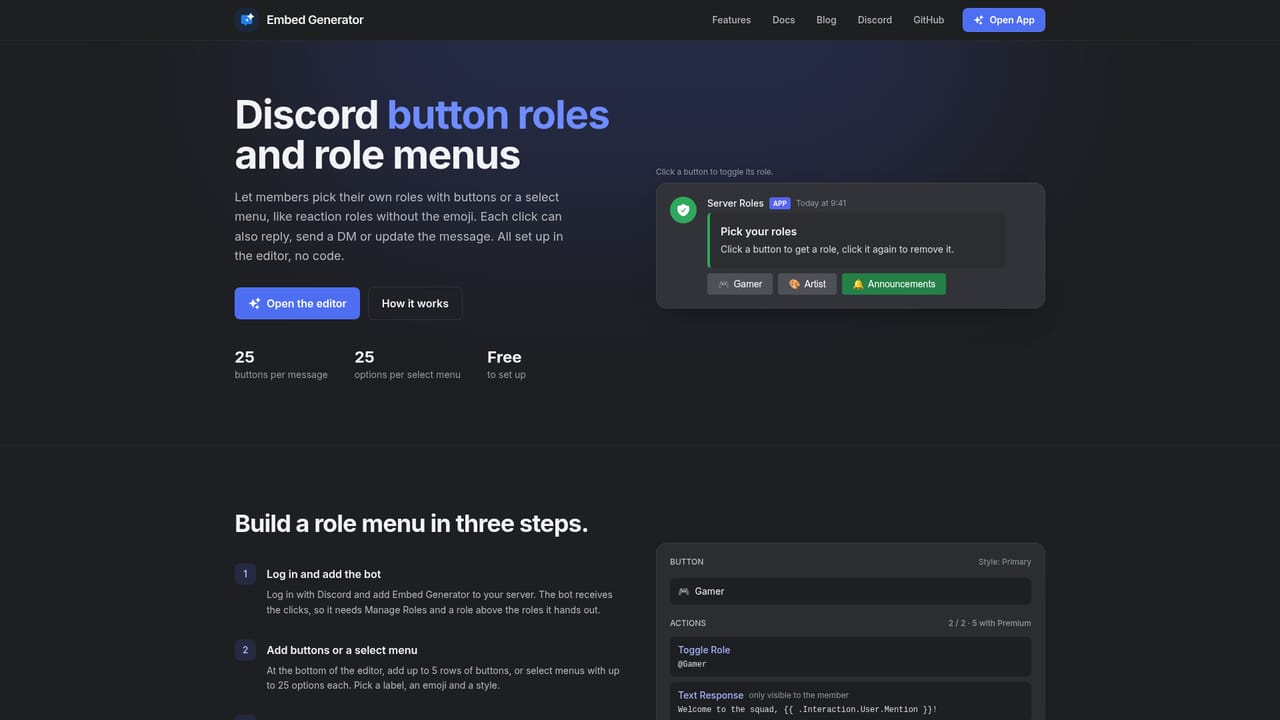
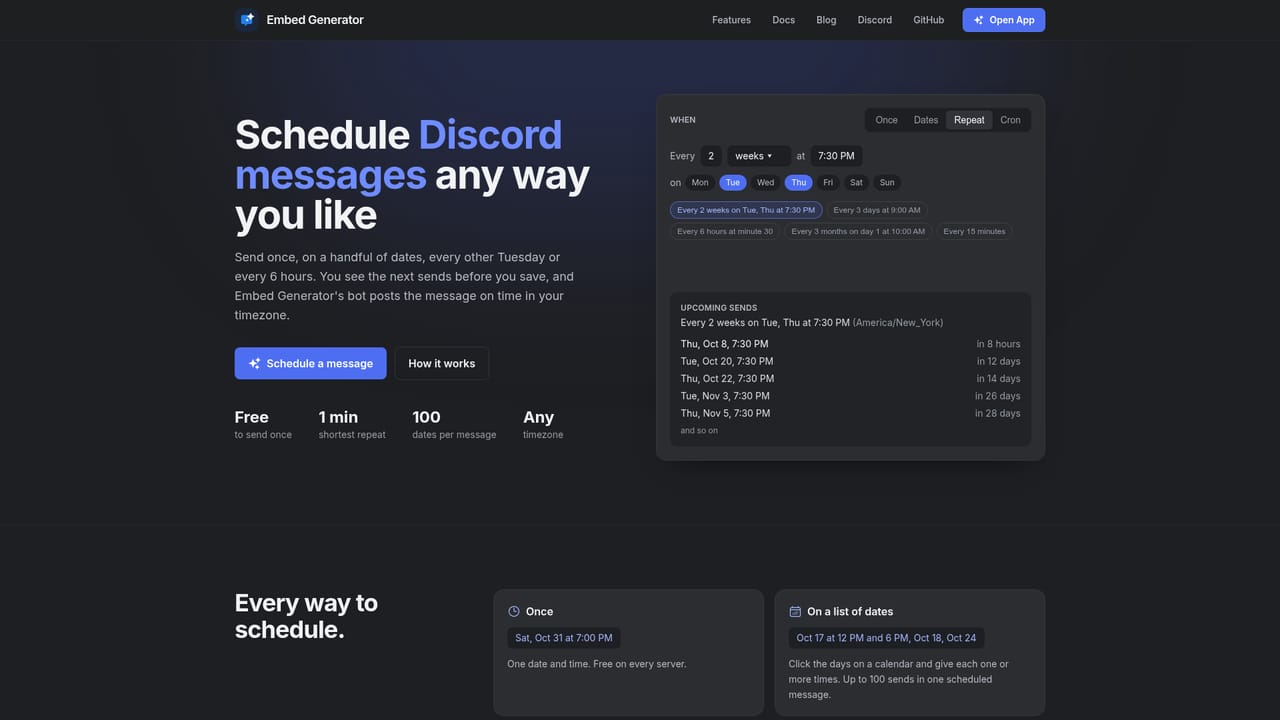
Embed Generator is a browser-based editor for building Discord messages without touching JSON. You assemble embeds, buttons and select menus on a canvas, watch the preview update as you type, and then push the finished message to a channel through a webhook URL or the project's own bot. The site reports more than 250,000 servers and over three million messages sent, and the whole project is open source, with the editor, bot and website published on GitHub. The tool splits its output into two routes. A webhook handles plain messages and embeds and lets you set any display name and avatar, so a post can look like it came from your staff team. Buttons that assign roles, select menus, slash commands and scheduled posts require the Embed Generator bot, which is added to a server in one click. A Components V2 mode unlocks sections, separators, media galleries and thumbnails for layouts that go beyond the classic embed box. Messages can be written with template variables such as member mentions and guild member counts, which the bot fills in when the message actually sends. It suits Discord server owners, community managers and moderators who want polished announcements, role pickers, rules posts and recurring prompts without writing a custom bot. The workflow is intentionally non-technical: build, choose a target, send. Saved messages live in the cloud so a single template can be reused across several channels, and the same editor accepts pasted Discohook JSON, which makes it a drop-in replacement for people migrating from that tool. An AI assistant can draft a message from a short chat prompt, and everything stays editable before it goes out. Against hand-rolled bots and raw webhook payloads, the appeal is speed and previews rather than deep programmatic control. Scheduled and recurring messages, custom slash commands and a branded bot identity sit behind a paid plan for one server, and Fluxer webhooks are supported for plain content and embeds only.
No trial is described because the core tool is free to use. Premium is the paid upgrade, billed monthly per server.
Learn moreBuilding and sending embeds, buttons and select menus is free and needs no account to start. Premium costs $4.99 per month for one server, cancel anytime, and adds up to 100 saved messages, up to 5 actions per component, your own bot name and avatar, custom slash commands, recurring scheduled messages and more AI assistant prompts.
Learn moreDocumentation covers the editor, buttons and select menus, and includes a migration guide for Discohook users. The full source is published on GitHub for self-inspection.
Learn moreConnects to Discord through channel webhooks or the Embed Generator bot, and accepts Fluxer webhook URLs for content, embeds and files. Pasted Discohook JSON imports into the editor.
Learn moreVisual editor with live preview, embeds, buttons and select menus, Components V2 sections and separators, custom names and avatars, template variables for mentions and member counts, saved messages in the cloud, scheduled and recurring posts, custom slash commands, a branded bot identity and an AI assistant that drafts messages from a chat prompt.
Learn more AI Angels400+ customizable AI girlfriends for NSFW chat, voice calls, and roleplay
 Candy AIExperience the future of companionship with AI friends who chat, role-play, and connect with you on a human level.
 ourdream.aiA vast AI roleplay platform with millions of characters for chat, images, video and voiceAI Angels400+ customizable AI girlfriends for NSFW chat, voice calls, and roleplayCandy AIExperience the future of companionship with AI friends who chat, role-play, and connect with you on a human level.ourdream.aiA vast AI roleplay platform with millions of characters for chat, images, video and voice


