Free trial
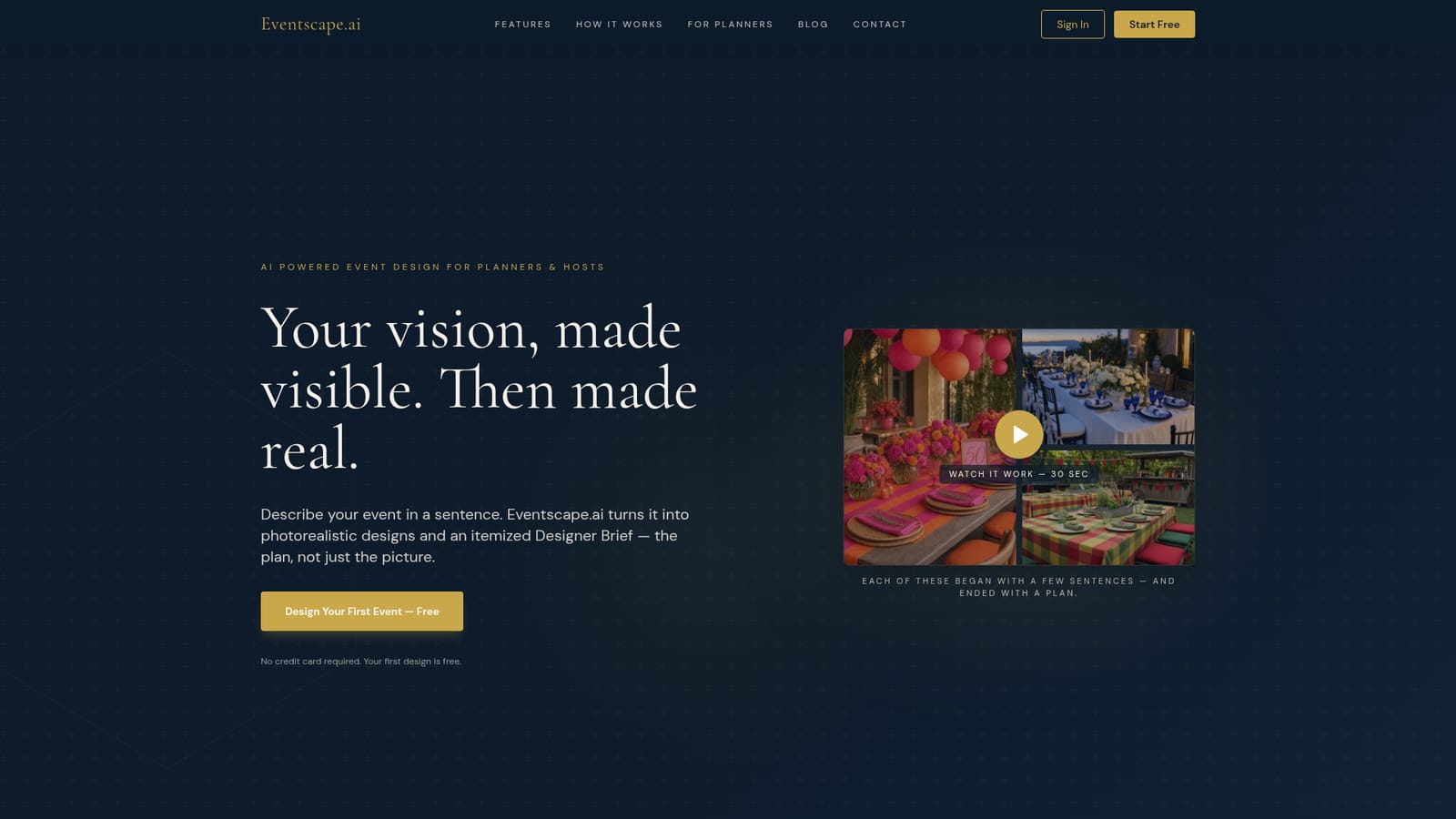
The first design is free and requires no credit card, which is enough to test one full render set and its Designer Brief.
Learn moreTurn a one-sentence event vision into photorealistic renders and an itemized buying brief.
Own Eventscape.ai? Verify ownership to get a dofollow link

Eventscape.ai is an election simulation tool that turns a one-sentence event vision into photorealistic renders and an itemized buying brief. An AI event design tool that converts a short written vision into photorealistic tablescape, ambiance, centerpiece and place setting renders, then produces an itemized Designer Brief with counts, standard rental sizes and scale checks.
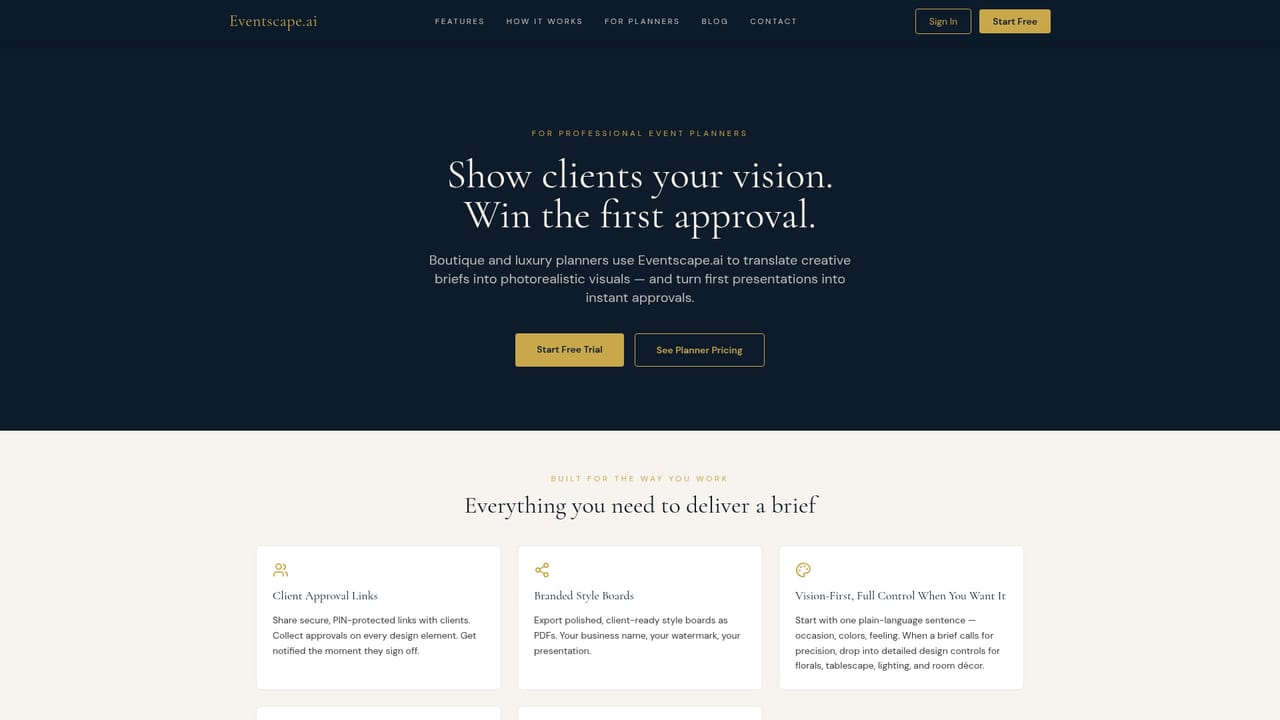
Eventscape.ai is an event design tool that takes a written description of an occasion and returns two things: photorealistic visuals of the space and a structured plan for building it. A host or planner types a single sentence covering the occasion, colors and mood, optionally adding detail controls for florals, tablescape, lighting and room decor, and the system renders four scene types: a full tablescape, room ambiance, a centerpiece close-up and a place setting detail. Generation typically runs one to three minutes, and each render can be refined with a single tap while every earlier version stays saved in a private library. The second half of the product is the Designer Brief, which is what separates it from a pure image generator. Once a design is approved, Eventscape.ai converts it into an itemized list of chargers, linens, candles, centerpieces and vessels, with counts and sizes checked against standard rental dimensions. It also raises scale flags when the numbers conflict, for example when the stated guest seating does not match the table size that was specified. The brief is editable and exports to PDF, so it can go to a rental house, a florist or a household buying supplies for a weekend party. Sharing is handled through a Style Board link with optional PIN protection. Family, friends or clients open it in a browser without creating an account and approve or request changes on individual elements, which suits designers who need sign-off before ordering. The tool also carries light project management: a pipeline tracker, per-event task checklists with templates, vendor contacts and an AI-generated day-of timeline. It fits between mood boarding tools and professional event CAD software. It is aimed at boutique designers who want client-facing concepts quickly, and at non-professionals planning a birthday, graduation, gala or launch reception who need a concrete plan rather than inspiration. The appeal is speed of concept and the bridge to purchasing. The tradeoff is that approval, accuracy and the underlying scene generation all depend on the detail you feed in, and the visual output is a rendering rather than a guarantee of what a vendor can supply.
The first design is free and requires no credit card, which is enough to test one full render set and its Designer Brief.
Learn moreProfessional plans start at $49 per month. The homepage states that Studio and Agency tiers include unlimited events, priority generation, custom watermarks and white-label client views, but it does not publish a per-tier price breakdown or a standalone price for personal use.
Learn morePlain-language vision input with optional detail controls and voice entry, four photorealistic scene types, an AI color palette generator with swatch locking, a shareable Style Board with element-level approval and PIN protection, a Designer Brief with counts, sizes, scale checks and PDF export, plus a pipeline tracker, task checklists, vendor contacts and generated day-of timelines.
 AI Angels400+ customizable AI girlfriends for NSFW chat, voice calls, and roleplay
 Candy AIExperience the future of companionship with AI friends who chat, role-play, and connect with you on a human level.
 ourdream.aiA vast AI roleplay platform with millions of characters for chat, images, video and voiceAI Angels400+ customizable AI girlfriends for NSFW chat, voice calls, and roleplayCandy AIExperience the future of companionship with AI friends who chat, role-play, and connect with you on a human level.ourdream.aiA vast AI roleplay platform with millions of characters for chat, images, video and voice