Free trial
Account creation is free, but the homepage does not describe a trial allowance or any free credits.
Learn moreTurn a single prompt into a finished faceless video for Shorts, TikTok and Reels
Own FacelessGenie? Verify ownership to get a dofollow link
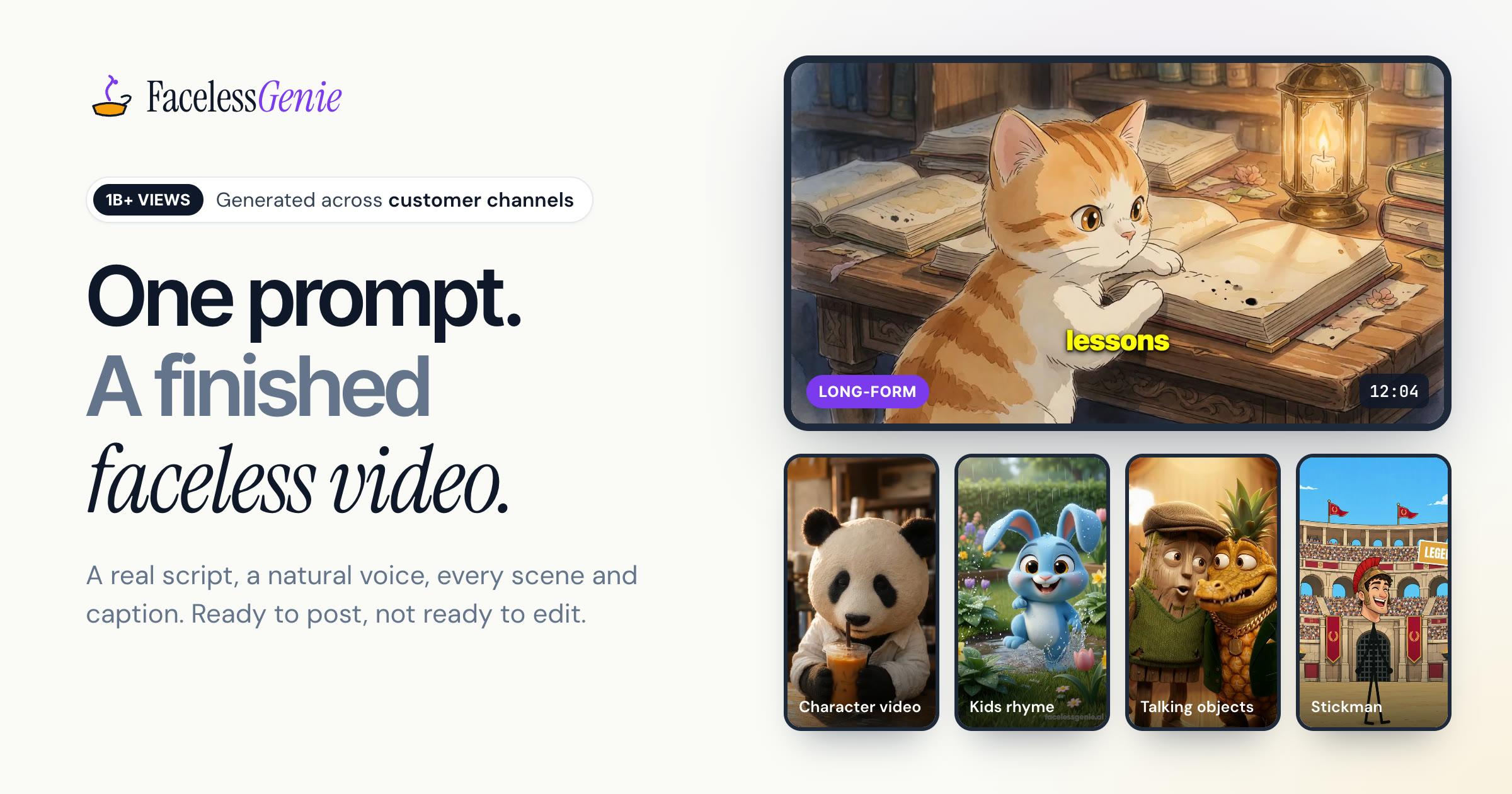
FacelessGenie is a make reels AI tool that turns a single prompt into a finished faceless video for Shorts, TikTok and Reels. FacelessGenie is a web app that turns one prompt into a finished faceless video, with script, AI voiceover, generated scenes, music and captions, for YouTube, TikTok and Instagram Reels across more than 20 formats.
FacelessGenie is a web-based video generator built for creators who publish channels without appearing on camera. The user picks a format, types a topic or a longer brief, and the service produces a complete video: a written script, a voiceover, generated scenes, background music and word-by-word captions. The output targets YouTube, TikTok and Instagram Reels, with runtimes ranging from short clips of 15 to 90 seconds up to long-form pieces of 5 to 20 minutes. The format menu is the core of the product. Options include narrated stories, talking objects, stickman stories, a recurring-character video, reaction videos where an AI avatar responds to a clip, explainer duos set over gameplay, an AI podcast with two hosts debating a topic, and a nursery rhyme format that writes, sings and animates an original song. A Movie Maker mode keeps the same characters looking consistent across scenes and episodes, and a music-to-video mode syncs visuals to an uploaded track. Further inputs include articles, Reddit posts, PDFs, tweets and links, which can be converted into video. The homepage names the models behind the pipeline, among them Claude, ChatGPT and Gemini for writing, FLUX and Nano Banana for images, Veo, Kling, Seedance and Hailuo for video, ElevenLabs for voices and Whisper for captions. In practice the workflow is short: choose a format, supply a niche and mood, review the generated shot list and script, adjust anything before the final render, then download in HD and post. Example renders on the site are said to take roughly five to seven minutes from prompt to a ready file. The audience is solo creators, kids-content channels, storytellers and anyone running automated short-form accounts. Compared with timeline editors such as CapCut or stock-footage assemblers, it trades manual control for speed and hands the creative decisions to the models. Compared with raw text-to-video generators, it adds scripting, voice, captions and format templates around the clips. Sign-up is free and a subscription is required to continue, with plans listed on a dedicated pricing page.
Account creation is free, but the homepage does not describe a trial allowance or any free credits.
Learn moreSign-up is free and a paid subscription is required to keep creating videos. Plan names and prices are not stated on the homepage and are listed on the pricing page.
Learn moreA contact page is available. The homepage does not describe support channels, response times or documentation.
Learn moreVideos are built for YouTube, Instagram Reels and TikTok, and the pipeline uses models including Claude, ChatGPT, Gemini, FLUX, Veo, Kling, ElevenLabs and Whisper. No direct publishing integrations are stated.
Prompt-to-video generation with AI scripts, voiceovers, scenes, music and word-by-word captions. More than 20 formats, Shorts to 20-minute long-form, character consistency in Movie Maker, music-to-video, and link, PDF or article conversion.
Learn more AI Angels400+ customizable AI girlfriends for NSFW chat, voice calls, and roleplay
 Candy AIExperience the future of companionship with AI friends who chat, role-play, and connect with you on a human level.
 ourdream.aiA vast AI roleplay platform with millions of characters for chat, images, video and voiceAI Angels400+ customizable AI girlfriends for NSFW chat, voice calls, and roleplayCandy AIExperience the future of companionship with AI friends who chat, role-play, and connect with you on a human level.ourdream.aiA vast AI roleplay platform with millions of characters for chat, images, video and voice