Free trial
Not applicable: the tool is free with no trial period, no account creation and no payment details requested.
Learn moreIdentify any garment from a photo or reel and compare store prices.
Own FashionMix FIND? Verify ownership to get a dofollow link
FashionMix FIND is a clothes finder tool. A free, browser based clothing search that identifies a garment from a photo, screenshot or TikTok reel and returns live prices from the stores selling it, sorted cheapest first. No account required and images are discarded after each search.
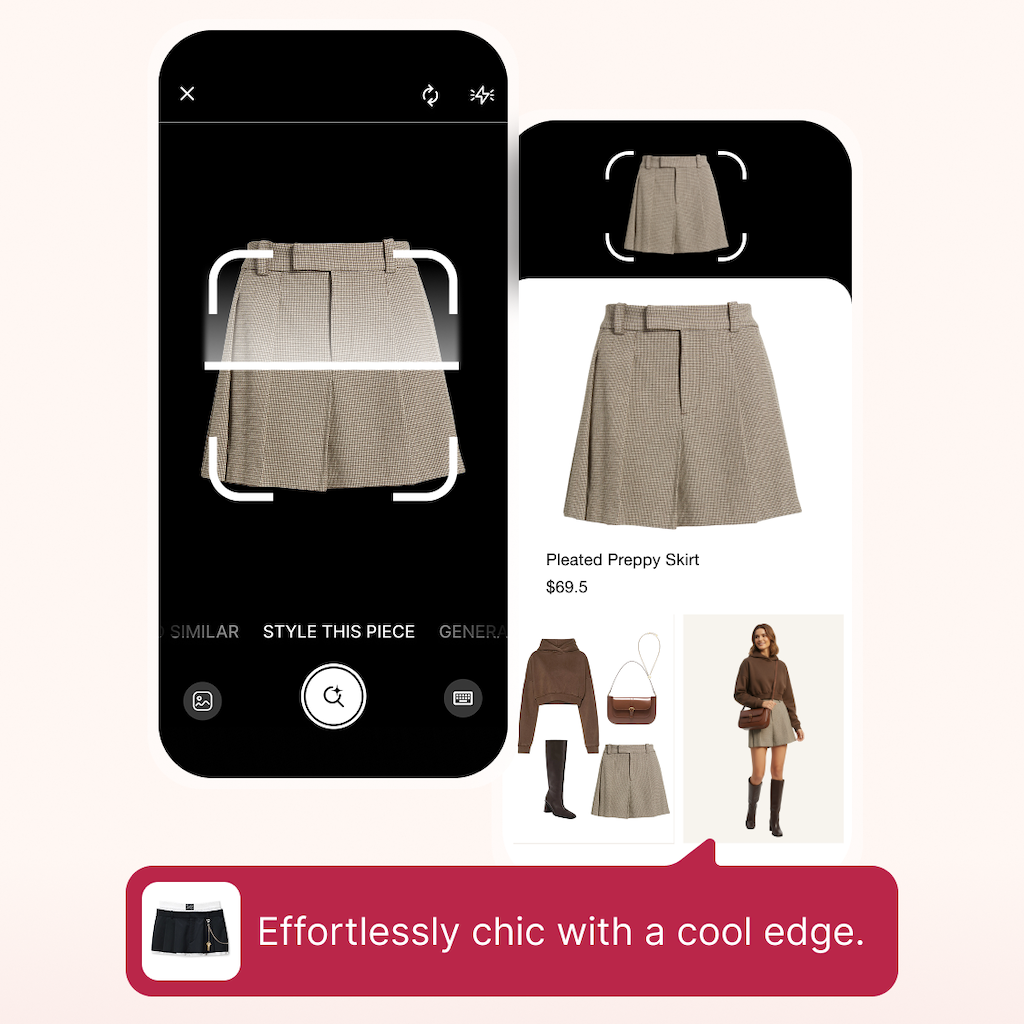
FashionMix FIND is a browser based clothing identification tool. It accepts a photo, a screenshot or a TikTok reel, reads the garment with AI vision, and returns the product pages where that piece is sold. The emphasis is on the buying step rather than the naming step: results arrive as a single price list sorted from cheapest to most expensive, with live prices pulled from the retailers themselves. The workflow is deliberately short. You drop in an image, or a saved reel, and pick the frame where the garment shows best if you supplied a video. The vision model reads cut, colour, fabric and any brand tell such as a buckle, logo plate or hardware. From there the tool hunts verified product pages and assembles the comparison. If a shot contains several garments, tapping the one you want crops in and runs the search again. Photo data is analysed in memory for one search and then discarded, so nothing is stored and no account is needed. Accuracy depends heavily on the garment. Printed dresses, outerwear, shoes with visible hardware and bags identify well because neckline, hem, print and hardware give the model plenty to grip. Denim sits in the middle, where wash and leg shape carry most of the signal. Plain knitwear and unbranded basics are the weak spot, and the tool says so: when the exact piece cannot be pinned down it returns closest in-stock matches and labels them as such instead of guessing. The natural comparison is Google Lens, which usually names a garment and shows somewhere selling it but fills the screen with visually similar results and paid marketplace placements. FIND assumes you already know roughly what you are looking at and want to know which retailer has it cheapest this week. It suits shoppers who screenshot outfits from social feeds, people chasing a specific piece seen in a reel, and anyone who wants a price check before committing. No sign-up, no subscription, no app install beyond adding the site to a home screen.
Not applicable: the tool is free with no trial period, no account creation and no payment details requested.
Learn moreThe tool is free to use. There is no account, no trial and no credit card, and the site says shopping links may earn it a commission. Prices shown are the retailer's own and are described as never marked up.
Learn moreAI vision identification of cut, colour, fabric and brand tells such as hardware and logos. Accepts photos, screenshots and saved TikTok reels with frame selection. Crops into a single garment when several appear in one shot. Returns verified product pages with live prices sorted cheapest first, plus optional price drop alerts. Claims no image storage: each photo is analysed in memory for one search and discarded.
Learn more AI Angels400+ customizable AI girlfriends for NSFW chat, voice calls, and roleplay
 Candy AIExperience the future of companionship with AI friends who chat, role-play, and connect with you on a human level.
 ourdream.aiA vast AI roleplay platform with millions of characters for chat, images, video and voiceAI Angels400+ customizable AI girlfriends for NSFW chat, voice calls, and roleplayCandy AIExperience the future of companionship with AI friends who chat, role-play, and connect with you on a human level.ourdream.aiA vast AI roleplay platform with millions of characters for chat, images, video and voice