Free trial
Getting started requires no credit card, and the site invites new users to start creating before committing to a paid tier.
Learn moreFashion-specific AI agent for try-ons, product photos and campaign visuals
Own FASHN Virtual Try-On? Verify ownership to get a dofollow link
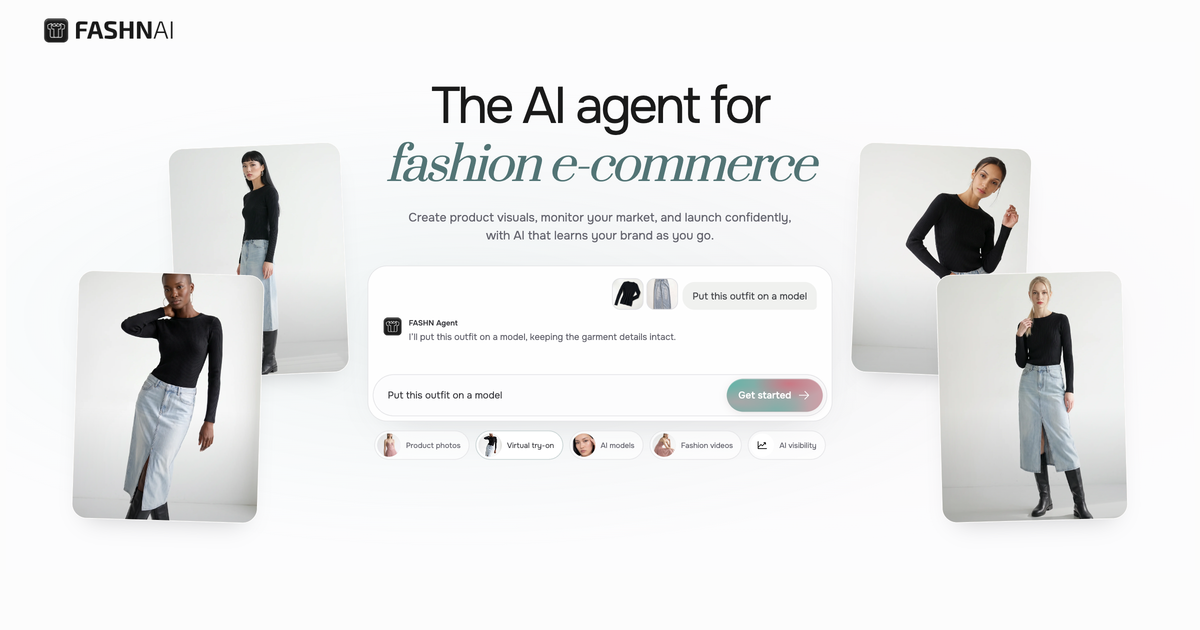
FASHN Virtual Try-On is an AI lookbook tool. A conversational AI agent built for fashion e-commerce, producing virtual try-ons, product-to-model shots, consistent AI models and short fashion videos while keeping garment details recognizable. Web and mobile apps plus an API for teams.
FASHN is a fashion-focused AI platform built around a conversational agent rather than a fixed set of buttons. The core promise is product fidelity: garments should keep their color, print, logos, materials and construction when moved onto a model, into a new setting, or into a short video. It does this by combining FASHN's own virtual try-on model with leading general-purpose image models, and letting the agent decide which process fits a given request. In practice you start with any asset: a product shot, a model image, something from your Gallery, or an entry from the Elements library of models, poses, backgrounds and clothing. You then describe the outcome in plain language, for example a studio photo of a model wearing a coat. From there you iterate: refine details, generate variations, explore new angles, and convert a favorite still into a five second video. A consistent-models feature lets you reuse one generated model across looks, angles and campaigns, which matters for brands that need a coherent catalog rather than a pile of unrelated images. The audience is e-commerce fashion: in-house creative teams, small brands without a photo studio budget, marketplace sellers producing catalog volume, and agencies running campaigns for several labels. Teams can share an organization workspace with pooled credits, group assets into Collections, apply custom Labels, and filter the Gallery. A mobile app covers phone-first capture, and an API exposes try-on, image, editing and video tools for teams that want the output inside their own product. Against general image generators, the trade-off is narrower scope in exchange for garment accuracy and a workflow organized around fashion assets. FASHN sits closer to a production tool than a playground: the value depends on sharp, well-lit source photos and a human check of each result before publishing.
Getting started requires no credit card, and the site invites new users to start creating before committing to a paid tier.
Learn morePlans are compared on a dedicated pricing page and include team plans that pool shared credits inside an organization workspace. No specific price points are listed on the homepage, so check the pricing page for current tiers and credit allowances.
Learn moreAn API brings FASHN's image, try-on, editing and video tools into your own product. The homepage shows brand logos such as Shopify but does not describe a native integration, so treat that as a customer reference rather than a listed connector.
Learn moreVirtual try-on and product-to-model photography, AI model creation with consistent models across looks, image editing and variation, short fashion videos, a curated Elements library of models, poses, backgrounds and clothing, plus a shared team workspace with Collections, Labels and a filterable Gallery.
Learn more AI Angels400+ customizable AI girlfriends for NSFW chat, voice calls, and roleplay
 Candy AIExperience the future of companionship with AI friends who chat, role-play, and connect with you on a human level.
 ourdream.aiA vast AI roleplay platform with millions of characters for chat, images, video and voiceAI Angels400+ customizable AI girlfriends for NSFW chat, voice calls, and roleplayCandy AIExperience the future of companionship with AI friends who chat, role-play, and connect with you on a human level.ourdream.aiA vast AI roleplay platform with millions of characters for chat, images, video and voice