WhatToWear

Upload one piece, get six complete outfits

Beginner
Screenshot of WhatToWear, Upload one piece, get six complete outfits

What is WhatToWear?

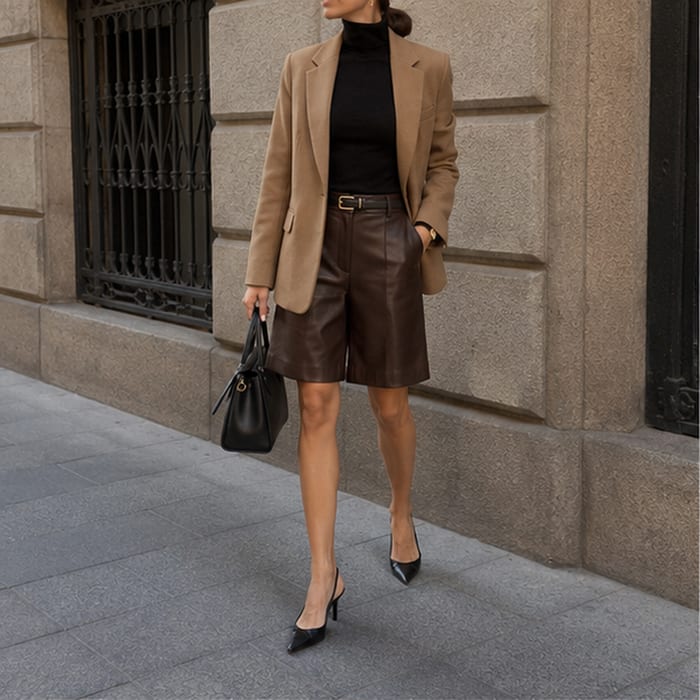
WhatToWear is an AI lookbook tool. An AI outfit generator that takes one uploaded garment plus an occasion and returns six complete looks, with an optional full-body photo mode that shows each outfit on you. Credits scale with face accuracy and personal styling.

WhatToWear is an outfit generator built around a single input: one clothing item. You upload a photo of a cardigan, a pair of jeans, a skirt or a bag, and the tool returns six complete looks styled around that piece. The premise is narrower than a general image generator and more practical than a mood board. It assumes you already own something you want to wear and need help building the rest of the outfit around it. The workflow is a short form rather than a chat. You pick a men's or women's styling track, confirm the garment category and dominant color (both can be detected from the image rather than set by hand), then choose an occasion: weekend casual, work, date night, brunch, travel, streetwear or party. An optional full-body photo lets the output show each look on your own body instead of on a model. Before anything is sent, the page states that photos stay on the device and nothing is uploaded until generation begins. The interesting design decision is the split between model styling and personal styling. Model styling costs 1 credit per run. Seeing the looks on yourself costs 3 credits, which implies a heavier generation path, and the same step also offers control over whether uploaded hair is polished, kept similar or freely restyled. Face accuracy can be set to standard (3 credits) or high (5 credits), so cost scales with how much fidelity you ask for. Results land in a wardrobe view, and a regenerate action produces a fresh set of six when the first pass misses. The tool is aimed at people who find outfit planning tedious rather than people who enjoy it: commuters, travelers packing light, anyone who owns a statement piece and never wears it. It sits between a personal stylist (expensive, human, opinionated) and a Pinterest board (free, unpersonalized). WhatToWear's bet is that one real garment plus an occasion is enough context for useful suggestions. There is no closet scanning, so the tool does not learn your full wardrobe over time; each item is styled on its own.

How do you use WhatToWear?

  1. 1Upload the piece you want to style
    Open the outfit generator and drop a clothing item into the upload area. JPG, PNG and HEIC are accepted up to 8MB.
  2. 2Confirm category and color
    Leave category and dominant color on detect from image, or set them manually if the automatic read is wrong for a patterned or unusual item.
  3. 3Choose styling mode and credits
    Select model styling for 1 credit, or personal styling for 3 credits and add a full-body photo: face visible, single person, front facing, good lighting.
  4. 4Set the occasion
    Pick weekend, work, date night, brunch, travel, streetwear or party so the generator knows the dress code it is styling for.
  5. 5Sign in and generate
    Sign in with Google to start generation. Six looks are styled in sequence and appear in your wardrobe view when ready.
  6. 6Refine or regenerate
    If the set misses, change the occasion or use regenerate looks for a fresh six, or style another item from the same screen.

Pros and cons

Pros

  • Turns a single owned garment into six coordinated looks instead of generic inspirationAI
  • Occasion presets cover work, date night, travel, brunch, streetwear and partyAI
  • Optional full-body photo shows outfits on your own body, with a hair styling controlAI
  • Automatic detection of garment category and dominant color reduces form fillingAI
  • Photos are described as staying on the device until you actively generateAI

Cons

  • No transparent price list on the page: output is described in credits, not currencyAI
  • No closet scanning, so the tool cannot account for the rest of your wardrobeAI
  • Sign-in with Google is mandatory before any looks are generatedAI
  • Cost jumps sharply for personal mode (3 credits) and high face accuracy (5 credits)AI
  • Feedback channel is a small in-page form, with no documented help centre or email supportAI

How much does WhatToWear cost?

Pricing

The page prices generation in credits rather than currency. Model styling costs 1 credit per run of six looks. Personal styling with a full-body photo costs 3 credits. Face accuracy is 3 credits at standard or 5 at high. No subscription tiers or currency prices are shown on the homepage.

Learn more

Support

A short in-page feedback form accepts bugs, ideas and other notes, with a category selector and message field. No help centre, email address or response time is published.

Integrations

Sign in with Google is the only integration named on the page. No API, export or third party wardrobe connections are described.

Features

One garment photo in, six coordinated outfits out. Garment category and dominant color are detected automatically but can be overridden. Men's and women's styling tracks. Seven occasion presets. Optional full-body photo mode that renders looks on you, with controls for hair handling and face accuracy. Regenerate for a new set or swap in another item.

Frequently asked questions about WhatToWear

  • How much does WhatToWear cost?
    The page prices generation in credits rather than currency. Model styling costs 1 credit per run of six looks. Personal styling with a full-body photo costs 3 credits. Face accuracy is 3 credits at standard or 5 at high. No subscription tiers or currency prices are shown on the homepage.
  • How do you use WhatToWear?
    The walkthrough on this page covers 6 steps: 1. Upload the piece you want to style 2. Confirm category and color 3. Choose styling mode and credits 4. Set the occasion 5. Sign in and generate 6. Refine or regenerate.
  • What platforms does WhatToWear support?
    WhatToWear is available on Web App.
  • What does WhatToWear integrate with?
    Sign in with Google is the only integration named on the page. No API, export or third party wardrobe connections are described.
  • What are the limitations of WhatToWear?
    No transparent price list on the page: output is described in credits, not currency. No closet scanning, so the tool cannot account for the rest of your wardrobe. Sign-in with Google is mandatory before any looks are generated.