Integrations
The page links to a self-hosted FoloToy server on GitHub for the beta testing programme. No third-party app integrations are listed on the homepage.
Plush toys that talk, listen, and adapt to your child

FoloToy makes plush, huggable toys with a conversational AI inside. A child presses the paw to talk, and parents use an app dashboard to set the voice, topics and age-appropriate responses. A separate chip can convert an existing toy, and a self-hosted server is published on GitHub.
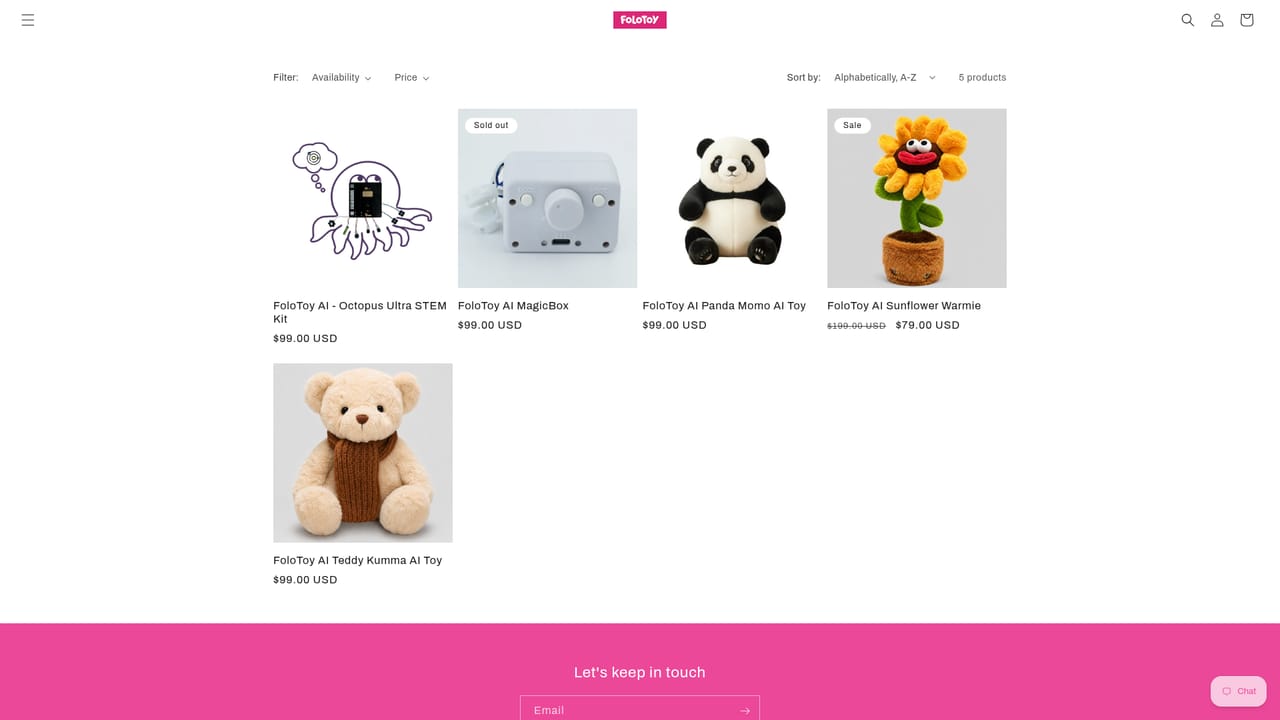
FoloToy is a line of plush, huggable toys built around a conversational AI layer. A child presses the toy's paw to start talking, and the toy answers out loud in a voice and on topics that a parent sets up in advance. The company positions this as a learning companion rather than a screen: the interaction is spoken, the object is soft, and the whole thing is meant to sit somewhere between a stuffed animal and a home assistant. The product has two halves. The physical toy is the part a child holds, and FoloToy sells several characters suited to different ages and interests. Behind it sits a companion app with a parent dashboard, where an adult can adjust the voice, decide which conversation subjects are in bounds, and tune responses to the child's age and interests. The company also sells a separate chip that can be dropped into an existing beloved toy, turning a favourite stuffed animal into an interactive one without buying a new character. In daily use the pattern is simple: press the paw, speak, listen, press again. FoloToy frames the likely settings as bedtime stories, creative play and outings such as museum visits, and describes the AI as growing and adapting alongside the child. Because the parent dashboard is where personalisation happens, an adult needs to set the toy up before a child gets much out of it, and monitoring the experience is presented as part of the offering rather than an afterthought. FoloToy sits in a small field of AI toys for children, competing against screen-based companions and generic smart speakers. Its differentiator is the plush form factor plus the DIY chip, and it also publishes a self-hosting server on GitHub for technically minded buyers. Families that want spoken AI play without handing a child a tablet are the obvious audience; households expecting rich visuals or a large app ecosystem are not. Pricing, subscription terms and hardware compatibility beyond what the homepage states are not confirmed here.
The page links to a self-hosted FoloToy server on GitHub for the beta testing programme. No third-party app integrations are listed on the homepage.
Conversational AI in a plush toy, started by pressing the paw. A parent dashboard handles voice selection, age-appropriate responses and conversation topics. The toys are designed for learning and storytelling, and a separate chip adds interactivity to an existing toy. A self-hosting server is published on GitHub for the beta programme.
 AI Angels400+ customizable AI girlfriends for NSFW chat, voice calls, and roleplay
 Candy AIExperience the future of companionship with AI friends who chat, role-play, and connect with you on a human level.
 ourdream.aiA vast AI roleplay platform with millions of characters for chat, images, video and voiceAI Angels400+ customizable AI girlfriends for NSFW chat, voice calls, and roleplayCandy AIExperience the future of companionship with AI friends who chat, role-play, and connect with you on a human level.ourdream.aiA vast AI roleplay platform with millions of characters for chat, images, video and voice


