Pricing
The homepage describes the app as free to start on iOS and Android. No subscription tiers, prices or paid feature limits are stated in the source content.
Learn moreA decade-old dream journal that now reads its own archive back to you
Own Dream Journal? Verify ownership to get a dofollow link

Dream Journal is a chat diary tool. A long-running iOS and Android dream journal with AI interpretation, a private chat that answers from your own entries, and pattern analysis across the full archive. Backed by a free 12,000 symbol dictionary and anonymous sharing wall.
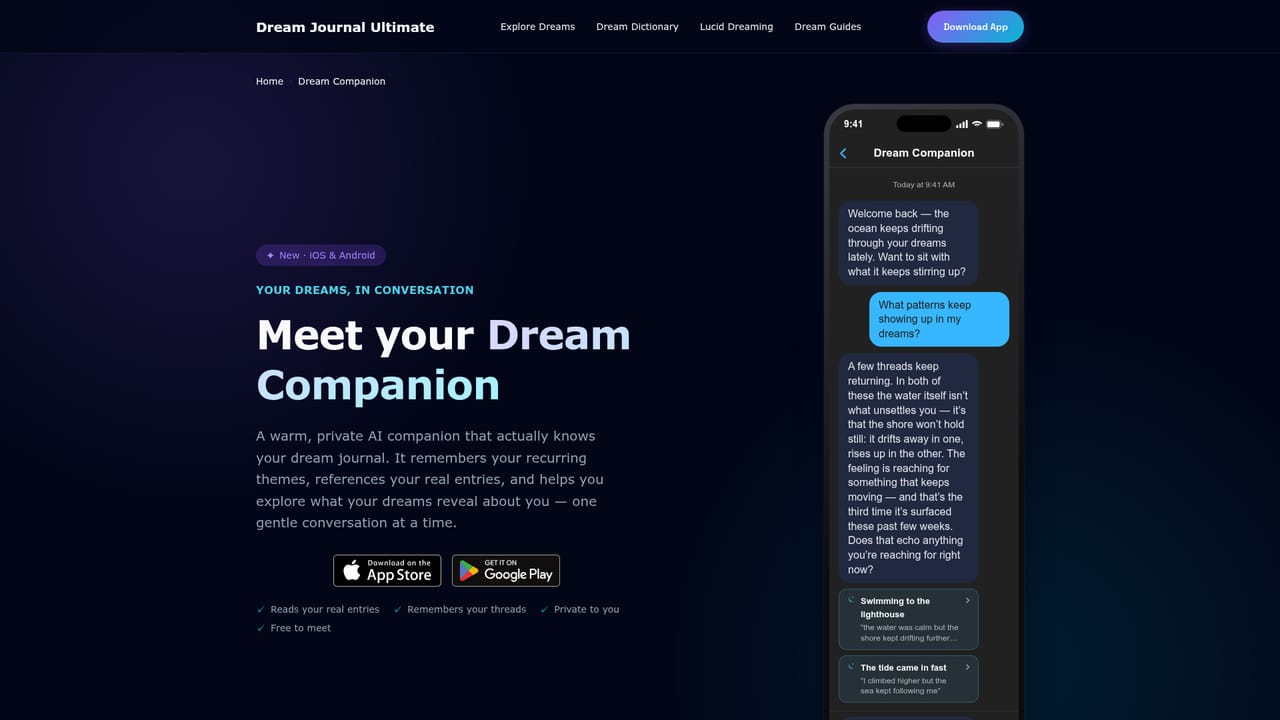
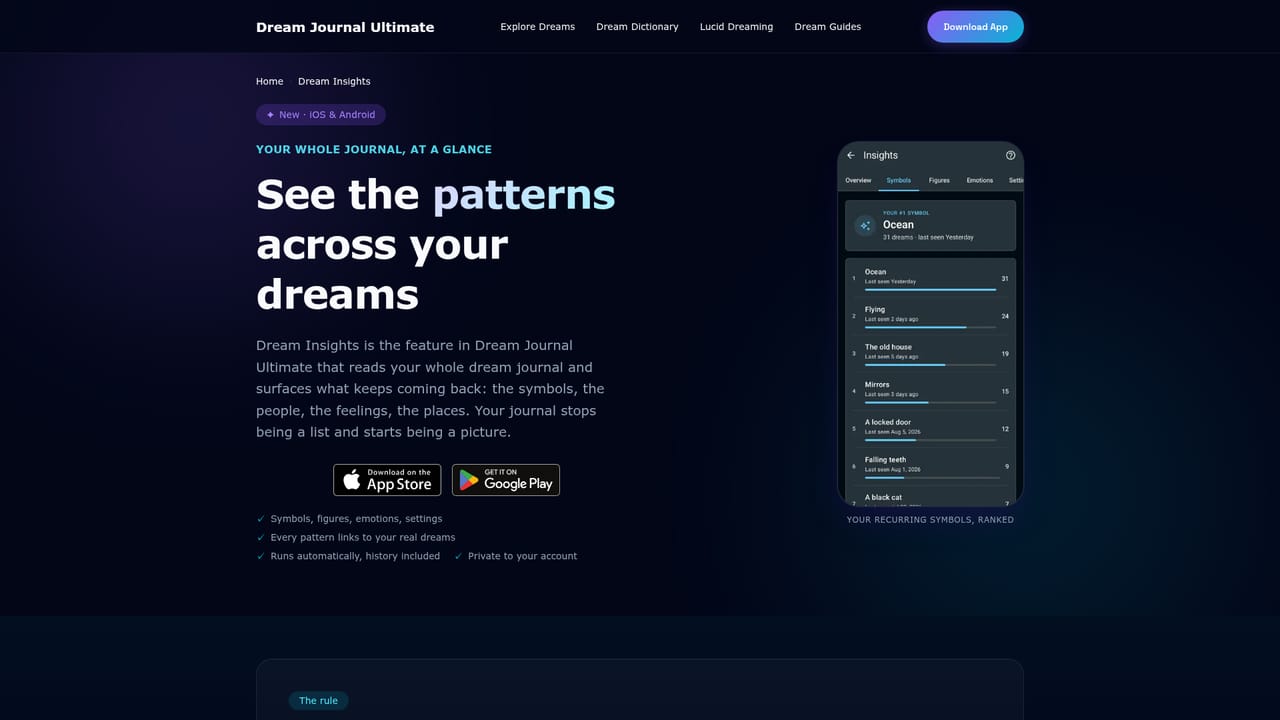
Dream Journal Ultimate is a journaling app for iOS and Android with a decade of history behind it, and the AI layer added on top is aimed at a specific problem: a single dream is hard to interpret, but a hundred of them form a record. Entries can be typed or spoken out loud in the minutes after waking, and a voice capture route transcribes a sleepy, fragmented account and rewrites it as something legible months later. From there the app interprets individual dreams for symbols, emotional undercurrents and narrative shape. The two features that separate it from a plain notebook both work across the whole archive rather than one entry. Dream Insights scans every dream ever logged and surfaces the symbols, figures, emotions and places that recur, with a threshold of two appearances before something counts as a pattern and a rule that each dream counts once regardless of repetition. Dream Companion is a private chat that answers questions using your own entries, cites the dreams it drew on, and remembers earlier threads so the conversation does not restart each session. Around the app sits a free web dictionary of more than 12,000 symbols with Jungian and Freudian readings, plus theme guides covering lucid dreaming, nightmares, recurring and prophetic dreams, and common motifs from falling to teeth. A public Dream Wall lets users post individual dreams anonymously, and sharing is decided one dream at a time. Elsewhere the journal is locked behind a PIN or biometrics with encrypted cloud sync across iOS, Android and web. It suits people building recall or working toward lucidity, and anyone who wants to track an emotional pattern over months rather than decode a single night. Against generic notes apps it offers structure and retrieval; against one-off dream interpreters it offers memory. The trade-off is that the value compounds slowly, and the AI reads only what the user has written.
The homepage describes the app as free to start on iOS and Android. No subscription tiers, prices or paid feature limits are stated in the source content.
Learn moreCloud sync keeps entries aligned across the iOS app, the Android app and the web. No third party integrations are listed in the source content.
AI interpretation of individual dreams, Dream Companion chat that answers from your own journal and cites entries, Dream Insights pattern counts across the full archive, voice recording with transcription and cleanup, PIN and biometric lock, encrypted cloud sync across iOS, Android and web, anonymous per-dream sharing on the Dream Wall, and a free 12,000 symbol dictionary with psychology-based theme guides.
Learn more AI Angels400+ customizable AI girlfriends for NSFW chat, voice calls, and roleplay
 Candy AIExperience the future of companionship with AI friends who chat, role-play, and connect with you on a human level.
 ourdream.aiA vast AI roleplay platform with millions of characters for chat, images, video and voiceAI Angels400+ customizable AI girlfriends for NSFW chat, voice calls, and roleplayCandy AIExperience the future of companionship with AI friends who chat, role-play, and connect with you on a human level.ourdream.aiA vast AI roleplay platform with millions of characters for chat, images, video and voice


