Forewrite

One subscription for leading AI models and every writing tool

Beginner
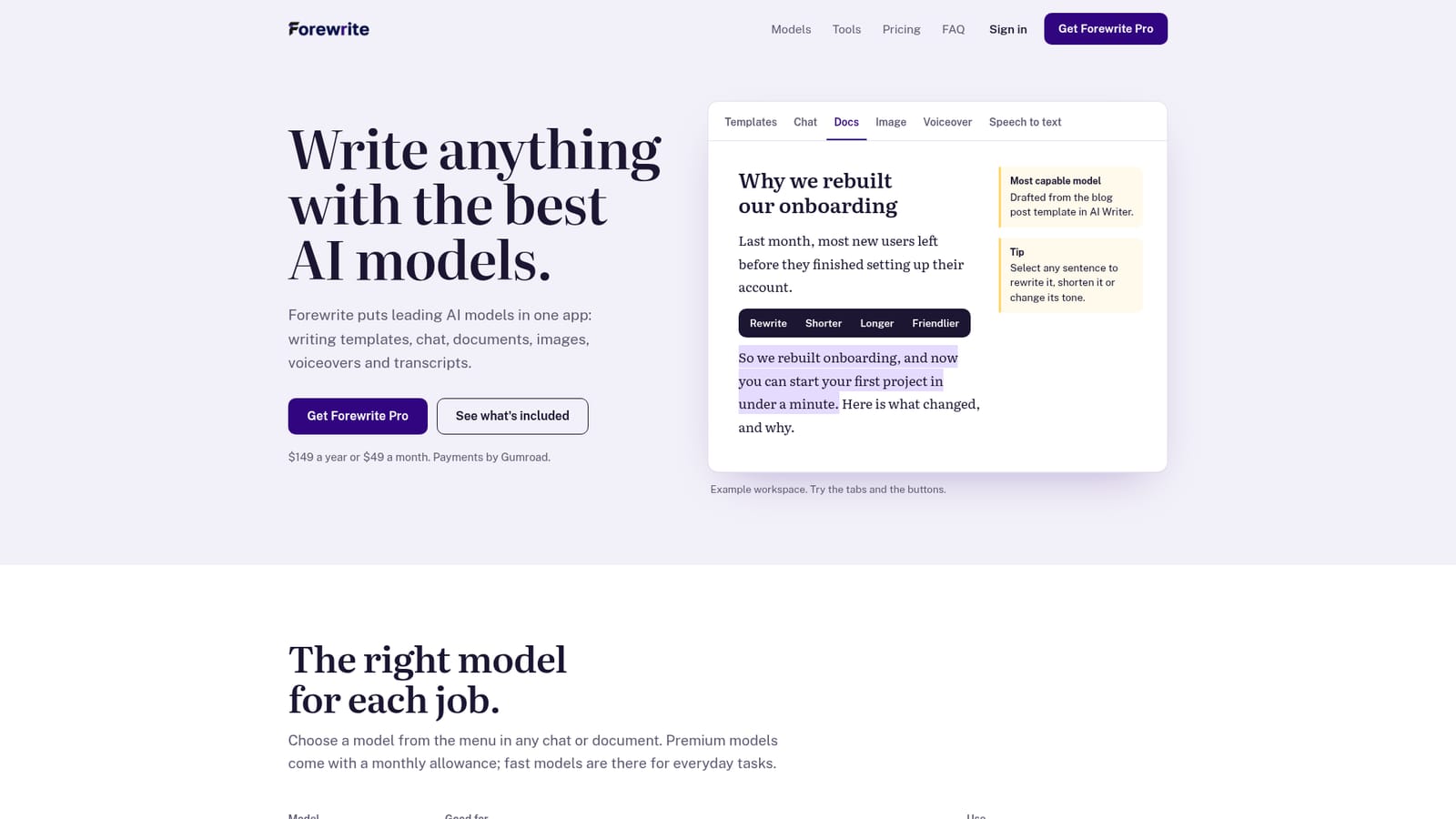
Screenshot of Forewrite, One subscription for leading AI models and every writing tool

What is Forewrite?

Forewrite is a content tool. An all-in-one AI writing app that combines multiple chat models, writing templates, a long-form editor, image generation, voiceover and transcription under one subscription, with monthly word allowances for premium models.

Forewrite is a web-based writing suite that bundles access to several AI models alongside templates, a long-form document editor, image generation, voiceover and transcription. Rather than subscribing to each model provider separately or juggling API keys, users sign in once and pick a model from a menu inside any chat or document. The model list is split into premium tiers (most capable, balanced, reasoning) that draw on a monthly word allowance, and everyday tiers (fast, light) intended for quick rewrites, brainstorming and short replies. The product is aimed at solo writers, marketers and small teams who produce a steady stream of blog posts, emails, ads, product descriptions and YouTube scripts. Templates cover those formats directly, and the Article Wizard chains keyword to title, outline and finished draft. A Docs Editor handles longer pieces with inline rewrite, shorten, lengthen, simplify and translate actions. Brand Voice stores tone and product details once so later drafts stay consistent. Media tools sit alongside the text side: image generation from a prompt, text to speech for videos, ads and podcasts, and speech to text for cleaning up recordings. Chat allows switching models mid-conversation to compare answers. In practice the workflow is light on setup. There is no model configuration and no key management; an account is created with email or Google, payment runs through Gumroad, and Pro activates automatically afterward. Premium usage is metered in words against a monthly allowance shown on a dashboard, and unused words do not roll over on either plan. The positioning is breadth over depth. Writers who only need a single frontier model may find a direct subscription simpler, and teams needing heavy premium volume should check whether the allowance stretches far enough, since overage handling is not spelled out on the homepage. For mixed workloads that combine drafting, images and audio in one place, the bundle is the pitch, with a higher tier adding a built website, SEO tools and AI agents.

How do you use Forewrite?

  1. 1Create your account
    Sign up on the Forewrite site with an email address or a Google account. No API keys or model configuration are needed.
    Forewrite — Create your account
  2. 2Choose yearly or monthly billing
    Pick a plan and complete checkout on Gumroad, which issues the receipt. Pro access switches on in your account right after payment.
  3. 3Run a first draft from a template
    Open a template for a blog post, email, ad or product description, fill in the topic field and review the generated result.
  4. 4Compare models in chat
    Ask a question in AI Chat, then switch models in the same conversation to see how premium and fast tiers answer differently.
  5. 5Save your brand voice
    Store tone and product details once in Brand Voice so later documents and templates pick up the same style automatically.
  6. 6Track your monthly allowance
    Check the dashboard to see how many premium words remain before starting large documents or long article runs.

Pros and cons

Pros

  • Templates and the Article Wizard cover blog posts, ads, emails, product descriptions and SEO drafts without prompt engineeringAI
  • Model switching inside a single chat lets you compare premium and fast models on the same questionAI
  • Docs Editor supports inline rewrite, shorten, lengthen, simplify and translate actions on long documentsAI
  • Brand Voice stores tone and product details once so recurring drafts stay consistentAI
  • Media tools (images, voiceover, speech to text) are included rather than sold as add-onsAI

Cons

  • Premium models are capped by a monthly word allowance that resets, so unused capacity is lost each monthAI
  • No annual discount on overage flexibility: yearly billing still refills monthly rather than pooling wordsAI
  • The homepage does not state what happens when the allowance runs out mid-monthAI
  • Higher bundle tier charges $199 now with a scheduled rise to $299, which complicates long-term budgetingAI
  • Payments and cancellation run through Gumroad, adding an external account to manageAI

How much does Forewrite cost?

Pricing

Monthly is $49 and yearly is $149 (about $12.42 a month, billed as a 74% saving). Both include premium models with a monthly allowance, fast models, images, voiceover, speech to text, chat, templates, Docs Editor, Article Wizard and Brand Voice. A $199 yearly bundle adds a 20 page business website, AI agents and 50+ SEO tools, rising to $299 later. Payments run through Gumroad.

Learn more

Support

Priority support is listed on both plans, and questions go to care@forewrite.com. Bundle buyers get personal setup over WhatsApp with replies usually within an hour, plus dedicated support.

Learn more

Integrations

The homepage names no third party integrations. Forewrite connects to the AI model providers on the user's behalf, so no API keys are required.

Features

AI Chat with model switching mid-conversation, template-driven AI Writer for blog posts, emails, ads, product descriptions, YouTube scripts and SEO, a Docs Editor with rewrite, shorten, lengthen, simplify and translate, an Article Wizard that goes from keyword to outline to draft, AI image generation, voiceover, speech to text and a saved Brand Voice profile.

Frequently asked questions about Forewrite

  • How much does Forewrite cost?
    Monthly is $49 and yearly is $149 (about $12.42 a month, billed as a 74% saving). Both include premium models with a monthly allowance, fast models, images, voiceover, speech to text, chat, templates, Docs Editor, Article Wizard and Brand Voice. A $199 yearly bundle adds a 20 page business website, AI agents and 50+ SEO tools, rising to $299 later. Payments run through Gumroad.
  • How do you use Forewrite?
    The walkthrough on this page covers 6 steps: 1. Create your account 2. Choose yearly or monthly billing 3. Run a first draft from a template 4. Compare models in chat 5. Save your brand voice 6. Track your monthly allowance.
  • What platforms does Forewrite support?
    Forewrite is available on Web App.
  • What does Forewrite integrate with?
    The homepage names no third party integrations. Forewrite connects to the AI model providers on the user's behalf, so no API keys are required.
  • What are the limitations of Forewrite?
    Premium models are capped by a monthly word allowance that resets, so unused capacity is lost each month. No annual discount on overage flexibility: yearly billing still refills monthly rather than pooling words. The homepage does not state what happens when the allowance runs out mid-month.

Status

StatusActive
Views0
Outbound clicks0
Added10/21/2026

Platforms

Web App

Pricing

PaidSubscription