Free trial
A 14 day free trial is offered on both plans, with cancellation at any time.
Learn moreSummarise readings and drafts, then ask follow-up questions

Genei is an academic research tool. AI research and writing workspace that summarises PDFs and webpages, extracts keywords, answers questions about your documents, and helps draft articles and reports with automatic citations.
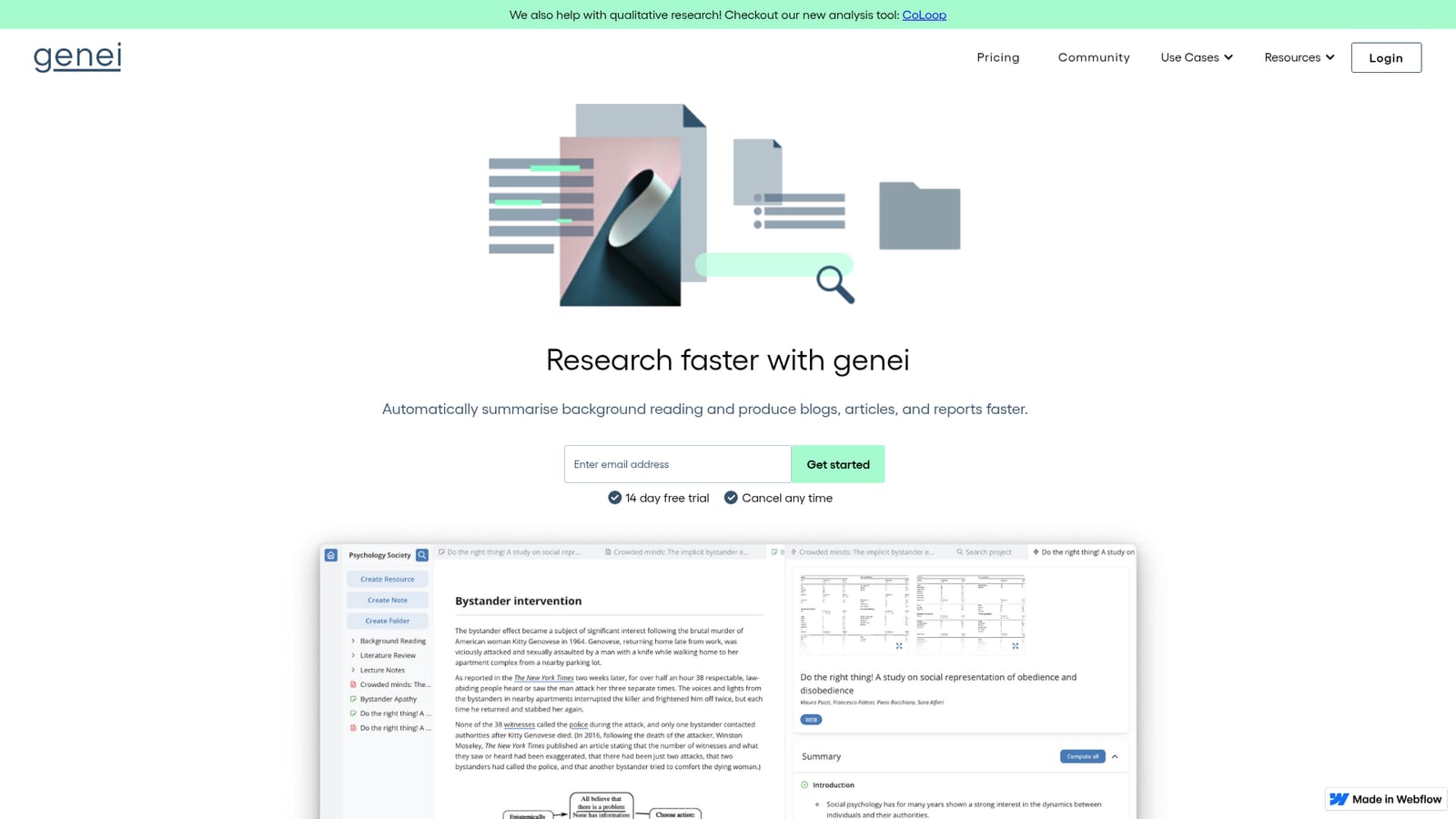
Genei is a research and writing workspace built around summarisation. Users import PDFs and webpages into projects and folders, and the tool condenses that background reading into short digests, pulls out keywords, and answers questions about the material. From the same library it can help produce blogs, articles and reports, which puts it in the same conversation as reference managers, reader apps and general writing assistants, though genei positions itself specifically around the research-to-draft pipeline rather than one half of it. In practice the workflow starts with collection: documents live in customisable projects, content can be linked to any part of a draft, and automatic references are generated from those links, so citations build up as the piece is written. A notepad and annotation layer sit alongside for notes and highlights, and there is export functionality once a draft is ready. The Chrome add-on extends this to browsing, letting users summarise a page on the spot or save it for later, which is the main way the tool is meant to slot into a normal reading day. The product is split into two tiers, and the gap between them is mostly about model quality and multi-document work. On the higher tier genei advertises access to GPT-3, multi-document summarisation, search and question answering across a set of files, plus rephrasing and paraphrasing. The cheaper tier covers single document and webpage import, summarisation, keyword analysis, file storage, notation and citations. It suits students, analysts, journalists and content marketers who read heavily before writing. Buyers comparing it with tools such as Elicit or generic AI writing assistants should note that genei's strengths are summarisation and citation-linked drafting, not literature discovery at scale.
A 14 day free trial is offered on both plans, with cancellation at any time.
Learn moreTwo subscription tiers in pounds per month: basic at 3.99, covering PDF and webpage import, summarisation, document storage, notepad, citations and export; and pro at 15.99, adding higher quality AI, GPT-3 access, multi-document summarisation, search, question answering, and paraphrasing.
Learn moreSupport is available by email at support@genei.io, with privacy policy and terms pages linked from the site.
A Chrome extension for summarising or saving webpages while browsing is the only integration described on the homepage.
Import and organise PDFs and webpages in projects and folders, summarise single or multiple documents, extract keywords, and ask questions about your sources. Drafting support includes a notepad with annotation, content linked to any part of a document, automatic reference generation, and export. The pro tier adds GPT-3 access, higher quality output, and rephrasing and paraphrasing.
 AI Angels400+ customizable AI girlfriends for NSFW chat, voice calls, and roleplay
 Candy AIExperience the future of companionship with AI friends who chat, role-play, and connect with you on a human level.
 ourdream.aiA vast AI roleplay platform with millions of characters for chat, images, video and voiceAI Angels400+ customizable AI girlfriends for NSFW chat, voice calls, and roleplayCandy AIExperience the future of companionship with AI friends who chat, role-play, and connect with you on a human level.ourdream.aiA vast AI roleplay platform with millions of characters for chat, images, video and voice


