
Gepetto AI

AI virtual staging and redesign for real estate listings

Beginner
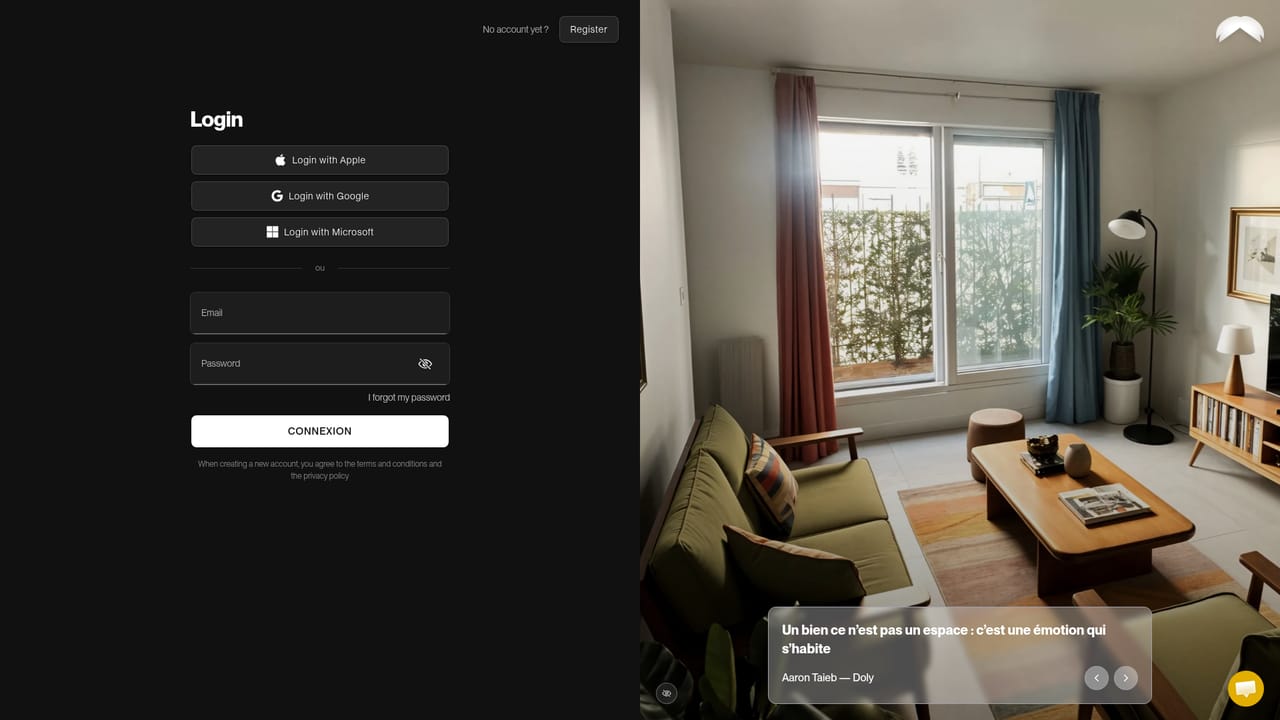
Screenshot of Gepetto AI, AI virtual staging and redesign for real estate listings

What is Gepetto AI?

Gepetto AI is a photo editor tool. Virtual staging and interior redesign tool that furnishes empty or dated rooms in over 30 designer styles, with extras for decluttering, wall and floor changes, sky replacement, landscaping, photo enhancement and short property videos.

Gepetto AI is a web application for virtual staging and interior redesign aimed at real estate agents, agencies, marketers and anyone who needs to show a property at its best without hiring a photographer or a furniture rental service. The pitch is deliberately restrained: instead of filling every empty room with generic 3D furniture, the tool favors targeted, believable interventions that help buyers project themselves into a space rather than distrust what they see. The workflow starts with an upload. You drop in a photo of a furnished or empty room, tell the app what kind of room it is, and pick from more than 30 styles assembled by professional interior designers. The AI then produces renders you can refine, download or blend with other styles. A custom mask tool lets you confine changes to a precise area of the image, so a single room can be staged while the rest of the shot stays untouched. Smart Staging handles empty rooms on its own. Beyond furnishing, the platform bundles a set of cleanup and enhancement jobs that usually require separate tools: removing clutter to reveal volumes, repainting walls or swapping floor types, replacing a grey sky on an overcast shoot day, landscaping gardens, terraces and pools, automatic color and exposure correction, and photo quality refinement. It also turns 3D models into photorealistic renders and generates short five second videos for listings. Gepetto sits in the same conversation as dedicated staging services and broader image editors, but its positioning is editorial and credibility focused: subtlety over spectacle. The company cites agencies including Orpi, Coldwell Banker, Century 21, Keller Williams, Junot and Efficity among its users. Pricing tiers and any trial terms are not detailed on the homepage, so budget conscious buyers should check the pricing page before committing. Anyone who wants full manual control over every pixel will find the one click approach limiting, but for listing turnaround speed the tool covers a lot of ground in a single subscription.

How do you use Gepetto AI?

  1. 1Create your Gepetto account
    Open the web app and sign up. All staging, editing and video work happens inside the browser, so no desktop installation is required.
    Gepetto AI — Create your Gepetto account
  2. 2Upload a room photo
    Drop in a furnished or empty interior shot and specify the room type. The AI reads the scene context to guide the redesign.
  3. 3Choose a style and mode
    Pick from more than 30 designer styles and select the operation you need, such as furnishing, decluttering, restyling or outdoor landscaping.
  4. 4Generate and refine renders
    Run the generation, then select the renders worth keeping. You can refine them, download them, or blend one style with another for a more lifelike result.
  5. 5Isolate changes with the mask tool
    When only part of the image should change, paint a custom mask so furniture, paint or flooring edits stay inside that area and the rest of the photo is preserved.
  6. 6Review plans and credits
    Check the pricing page to compare plans and credit allowances before producing larger batches of listings.
    Gepetto AI — Review plans and credits

Pros and cons

Pros

  • Over 30 designer built styles cover many property types and buyer tastesAI
  • Targeted mask tool keeps edits confined to specific areas instead of restaging a whole photoAI
  • Bundles staging, decluttering, sky replacement, landscaping and enhancement in one placeAI
  • Produces short five second videos and converts 3D models into photorealistic rendersAI
  • Used by large agency networks such as Orpi, Coldwell Banker and Keller WilliamsAI

Cons

  • Pricing tiers and credit limits are not explained on the homepageAI
  • Output quality depends heavily on source photo resolution and lightingAI
  • One click automation leaves little room for pixel level manual retouchingAI
  • Results still require a human check to avoid misleading or physically implausible furniture placementAI
  • No API or third party integration details are publishedAI

How much does Gepetto AI cost?

Features

Virtual staging in over 30 designer styles, Smart Staging for empty rooms, room clearing, style transfer, wall and floor renovation, sky replacement, outdoor landscaping, automatic photo enhancement and quality refinement, 3D model to photorealistic render conversion, and five second video generation for listings.

Frequently asked questions about Gepetto AI

  • How do you use Gepetto AI?
    The walkthrough on this page covers 6 steps: 1. Create your Gepetto account 2. Upload a room photo 3. Choose a style and mode 4. Generate and refine renders 5. Isolate changes with the mask tool 6. Review plans and credits.
  • What platforms does Gepetto AI support?
    Gepetto AI is available on Web App.
  • What are the limitations of Gepetto AI?
    Pricing tiers and credit limits are not explained on the homepage. Output quality depends heavily on source photo resolution and lighting. One click automation leaves little room for pixel level manual retouching.

Status

StatusActive
Views0
Outbound clicks0
Added10/22/2026

Platforms

Web App

Pricing

FreemiumSubscription