Ghostwall

Bot and click fraud protection that doubles as ad refund evidence

Beginner
Screenshot of Ghostwall, Bot and click fraud protection that doubles as ad refund evidence

What is Ghostwall?

Ghostwall is an AI chat bot tool. Ghostwall adds a script tag to a website and uses behavioral signals to spot bots behind fake signups, spam form fills, scrapers and fraudulent ad clicks, then blocks or shadow bans them. The Recovery tier packages blocked clicks into hashed forensic PDFs that advertisers can submit to ad platforms as refund claims.

Ghostwall is a bot detection and click fraud protection service aimed at site owners who pay for traffic and want to know how much of it is real. A single JavaScript snippet is added to the site, and a behavioral sensor then watches visitor interactions: mouse movement, scrolling, keystroke timing, touch pressure and hardware fingerprints. The company says it tracks more than 50 such signals and reports detection accuracy above 95 percent, which is a vendor claim rather than an independently audited figure. Anything flagged can be blocked, or shadow banned so the bot believes it succeeded while its activity is filtered out of analytics and conversion data. The product splits into two jobs. The Blocker plan covers detection, blocking, a live dashboard and weekly reports for sites up to 10,000 visitors per month. The Recovery plan raises that ceiling to 250,000 visitors and adds the forensic layer: timestamped PDF dossiers with SHA-256 hash verification, session replay records, click ID matching for GCLID and FBCLID, and pre-written claim templates for Google, Meta, Microsoft, LinkedIn, X, Reddit, TikTok and Pinterest. The intended workflow is to detect fake clicks, export the evidence and submit it through each ad platform's invalid traffic refund process. This is a tool for performance marketers, agencies and small ecommerce teams who suspect their paid clicks or signup forms are being abused, and who do not want to stand up a web application firewall. Setup is genuinely light: no server configuration and no code changes beyond the script tag, with results appearing within minutes. The tradeoff is that refunds are a do-it-yourself process, the visitor caps are low for larger sites, and the site itself leans heavily on statistics and promises that buyers should verify against their own traffic.

How do you use Ghostwall?

  1. 1Check what is already hitting your site
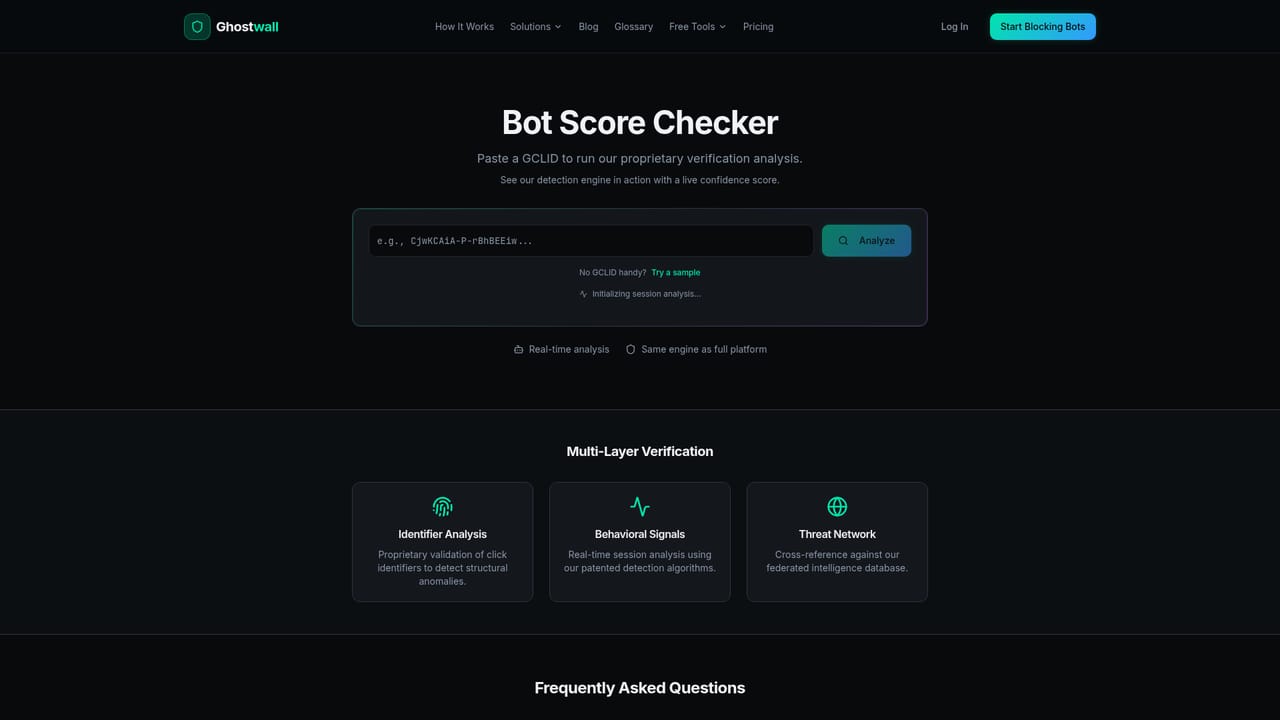
    Run the free bot checker to get an instant read on whether known crawlers and suspicious clients are reaching your pages before you commit to a plan.
    Ghostwall — Check what is already hitting your site
  2. 2Choose Blocker or Recovery
    Pick Blocker if you only need detection and blocking. Pick Recovery if you plan to file invalid traffic refund claims and need the forensic exports and click ID matching.
  3. 3Install the script tag
    Add the single JavaScript snippet to your site. No changes to existing pages or server configuration are required, and the homepage states setup takes about five minutes.
  4. 4Watch the live dashboard
    Once traffic starts flowing, the real time dashboard shows total clicks, blocked bots, verified humans and estimated ad spend saved, with individual events streaming in.
  5. 5Export evidence and file a claim
    On the Recovery plan, download the forensic PDF for blocked clicks, match it to the click IDs, then submit it to the relevant ad platform using the provided template.

Pros and cons

Pros

  • Setup is a single script tag with no WAF or server configuration, and detection results appear within minutesAI
  • Shadow banning keeps bots unaware they were caught while filtering their activity out of analyticsAI
  • Recovery plan produces timestamped, SHA-256 verified PDF dossiers plus click ID matching for refund claimsAI
  • Claim templates cover eight ad platforms, including Google, Meta, Microsoft, TikTok and RedditAI
  • Free bot checker tools let a site preview its crawler exposure before payingAI

Cons

  • No free trial, so the detection quality has to be judged after payingAI
  • Visitor allowances are modest: 10,000 per month on Blocker and 250,000 on RecoveryAI
  • Refund filing is DIY with no managed claims service, and outcomes depend on ad platform discretionAI
  • The 95 percent accuracy figure and market statistics come from the vendor with no third-party auditAI
  • Smaller packages cover click fraud recovery only at the higher tier, so budget advertisers pay $50/siteAI

How much does Ghostwall cost?

Pricing

Two per-site plans billed monthly with no free trial. Blocker costs $30 per site per month for 10,000 visitors and full detection, shadow banning, dashboard, reports and PDF exports. Recovery costs $50 per site per month for 250,000 visitors plus session replay, hash verification, click ID matching and claim templates. Larger sites must contact sales for enterprise pricing.

Learn more

Support

Support runs through a contact page and email. Setup documentation is thin on the site, with blog posts and per crawler blocking guides serving as the main self-serve help.

Learn more

Integrations

Works with any website through a script tag and exports refund evidence for Google Ads, Meta Ads, Microsoft Ads, LinkedIn Ads, TikTok Ads, X Ads, Reddit Ads and Pinterest Ads.

Features

Behavioral bot detection across 50+ signals including mouse movement, scrolling, keystroke dynamics, touch pressure and hardware fingerprints. Blocking or shadow banning, a real time dashboard, weekly reports, session replay proof, SHA-256 verified forensic PDFs, GCLID and FBCLID click ID matching, an email forwarding parser for invalid traffic emails, and platform specific claim templates.

Frequently asked questions about Ghostwall

  • How much does Ghostwall cost?
    Two per-site plans billed monthly with no free trial. Blocker costs $30 per site per month for 10,000 visitors and full detection, shadow banning, dashboard, reports and PDF exports. Recovery costs $50 per site per month for 250,000 visitors plus session replay, hash verification, click ID matching and claim templates. Larger sites must contact sales for enterprise pricing.
  • How do you use Ghostwall?
    The walkthrough on this page covers 5 steps: 1. Check what is already hitting your site 2. Choose Blocker or Recovery 3. Install the script tag 4. Watch the live dashboard 5. Export evidence and file a claim.
  • What platforms does Ghostwall support?
    Ghostwall is available on Web App and Browser extension.
  • What does Ghostwall integrate with?
    Works with any website through a script tag and exports refund evidence for Google Ads, Meta Ads, Microsoft Ads, LinkedIn Ads, TikTok Ads, X Ads, Reddit Ads and Pinterest Ads.
  • What are the limitations of Ghostwall?
    No free trial, so the detection quality has to be judged after paying. Visitor allowances are modest: 10,000 per month on Blocker and 250,000 on Recovery. Refund filing is DIY with no managed claims service, and outcomes depend on ad platform discretion.

Status

StatusActive
Views0
Outbound clicks0
Added10/21/2026

Platforms

Web AppBrowser extension

Pricing

PaidSubscription