Headshotpro

Studio-quality business headshots generated from a few selfies.

Beginner
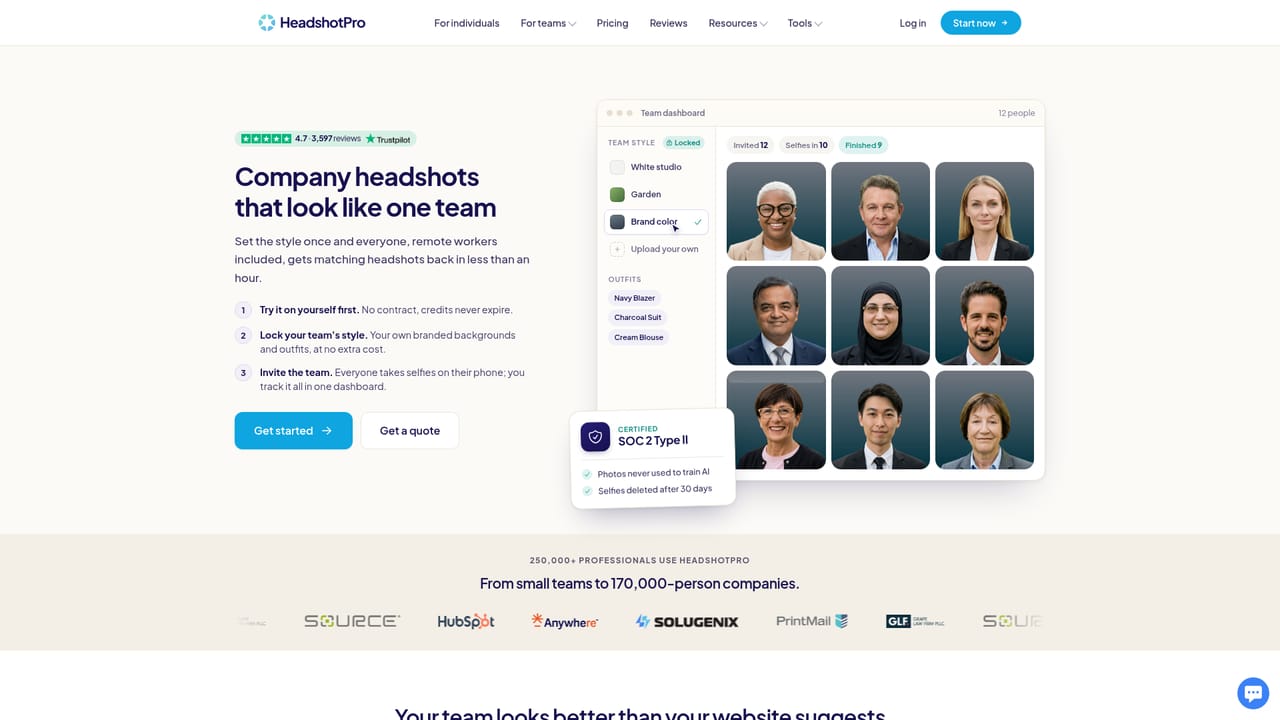
Screenshot of Headshotpro, Studio-quality business headshots generated from a few selfies

What is Headshotpro?

Headshotpro is a generative image tool. AI headshot service that converts a few uploaded selfies into 30 to 70 professional portraits in as little as 15 minutes, with 100+ style combinations, 4K downloads, one-off pricing from $29 and a money-back guarantee.

HeadshotPro is an AI headshot generator built around a single, narrow job: turning casual phone selfies into professional portraits suitable for LinkedIn, resumes, company bios and team pages. The workflow is short. A user uploads a handful of selfies, either from a phone or a laptop or by capturing them on the spot, then picks a look from a library of backdrop and outfit combinations numbering in the hundreds, or hands the choice to the tool with a single "Choose for me" control. Generation finishes in as little as 15 minutes, and the output is a set of 30 to 70 headshots rather than a single image, delivered as an album that can be downloaded in bulk as a ZIP file. High-resolution 4K files are part of the delivered set. The product is aimed at two distinct audiences. The first is the individual professional who needs one credible portrait and does not want to book a photographer, a studio or an appointment at all. The second is the organisation: HeadshotPro runs a dedicated track for company and team headshots, and its customer list spans solo operators through to Fortune 500 employers, with published case studies covering firms such as HubSpot and Solugenix. A branded team page where colleagues appear with consistent lighting and background is the practical draw for HR and marketing groups, since consistency across a directory is hard to achieve when everyone supplies their own photo. Positioning among alternatives is mostly about the buying model rather than the underlying image model. HeadshotPro sells one-off projects instead of a recurring subscription, keeps a firm money-back guarantee, and prices entry at $29. That suits someone who needs portraits once and does not want another monthly bill. The tradeoff of a fixed style library is that unusual creative direction is not really on the menu: this is a business portrait service, not a general image playground. Buyers wanting full stylistic control over generated faces should look at broader generative image tools; buyers wanting a correct, on-brand corporate portrait quickly will find the constrained scope is the point.

How do you use Headshotpro?

  1. 1Upload a few selfies
    Sign in and upload a small set of selfies from your phone or laptop, or capture new ones in the browser. No studio or photographer is involved.
    Headshotpro — Upload a few selfies
  2. 2Pick your styles or delegate
    Browse the backdrop and outfit options and select the looks you want, or use the Choose for me option to let the tool pair them for you.
  3. 3Wait for the album to render
    Generation completes in as little as 15 minutes. You receive a set of 30 to 70 headshots rather than one image.
  4. 4Review and download
    Go through the album, keep the frames that work, and download the set, including 4K files, as a ZIP archive.
  5. 5Roll it out to a team
    For company-wide portraits, follow the team headshot path so colleagues are photographed under consistent lighting and backgrounds for a shared directory.
    Headshotpro — Roll it out to a team

Pros and cons

Pros

  • Generates a full set of 30 to 70 headshots per order rather than a single imageAI
  • Fast turnaround advertised at roughly 15 to 30 minutes from uploadAI
  • Multiple backdrop and outfit combinations, plus an automatic style picker for undecided usersAI
  • Team and enterprise track with published case studies from real corporate rolloutsAI
  • No subscription and a stated 100% money-back guaranteeAI

Cons

  • Output stays inside a fixed business-portrait style library, so unusual creative direction is limitedAI
  • Quality depends heavily on the selfies supplied, and the site gives no guidance on rejection ratesAI
  • No transparent per-image pricing on the homepage, only a starting figure of $29AI
  • An AI portrait may still need employer or client disclosure depending on how it is usedAI
  • Bulk team projects need coordination across many people before any output existsAI

How much does Headshotpro cost?

Pricing

One-off project pricing starting at $29 rather than a recurring subscription. The exact package levels and headshot counts per tier are listed on the pricing page; the homepage only commits to the entry figure and the money-back guarantee.

Learn more

Features

Selfie upload from phone or laptop with in-browser capture, more than 100 style combinations across backdrops and outfits, an automatic style picker, albums of 30 to 70 headshots, 4K files and ZIP download. A separate company and team workflow supports multi-person rollouts.

Learn more

Frequently asked questions about Headshotpro

  • How much does Headshotpro cost?
    One-off project pricing starting at $29 rather than a recurring subscription. The exact package levels and headshot counts per tier are listed on the pricing page; the homepage only commits to the entry figure and the money-back guarantee.
  • How do you use Headshotpro?
    The walkthrough on this page covers 5 steps: 1. Upload a few selfies 2. Pick your styles or delegate 3. Wait for the album to render 4. Review and download 5. Roll it out to a team.
  • What platforms does Headshotpro support?
    Headshotpro is available on Web App.
  • What are the limitations of Headshotpro?
    Output stays inside a fixed business-portrait style library, so unusual creative direction is limited. Quality depends heavily on the selfies supplied, and the site gives no guidance on rejection rates. No transparent per-image pricing on the homepage, only a starting figure of $29.

Status

StatusActive
Views0
Outbound clicks0
Added10/21/2026

Platforms

Web App

Pricing

Paid