Support
Support is reachable by email at support@huntr.co; the homepage lists no help centre, documentation or live chat.
Job search tracker with AI resume tailoring and one click application autofill

Huntr is an automatic job apply tool. Huntr combines a job application tracker, AI resume and cover letter builders, job tailored resume scoring and a Chrome extension that clips listings and autofills applications across thousands of sites. It suits active job seekers running a broad search and career services teams supporting them.
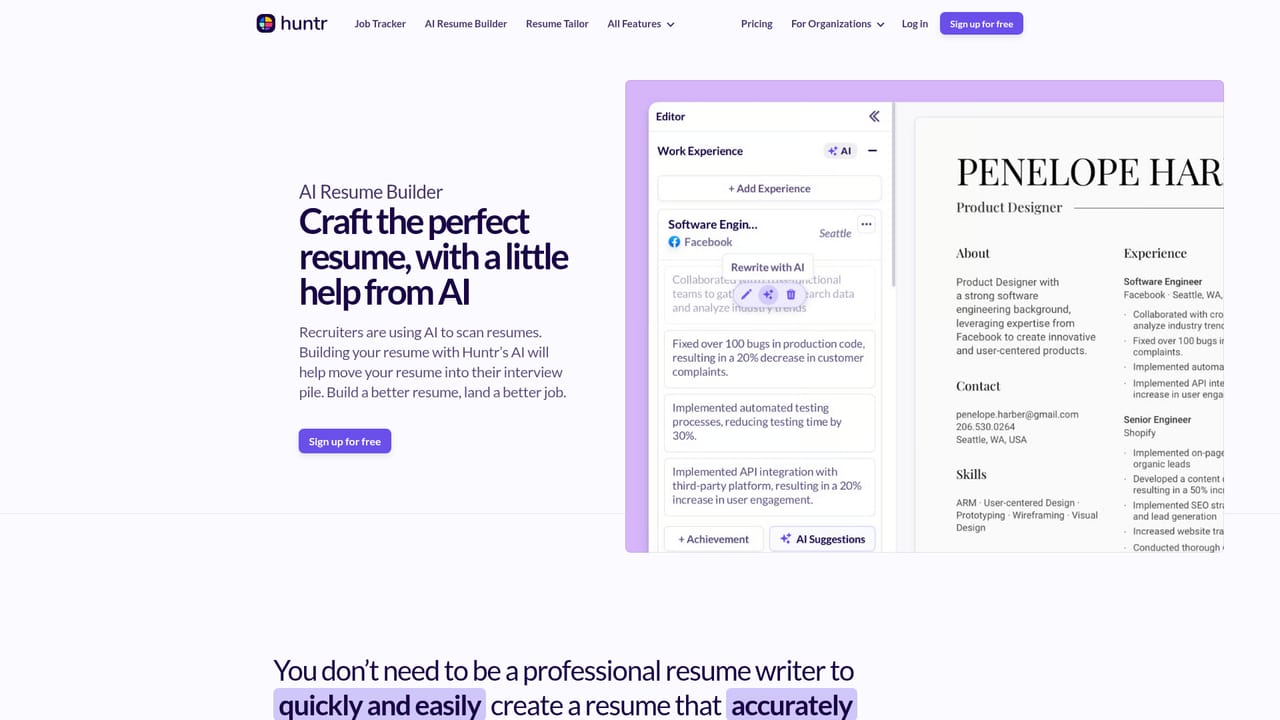
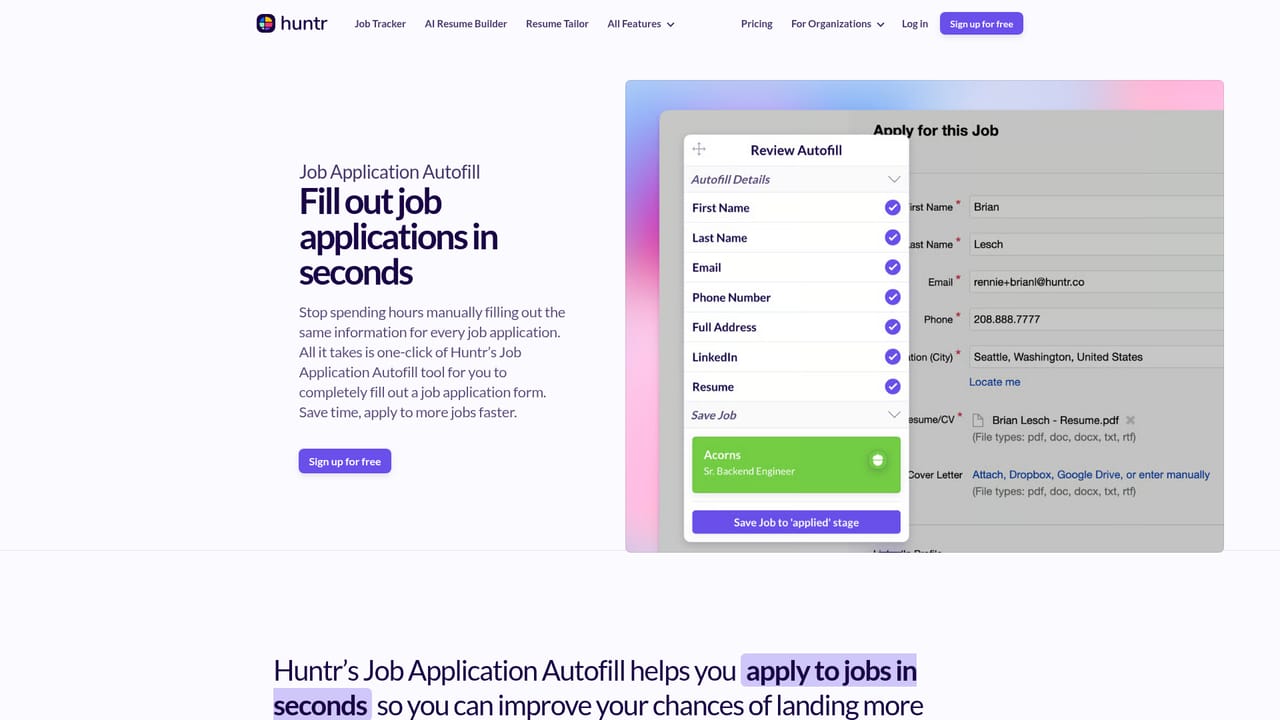
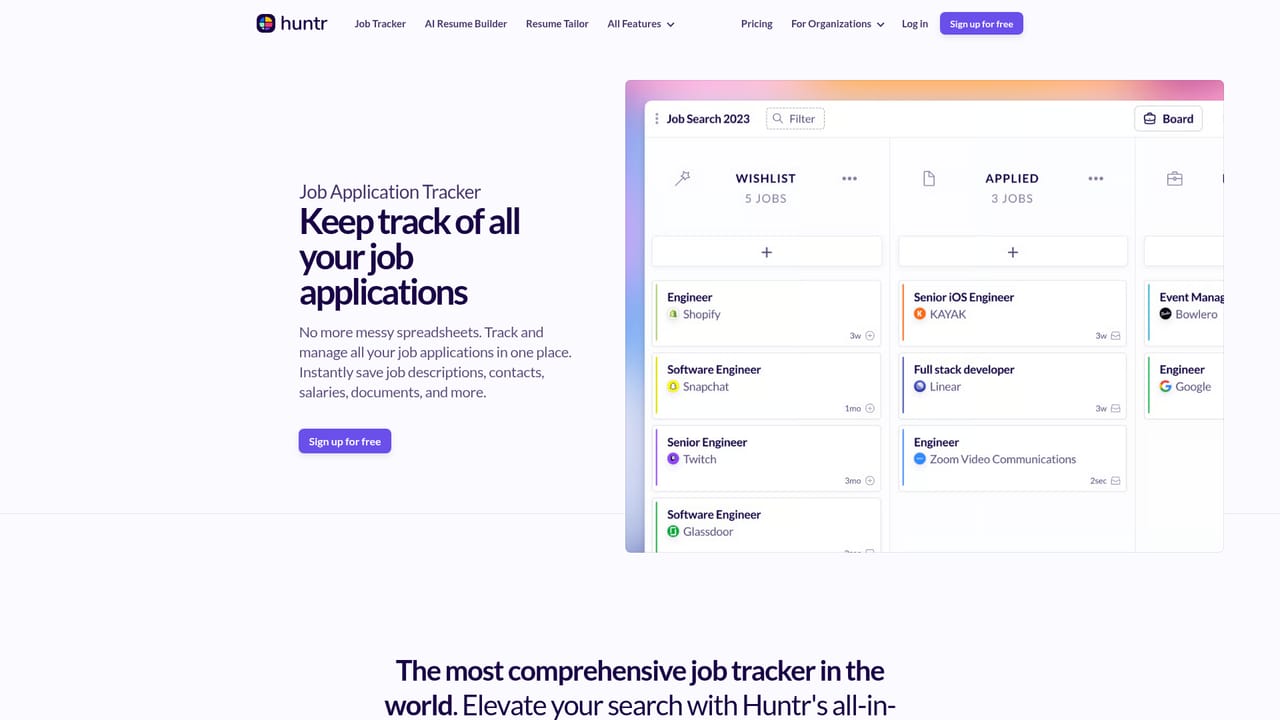
Huntr is a job search workspace that combines an application tracker, an AI assisted resume builder and a browser extension for filling out forms. The premise is that most job seekers run their search across spreadsheets, bookmarks and half finished documents, and Huntr pulls those threads into one place. The company reports more than 500,000 job seekers have used it to organize searches and land roles at thousands of companies. The core of the product is the job tracker. Each saved role becomes a card holding the job description, salary, location, company details, notes and dates, so listings that get taken down stay readable. Applications move through stages by drag and drop, interviews get scheduled in the same view, and a map shows how far each company sits from home. A contact tracker stores recruiters and hiring managers with email, phone and social handles. On the writing side, the AI resume builder offers designer made templates, spell check and free PDF export, while generators produce summaries, bullet points, skills and achievements. The resume tailor compares a resume against a specific posting, scores keyword, responsibility and qualification matches, and suggests wording that closes the gaps. AI resume review critiques every line against the target role and experience level, and a free resume checker scores spelling, length, metrics and repetition. The Chrome extension ties the pieces together: it clips job details from thousands of sites, highlights keywords in postings and autofills application forms using stored profile data. Huntr is aimed at active job seekers running a serious multi application search, and also at career centers, bootcamps, coaches and outplacement teams through a placement platform offering. Relative to generic CRMs or plain document editors, Huntr is narrow by design: it does one workflow and tries to cover it end to end. Anyone who only needs a resume editor may find the tracker and autofill layers heavier than necessary, and the extension is Chrome specific, so Safari and Firefox users lose the fastest parts of the flow.
Support is reachable by email at support@huntr.co; the homepage lists no help centre, documentation or live chat.
Job tracker with notes, salaries, locations, map view and drag and drop stages; contact and interview trackers; AI resume builder with templates, spell check and PDF export; summary, bullet, skills and achievement generators; resume tailor with keyword, responsibility and qualification match scores; AI resume review and free resume checker; AI cover letters; Chrome extension for job clipping, keyword extraction and application autofill.
Learn more AI Angels400+ customizable AI girlfriends for NSFW chat, voice calls, and roleplay
 Candy AIExperience the future of companionship with AI friends who chat, role-play, and connect with you on a human level.
 ourdream.aiA vast AI roleplay platform with millions of characters for chat, images, video and voiceAI Angels400+ customizable AI girlfriends for NSFW chat, voice calls, and roleplayCandy AIExperience the future of companionship with AI friends who chat, role-play, and connect with you on a human level.ourdream.aiA vast AI roleplay platform with millions of characters for chat, images, video and voice


