Free trial
Not needed at present: the homepage states Huru is free for everyone, with a Try It for Free button leading straight into the web app.
Learn moreAI mock interviews that score every answer and show what to fix
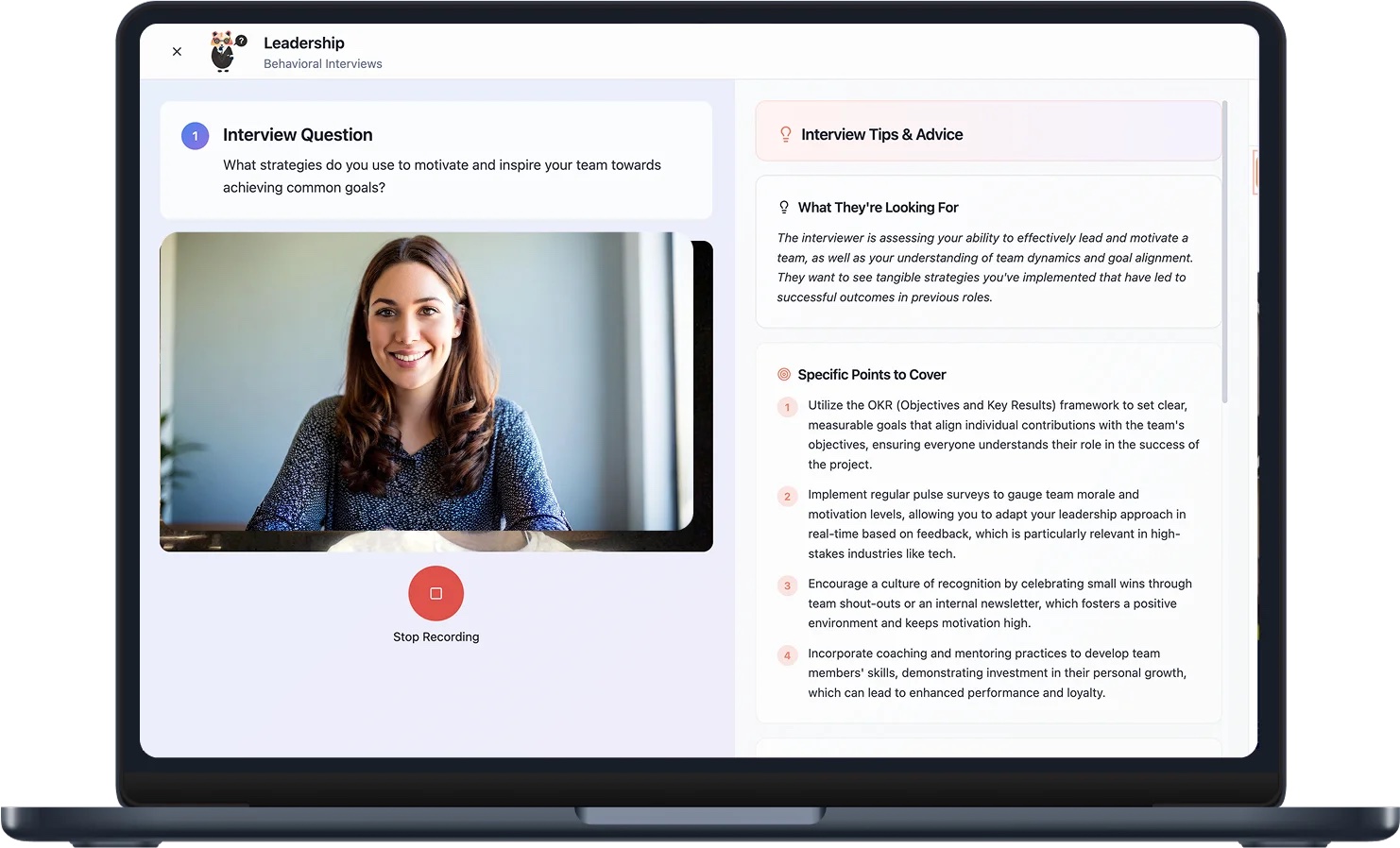
Huru is an AI humanizer tool. Huru runs spoken mock interviews with a conversational AI interviewer or question by question across 242+ roles, then scores every answer on content, speech and confidence with a written debrief, progress tracking and a resume tailoring tool.
Huru is an interview preparation platform built around spoken practice rather than written notes. Candidates answer real interview questions out loud, either in a live conversation with an AI interviewer or one question at a time, and receive a scored debrief shortly afterwards. The question library spans 242+ career roles across 29 categories, from advertising and agriculture to aviation and cyber security, and is available in five languages. The live mode is the centrepiece. Three interviewer personas (a warm hiring manager, a direct head of department and an analytical senior team lead) come with adjustable pressure and length settings of 5, 10, 15 or 20 minutes, and the interviewer follows up on vague answers rather than reading a fixed script. Sessions can run on video or audio only, with captions, repeat and mute controls, and can be ended early. Candidates who prefer drilling single answers can instead write up to five of their own questions or paste a job description, which Huru analyses to generate a tailored five-question set. A Chrome extension turns any job post on the open web into a practice session, and the iOS app covers practice away from a desk. The debrief is where Huru separates itself from question-bank apps. Each answer is scored on relevance, structure, specificity, impact and articulation, and an overall score out of 100 combines answer quality (70%) with conversation skills (30%). Communication metrics include pace, thinking time, filler words, hedging phrases, long pauses and how often the candidate said I rather than we, plus a STAR table. Video sessions add eye contact, posture, gestures and framing. Standout moments and moments to rework are quoted with stronger rewritten versions. All sessions feed one progress view with levels, badges and a plan built around two focus skills, and an ATS-aware resume builder ties the preparation to a specific job. Huru suits active job seekers, career changers and students preparing for structured interviews, and organisations can also use it for candidate screening. It is free to use. It competes with generic interview question databases and human coaching, trading the nuance of a real coach for unlimited repetition, consistent scoring and immediate feedback.
Not needed at present: the homepage states Huru is free for everyone, with a Try It for Free button leading straight into the web app.
Learn moreHuru is described as free for everyone on the homepage, and the hero offers a Try It for Free entry point. No subscription tiers, usage caps or paid plans are listed on the site content provided, so any commercial limits are not confirmed.
Learn moreA Chrome extension imports job posts from sites such as LinkedIn, Indeed and company career pages to create custom interviews. No other third-party integrations are named on the homepage.
Learn moreConversational AI interviews with three interviewer personas and adjustable pressure and length, question-by-question practice, 242+ roles, job description analysis, the Chrome extension, scored debriefs on content, speech and confidence, video presence feedback, STAR tables, progress tracking, skill levels and an ATS resume builder.
Learn more AI Angels400+ customizable AI girlfriends for NSFW chat, voice calls, and roleplay
 Candy AIExperience the future of companionship with AI friends who chat, role-play, and connect with you on a human level.
 ourdream.aiA vast AI roleplay platform with millions of characters for chat, images, video and voiceAI Angels400+ customizable AI girlfriends for NSFW chat, voice calls, and roleplayCandy AIExperience the future of companionship with AI friends who chat, role-play, and connect with you on a human level.ourdream.aiA vast AI roleplay platform with millions of characters for chat, images, video and voice


