InnoSearch

Voice and phone shopping assistant built for blind and low-vision users

Beginner
Screenshot of InnoSearch, Voice and phone shopping assistant built for blind and low-vision users

What is InnoSearch?

InnoSearch is an AI chat bot tool. A nonprofit-built shopping assistant for blind and low-vision users, combining voice and keyboard search across 500,000+ retailers with free grocery delivery, accessible flight booking and a phone shopping line.

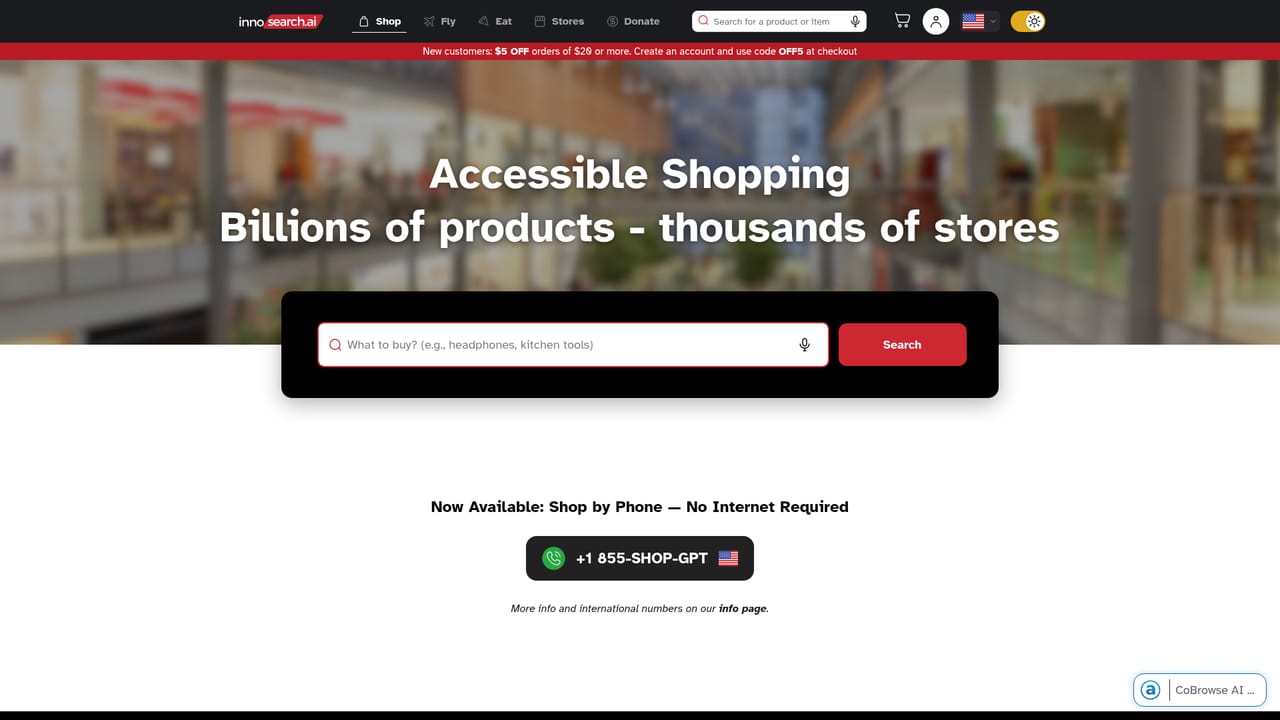
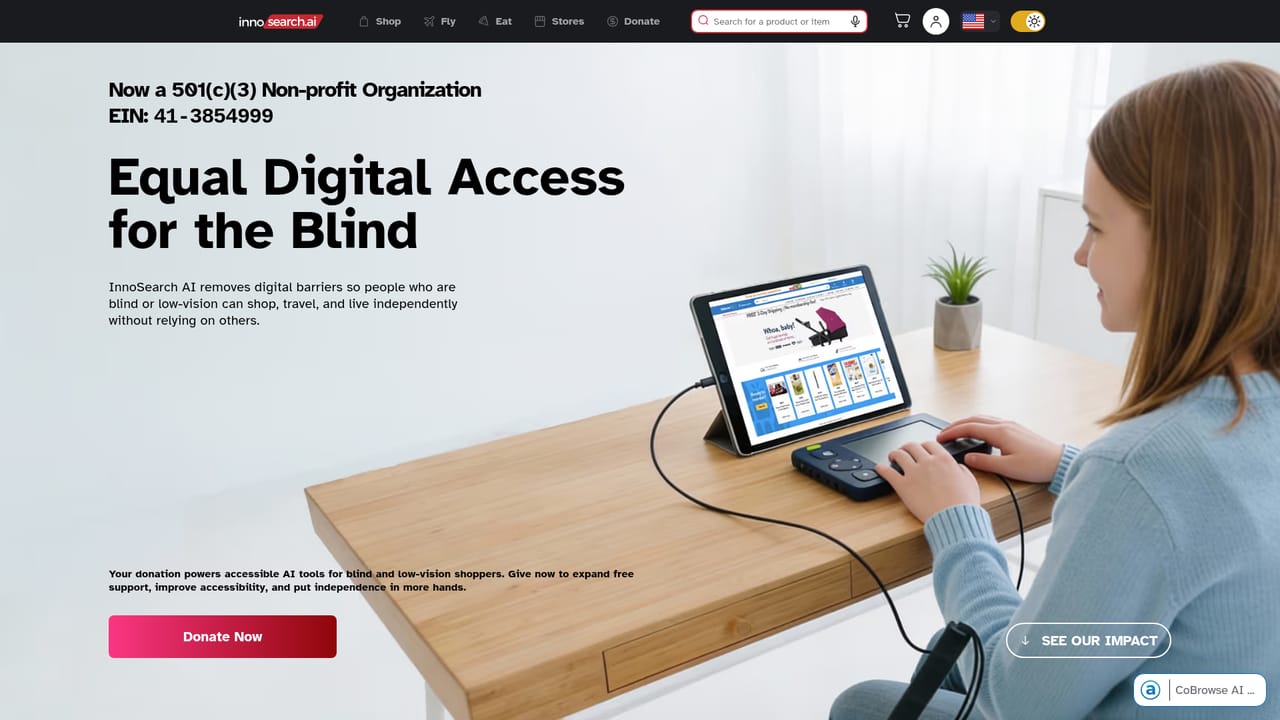
InnoSearch AI is a shopping assistant designed for people who are blind or low vision, built by a registered 501(c)(3) nonprofit. The core premise is that online retail should not require fighting broken page layouts or borrowing a sighted helper. Instead, InnoSearch offers a searchable catalog spanning more than 500,000 retailers and billions of products, driven by voice or keyboard input and paired with a conversational assistant that can discuss reviews, articles and community discussions before a purchase. The product goes well beyond product lookup. Food and grocery delivery is offered at no cost to blind and low vision users, and flight booking is structured as a screen reader friendly flow for planning, comparing and choosing itineraries. For people who would rather not touch a computer at all, a telephone shopping line lets a caller place an order with a live assisted experience, no app, smartphone or internet connection required. A co-browse assistant can be launched by keyboard shortcut for either typed chat or voice conversation on the site itself. Practically, the tool suits two audiences. The first is blind and low-vision shoppers who want independence across everyday purchases, grocery runs and travel planning without depending on someone else to read a screen. The second is organizations and donors interested in accessibility work: the site reports 8,419 users served across the US, UK, Australia and Canada, 8,993 completed orders in 2025, and roughly two hours saved per shopping trip. Among alternatives, InnoSearch sits apart from mainstream AI shopping assistants because accessibility is the design center rather than an afterthought. It competes less on price comparison breadth and more on the reliability of the end-to-end path from search to checkout, including a phone option that most retail AI tools do not offer at all.

How do you use InnoSearch?

  1. 1Open the shopping interface
    Go to the InnoSearch site and start a product search. Queries can be entered with a keyboard or spoken aloud, and results draw on the aggregated retailer catalog.
    InnoSearch — Open the shopping interface
  2. 2Launch the co-browse assistant
    Use the keyboard shortcuts shown on the homepage to open a chat session or start a voice conversation with the assistant, then ask for product comparisons, brand background or review summaries.
    InnoSearch — Launch the co-browse assistant
  3. 3Add grocery or flight tasks
    From the same account, request food and grocery delivery or move into the flight booking flow to plan and compare itineraries in a screen reader friendly layout.
  4. 4Call the shopping line if needed
    Anyone who prefers not to use a browser can dial the regional shopping number for the US, UK, Canada or Australia and place an order by phone.
  5. 5Support the nonprofit
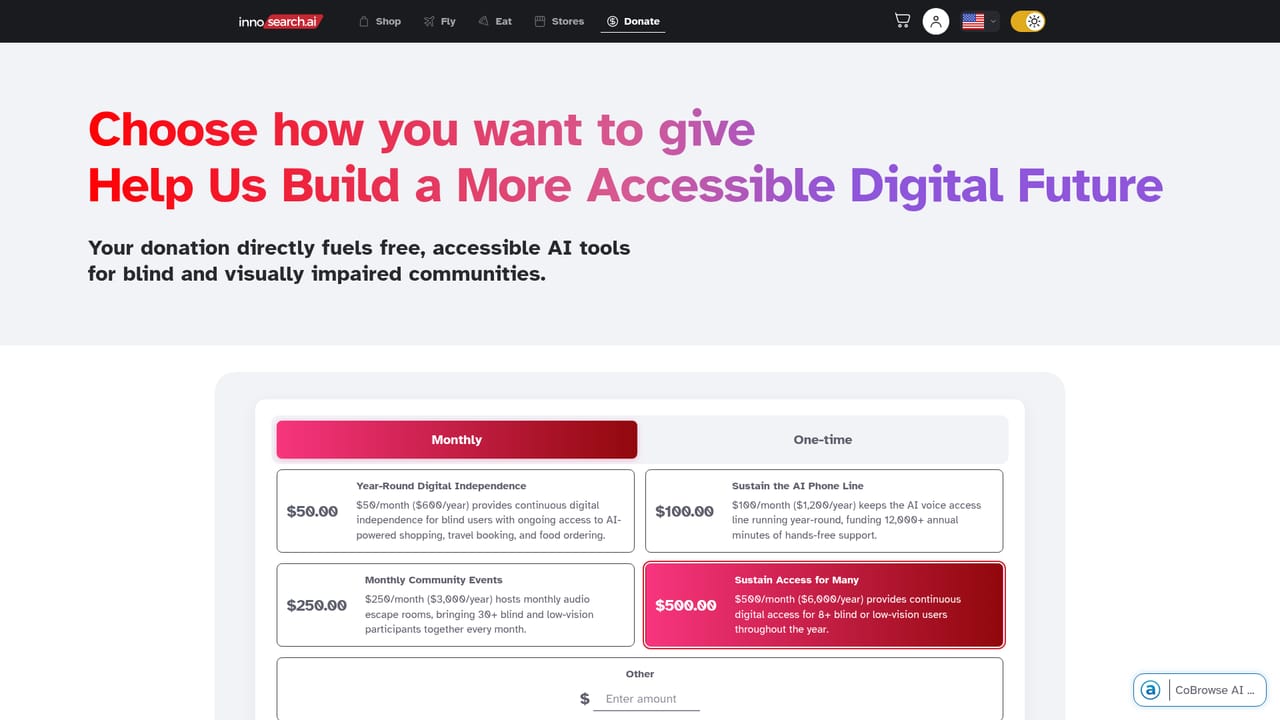
    Donations fund free access, accessibility improvements and expanded support for blind and low vision shoppers.
    InnoSearch — Support the nonprofit

Pros and cons

Pros

  • Search spans more than 500,000 retailers and billions of products from one interfaceAI
  • Phone shopping line works without a smartphone, computer or internet connectionAI
  • Free food and grocery delivery for blind and low vision usersAI
  • Screen reader friendly flight booking flow for planning and comparing itinerariesAI
  • Built by a registered nonprofit, with published usage and order statisticsAI

Cons

  • Positioned specifically for blind and low-vision users, so general shoppers get no clear value propositionAI
  • Pricing for paid services is not stated on the homepage beyond free grocery delivery and donation asksAI
  • Only US, UK, Australia and Canada phone lines are listed, leaving other regions unaddressedAI
  • No detail on which retailers support full in-site checkout versus referral to the merchantAI

How much does InnoSearch cost?

Pricing

InnoSearch AI is run by a 501(c)(3) nonprofit. Food and grocery delivery is listed as free for blind and low vision users, and the site asks for donations to fund free support and accessibility work. No subscription tiers or product prices are published on the homepage.

Learn more

Support

Support is available by phone through regional shopping lines in the US, UK, Canada and Australia, plus an on-site co-browse assistant for chat and voice help.

Learn more

Features

Voice and keyboard search across 500,000+ retailers, a co-browse assistant available by keyboard shortcut for chat or voice, free grocery delivery for blind and low vision users, an accessible flight booking flow, and a telephone shopping line for the US, UK, Canada and Australia.

Learn more

Frequently asked questions about InnoSearch

  • How much does InnoSearch cost?
    InnoSearch AI is run by a 501(c)(3) nonprofit. Food and grocery delivery is listed as free for blind and low vision users, and the site asks for donations to fund free support and accessibility work. No subscription tiers or product prices are published on the homepage.
  • How do you use InnoSearch?
    The walkthrough on this page covers 5 steps: 1. Open the shopping interface 2. Launch the co-browse assistant 3. Add grocery or flight tasks 4. Call the shopping line if needed 5. Support the nonprofit.
  • What platforms does InnoSearch support?
    InnoSearch is available on Web App.
  • What are the limitations of InnoSearch?
    Positioned specifically for blind and low-vision users, so general shoppers get no clear value proposition. Pricing for paid services is not stated on the homepage beyond free grocery delivery and donation asks. Only US, UK, Australia and Canada phone lines are listed, leaving other regions unaddressed.

Status

StatusActive
Views0
Outbound clicks0
Added10/21/2026

Platforms

Web App

Pricing

FreePaid