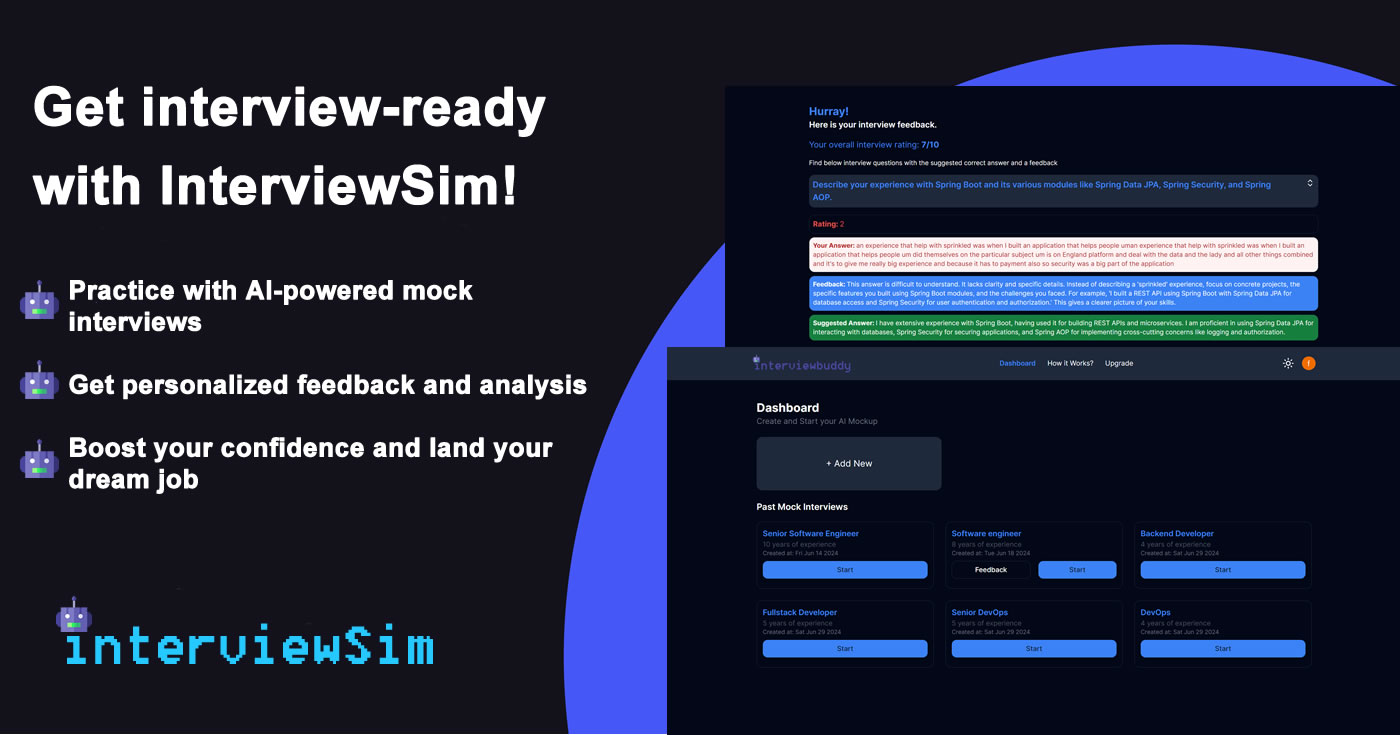
InterviewSim

Run simulated job interviews and get AI feedback on how you answered

Beginner
Screenshot of InterviewSim, Run simulated job interviews and get AI feedback on how you answered

What is InterviewSim?

InterviewSim is a career tool. An interview preparation web app that builds mock interviews from your job details, simulates the session, and returns AI feedback on strengths and weak spots.

InterviewSim is a web based interview preparation tool that turns job details into a practice interview. You describe the role you are applying for, the system builds a mock interview around it, and you work through the questions as if you were in the room. Afterward the platform analyzes your performance and returns feedback on what came across well and what needs work. The core of the product is the question library. InterviewSim keeps a broad set of interview questions and answers organized by job type, so candidates can study the material that matches their field rather than working from generic lists. On top of that sits a real time simulation layer, designed to reproduce the pressure and pacing of an actual interview instead of a passive quiz. The AI analysis then reviews how the session went: strengths, gaps, and tips aimed at the live conversation. The workflow is deliberately short. A user provides the job details once, completes the simulated interview, and receives a written breakdown of their performance. That feedback loops back into another attempt, which makes the tool useful for repeated practice in the days before a real interview. Because the questions and feedback are tied to the job description you supply, the same account can be reused across different roles and industries. InterviewSim fits between static question banks and human mock interview partners. It is aimed at job seekers preparing on their own, students entering the job market, and career changers who want structured rehearsal without scheduling another person. The homepage does not publish pricing, plan limits, integrations or support channels, so those details need to be confirmed directly with the product.

How do you use InterviewSim?

  1. 1Create an account
    Open the sign up page and register so your interview sessions and feedback can be saved to your profile.
  2. 2Describe the job you are targeting
    Enter the job details for the role you are applying to. InterviewSim uses them to assemble a mock interview that matches the position.
  3. 3Run the interview simulation
    Answer the generated questions in sequence, treating the session as a realistic rehearsal rather than a reading exercise.
  4. 4Review your AI feedback
    Read the performance analysis, which flags your strengths, your weak spots and expert tips for the real interview.
  5. 5Repeat with a new attempt
    Start another interview for the same or a different role and use the earlier feedback as a checklist while you answer.

Pros and cons

Pros

  • Creates a mock interview tailored to the job details you provideAI
  • Includes a library of questions and answers organized by job typeAI
  • Feedback covers both strengths and specific areas for improvementAI
  • Short three step flow that supports repeated practice runsAI
  • No scheduling required, so rehearsal is available on demandAI

Cons

  • No pricing or plan information is published on the homepageAI
  • No details on integrations, support channels or data handlingAI
  • Feedback quality cannot be judged without a live sessionAI
  • Real time simulation is unlikely to fully replace a human interviewerAI
  • Language and role coverage beyond generic job types is not documentedAI

How much does InterviewSim cost?

Features

Three advertised capabilities: AI powered interview analysis that reports strengths and improvement areas, a mock interview library of questions and answers sorted by job type, and real time interview simulation built to mirror real scenarios.

Frequently asked questions about InterviewSim

  • How do you use InterviewSim?
    The walkthrough on this page covers 5 steps: 1. Create an account 2. Describe the job you are targeting 3. Run the interview simulation 4. Review your AI feedback 5. Repeat with a new attempt.
  • What platforms does InterviewSim support?
    InterviewSim is available on Web App.
  • What are the limitations of InterviewSim?
    No pricing or plan information is published on the homepage. No details on integrations, support channels or data handling. Feedback quality cannot be judged without a live session.

Status

StatusActive
Views0
Outbound clicks0
Added10/21/2026

Platforms

Web App

Pricing

Free