Free trial
The beta is free to download and use, serving as an extended trial period. No paid plans or trial limitations are mentioned on the homepage.
Learn moreAn AI assistant that works across your apps to handle tasks and scheduling.
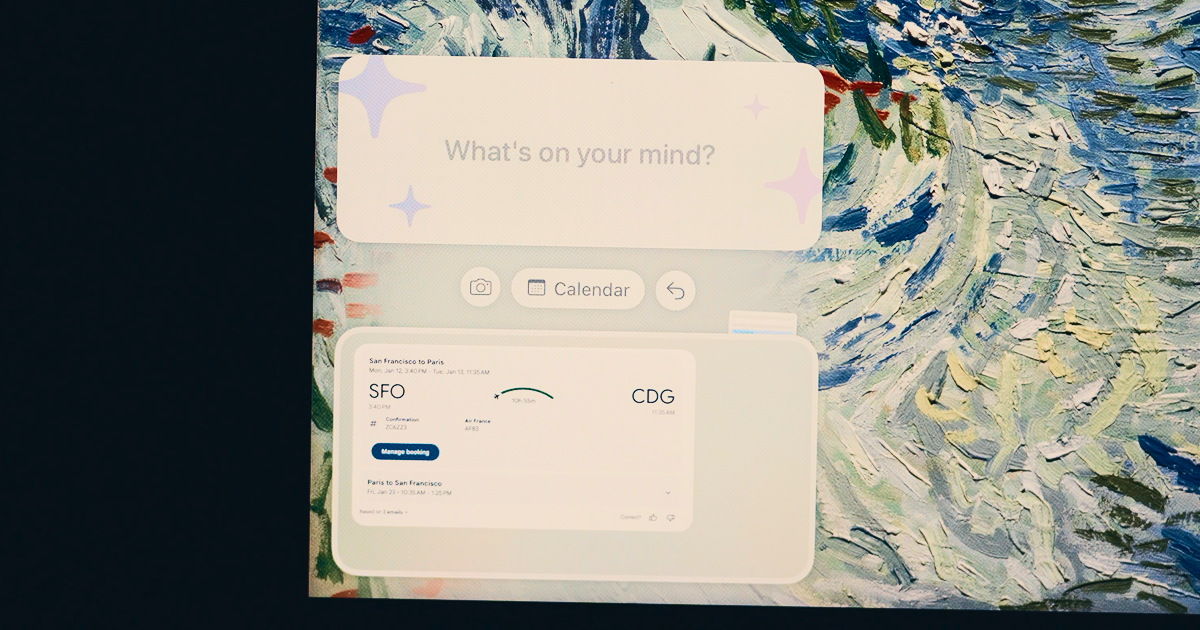
Iris Fun is a proactive AI assistant tool. Iris is a macOS AI assistant that works across your apps to handle tasks and scheduling. Double-tap Option to summon a contextual sidebar, then speak or type commands. Includes a smart calendar and learns your preferences over time.
Iris is a macOS application that positions itself as an intelligent assistant spanning all your apps. Instead of switching between isolated tools, you tell Iris what you need and it executes across your calendar, email, and other software. The core idea is to replace the constant copy, paste, search, and menu navigation with a single conversational interface that understands context and fills in gaps based on your habits. The app lives as a narrow column at the edge of your screen, summoned by double-tapping the Option key. From there you can point it at any app and it instantly grasps what you are working on. The interface floats above other windows, staying present without disrupting your workflow. A built-in LLM client forms the foundation, and the first major addition is an intelligent calendar that can either complement or replace your existing one. Scheduling becomes as simple as saying "Lunch with Tim next week" and letting Iris handle the details, though a full manual interface remains available for precise control. Over time Iris learns your patterns: how long your meetings usually run, preferred lunch spots, buffer time between calls. These insights let it make decisions on your behalf, even when you are unsure. The roadmap includes email, tasks, and notes, all connected through Iris, with future versions aiming to surface actions directly inside other apps. Iris is aimed at Mac users who want to reduce friction in their daily digital work and are comfortable with a beta product. It is built by Interface Club in San Francisco and is currently in beta. The tool competes with other AI assistants and productivity suites, but its focus on deep macOS integration and a persistent, context-aware presence sets it apart. Keep in mind that some features are still under development, and the beta label means stability and feature completeness may vary.
The beta is free to download and use, serving as an extended trial period. No paid plans or trial limitations are mentioned on the homepage.
Learn moreIris is currently available as a free beta download. The homepage does not list any subscription tiers or paid plans at this time. Future pricing may be introduced as the product exits beta.
Learn moreSupport is available through the dedicated support page on the Iris website, which offers assistance for beta users.
Learn moreIris is designed to work across all your apps, understanding context when pointed at any application. The homepage does not list specific integrations beyond the calendar and general app awareness.
Iris provides a persistent AI assistant on macOS that works across apps. Key features include a smart calendar with natural language scheduling, a contextual sidebar summoned by double-tapping Option, an LLM client foundation, screenshot tool improvements, and preference learning over time. Email, tasks, and notes are in development.
 AI Angels400+ customizable AI girlfriends for NSFW chat, voice calls, and roleplay
 Candy AIExperience the future of companionship with AI friends who chat, role-play, and connect with you on a human level.
 ourdream.aiA vast AI roleplay platform with millions of characters for chat, images, video and voiceAI Angels400+ customizable AI girlfriends for NSFW chat, voice calls, and roleplayCandy AIExperience the future of companionship with AI friends who chat, role-play, and connect with you on a human level.ourdream.aiA vast AI roleplay platform with millions of characters for chat, images, video and voice





.jpg)

