Free trial
No trial period is needed: the free plan is permanent, requires no credit card and includes the full IDE.
Learn moreBrowser IDE for 114 languages with an AI tutor built in
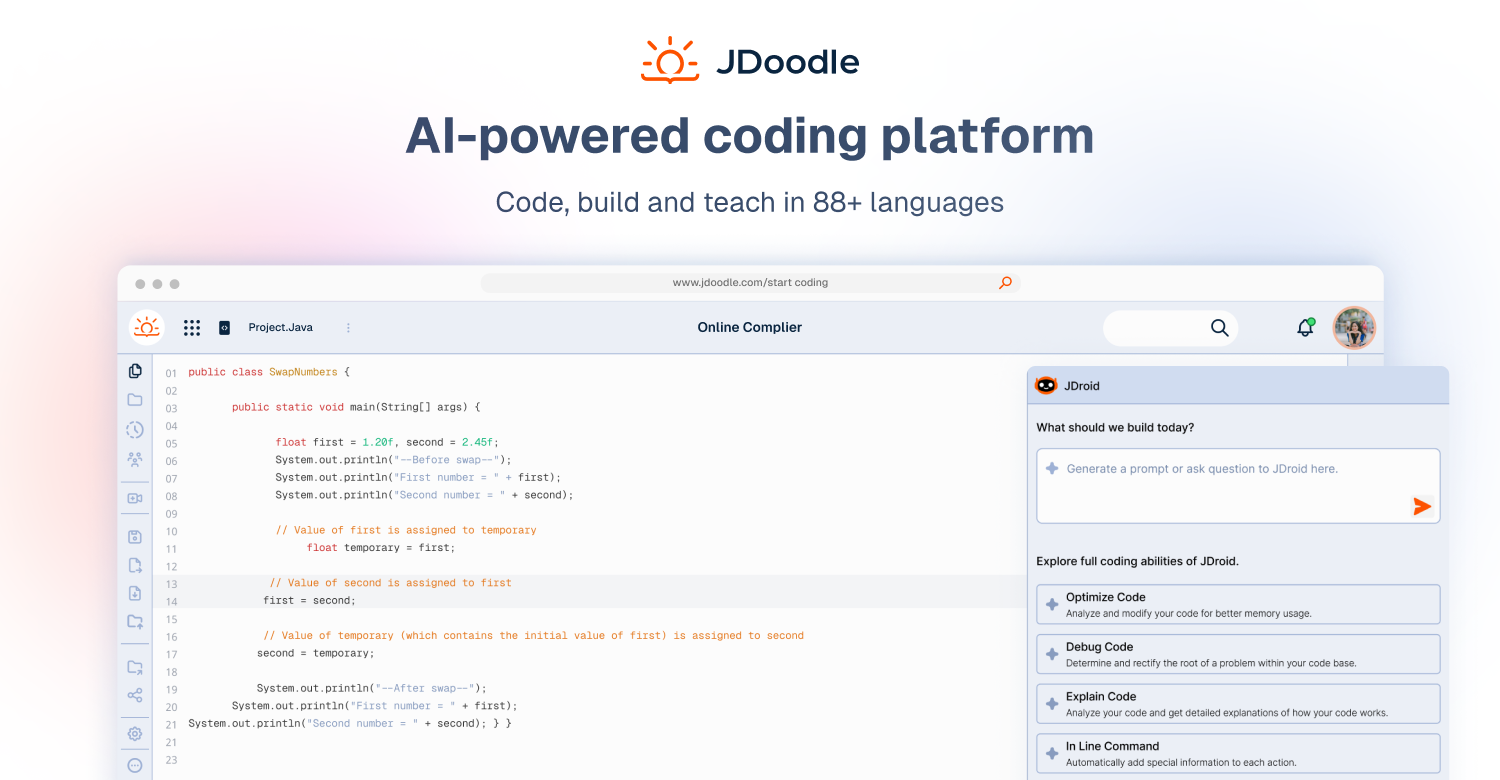
JDoodle is a developer tool. A browser IDE that runs 114 languages, frameworks and databases with no install, plus an AI companion for explanations, debugging help and concept questions. Teachers get live collaboration and automated grading; developers get shareable runnable links and an execution API.
JDoodle is a browser-based coding platform that runs code in 114 languages, frameworks and databases without any local setup. The core product is a full IDE that opens in a tab: you write, execute and debug in a secure sandbox, and you can save projects to the cloud so the same workspace follows you across devices. The platform is built around three audiences (students, teachers and working developers) and each gets a slightly different surface: learners get an AI companion that explains code and diagnoses bugs, teachers get live collaborative editing and automated assessment tools, and developers get shareable runnable links plus an execution API. The AI companion is deliberately framed as a tutor rather than an answer machine. It walks through code line by line in plain English, explains what broke and why, and suggests faster approaches with the reasoning attached. That makes it more useful for learning than a plain code generator, though it is not positioned as an autonomous coding agent. Free users get a daily execution quota and a smaller AI allowance, while paid tiers add credits, larger workspaces and, for teachers, unlimited student seats. In practice JDoodle fits situations where installing a toolchain is the friction: a classroom exercise, a quick proof of concept, a code snippet in a blog post or a hiring test. The platform also sells an execution layer for product teams, with an embeddable IDE and a backend API, so the same sandbox can power documentation demos or candidate assessments. Among browser compilers it stands out less on raw language count (though 114 is broader than most) and more on the teaching and embedding layers around the editor. Compared with desktop IDEs it is lighter and instantly available, but it is not a replacement for a full local development environment on large projects. Compared with snippet runners it does much more around collaboration and grading, which is where most of the paid value sits.
No trial period is needed: the free plan is permanent, requires no credit card and includes the full IDE.
Learn moreFree tier at US$0 forever with 1,000 executions per day, all 114 languages and 100 saved projects. Student is US$5/mo with 50 AI credits, Pro is US$15/mo with 150 AI credits and a 4x workspace, and Teacher is US$25/mo with unlimited students and assessments.
Learn moreThe execution API and embeddable IDE let teams run code from their own backend or place a runnable editor inside docs, course platforms and blogs. The iText case study describes this usage.
Learn moreBrowser IDE for 114 languages, frameworks and databases, sandboxed execution, cloud saved projects, live collaborative editing, shareable runnable links, an AI companion for explanations and debugging, automated assessments and grading for teachers, an embeddable IDE and backend execution API.
 AI Angels400+ customizable AI girlfriends for NSFW chat, voice calls, and roleplay
 Candy AIExperience the future of companionship with AI friends who chat, role-play, and connect with you on a human level.
 ourdream.aiA vast AI roleplay platform with millions of characters for chat, images, video and voiceAI Angels400+ customizable AI girlfriends for NSFW chat, voice calls, and roleplayCandy AIExperience the future of companionship with AI friends who chat, role-play, and connect with you on a human level.ourdream.aiA vast AI roleplay platform with millions of characters for chat, images, video and voice