Free trial
The FAQ asks whether trials or free sessions are available but the homepage gives no concrete trial length or eligibility, so this is unconfirmed.
Learn moreRole-specific interview practice plus assessment tools for hiring teams.
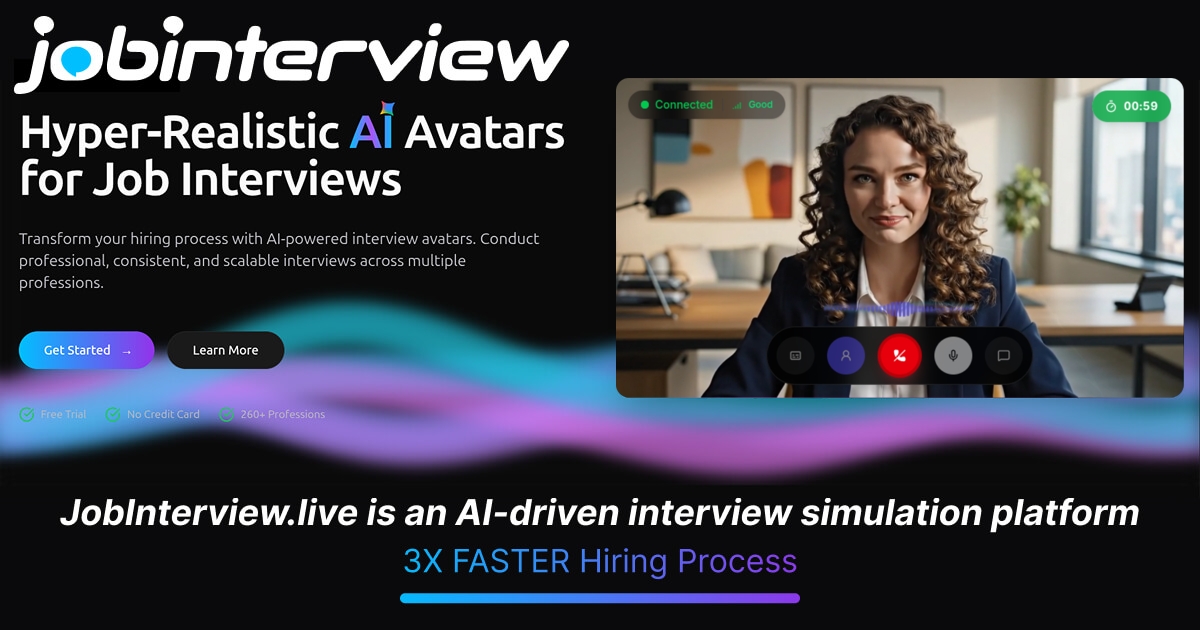
JobInterview is a career tool. A dual-purpose interview platform: candidates practice role-specific interviews in voice, avatar or text with structured feedback, plus CV, cover letter, ATS and career-fit tools; hiring teams run multilingual reasoning, personality and situational judgment assessments with human review and ATS delivery.
JobInterview is a two-sided platform: candidates rehearse for real interviews, and hiring teams run structured, documented assessments. The candidate side is the more developed product. You pick a target role from a library of 3,524 role-specific practice pages spanning job families such as engineering, healthcare, sales and operations, optionally add your CV for context, and then rehearse in voice, avatar or text format. The system asks role-shaped questions and follow-up prompts, then returns feedback on answer structure, relevance and pacing, plus suggested practice priorities. A built-in assistant can analyze past sessions and answer questions about your performance. Around the practice core sits a preparation suite. CV Builder and Cover Letter tools produce application documents, and an ATS Analyzer checks readability before you apply. Career Fit maps your interests, skills and work values against 1,016 career paths. Language exam prep covers 1,474 scenarios in English, German and French, and the interface itself runs in English, German, French, Arabic and Italian. The hiring side, JobInterview Assess, targets recruiters and HR teams. Campaigns combine reasoning tasks, a six-dimension HEXACO-aligned personality profile and situational judgment scenarios, drawing on a library of 605 assessment items (198 described as active). Deliberately, scores are kept separate rather than blended into one composite number, and reports route through human review, with configurable retention and privacy controls. Evidence is pushed into applicant tracking systems. JobInterview fits candidates who want more than a generic question list, and small or mid-sized hiring teams that need defensible assessment records without a heavyweight psychometrics vendor. The candidate tooling is the most mature part; the assessment library is still expanding.
The FAQ asks whether trials or free sessions are available but the homepage gives no concrete trial length or eligibility, so this is unconfirmed.
Learn moreThe homepage does not publish prices or plan tiers. A dedicated pricing page exists, and the FAQ references trials or free sessions without stating terms, so actual costs have to be confirmed there.
Learn moreA contact page routes questions to the support team, and a Trust Center documents privacy, encryption and retention practices. The homepage FAQ covers formats, roles, languages and data protection.
Learn moreATS and HR connections listed include Greenhouse, Personio, SAP SuccessFactors, SmartRecruiters, Lever and Workable, plus BambooHR, Bullhorn, Slack and Zoom among 119 catalog entries.
Learn moreRole-specific practice across 3,524 job pages in voice, avatar or text; feedback on structure, relevance and pacing; CV builder, cover letters, ATS analyzer and Career Fit across 1,016 paths; 1,474 language exam scenarios in English, German and French; five interface languages. For hiring teams, JobInterview Assess offers reasoning, HEXACO-aligned personality and situational judgment campaigns with human review and ATS delivery.
Learn more AI Angels400+ customizable AI girlfriends for NSFW chat, voice calls, and roleplay
 Candy AIExperience the future of companionship with AI friends who chat, role-play, and connect with you on a human level.
 ourdream.aiA vast AI roleplay platform with millions of characters for chat, images, video and voiceAI Angels400+ customizable AI girlfriends for NSFW chat, voice calls, and roleplayCandy AIExperience the future of companionship with AI friends who chat, role-play, and connect with you on a human level.ourdream.aiA vast AI roleplay platform with millions of characters for chat, images, video and voice


