Justlearn

A hand-reviewed directory of AI tutors, organized by subject and learner type

Beginner
Screenshot of Justlearn, A hand-reviewed directory of AI tutors, organized by subject and learner type

What is Justlearn?

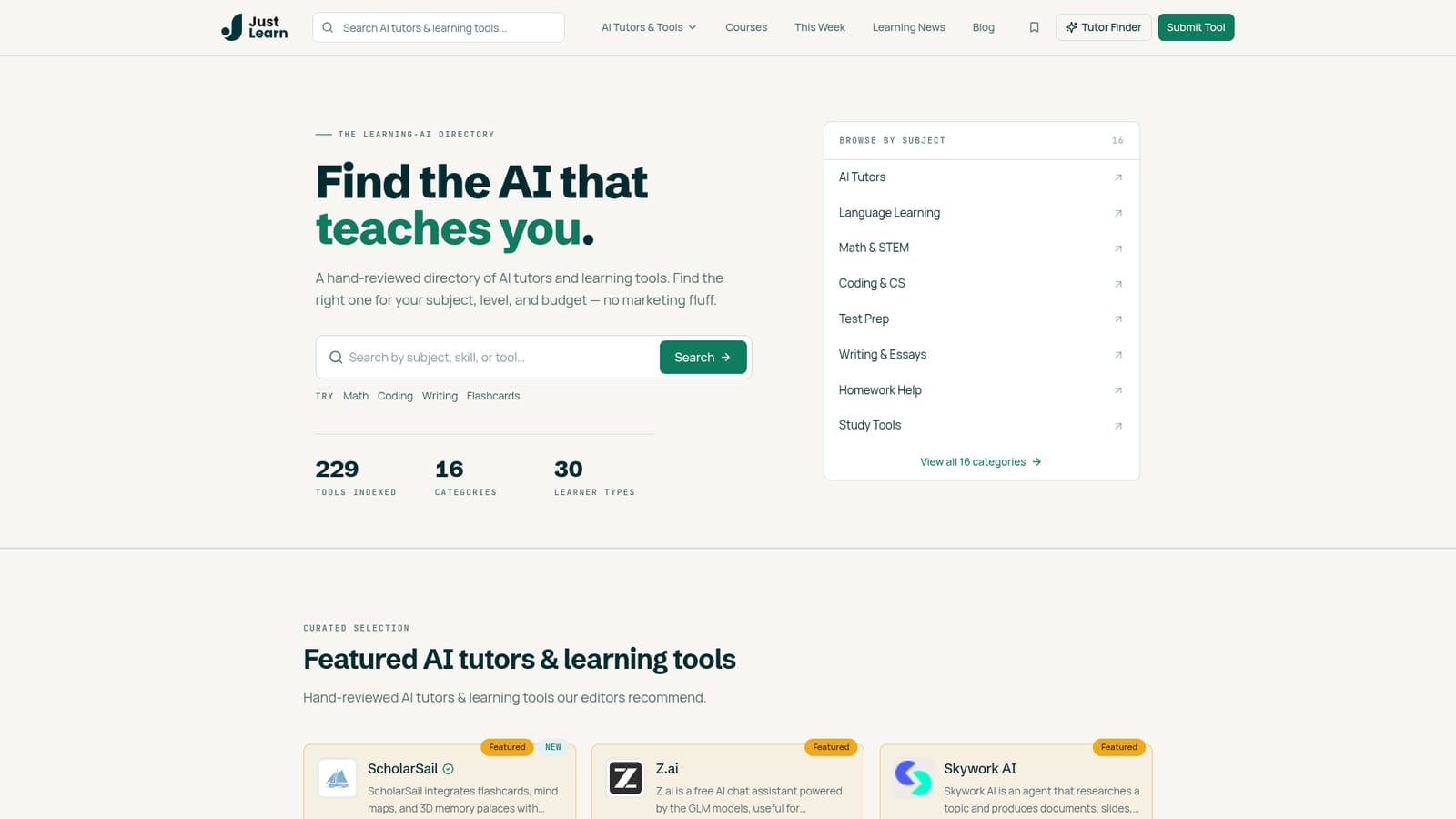
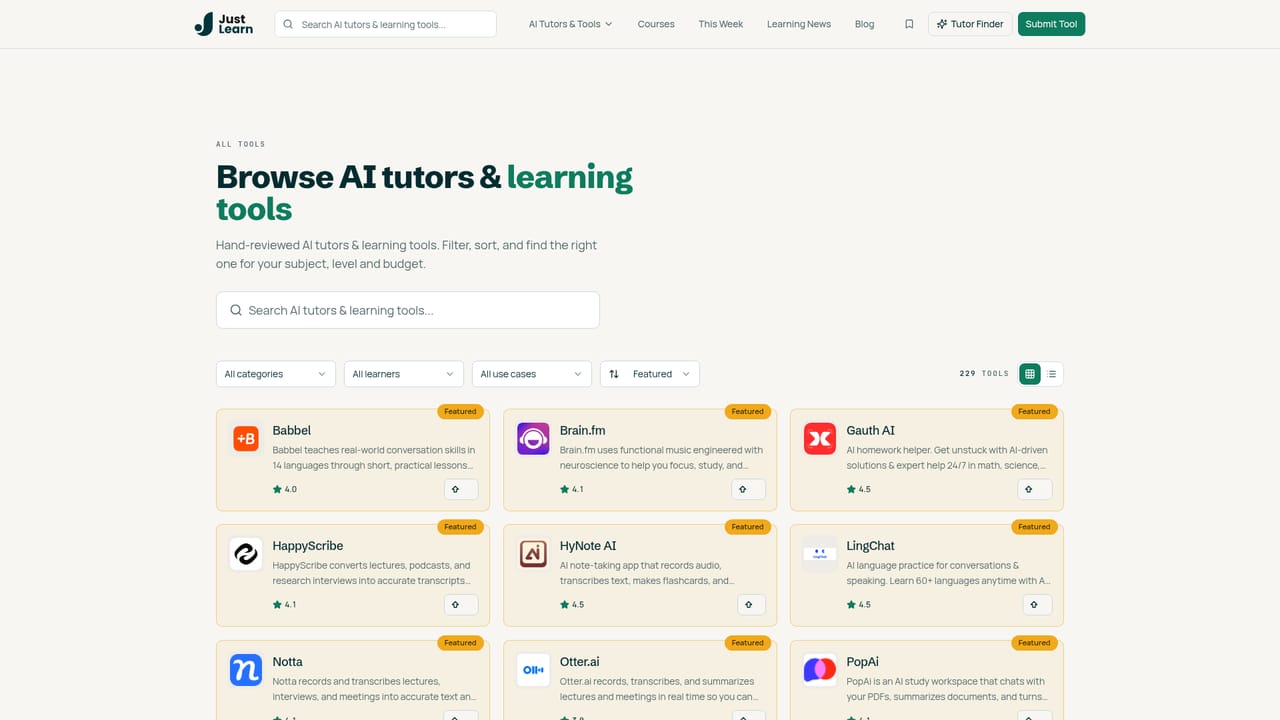
Justlearn is a hand-reviewed directory of AI tutors and learning tools: 229 entries across 16 learning categories and 30 learner types, browsable by subject or by who is studying. Each listing carries an editorial description and score, supported by featured picks, a new-tools feed and a weekly roundup.

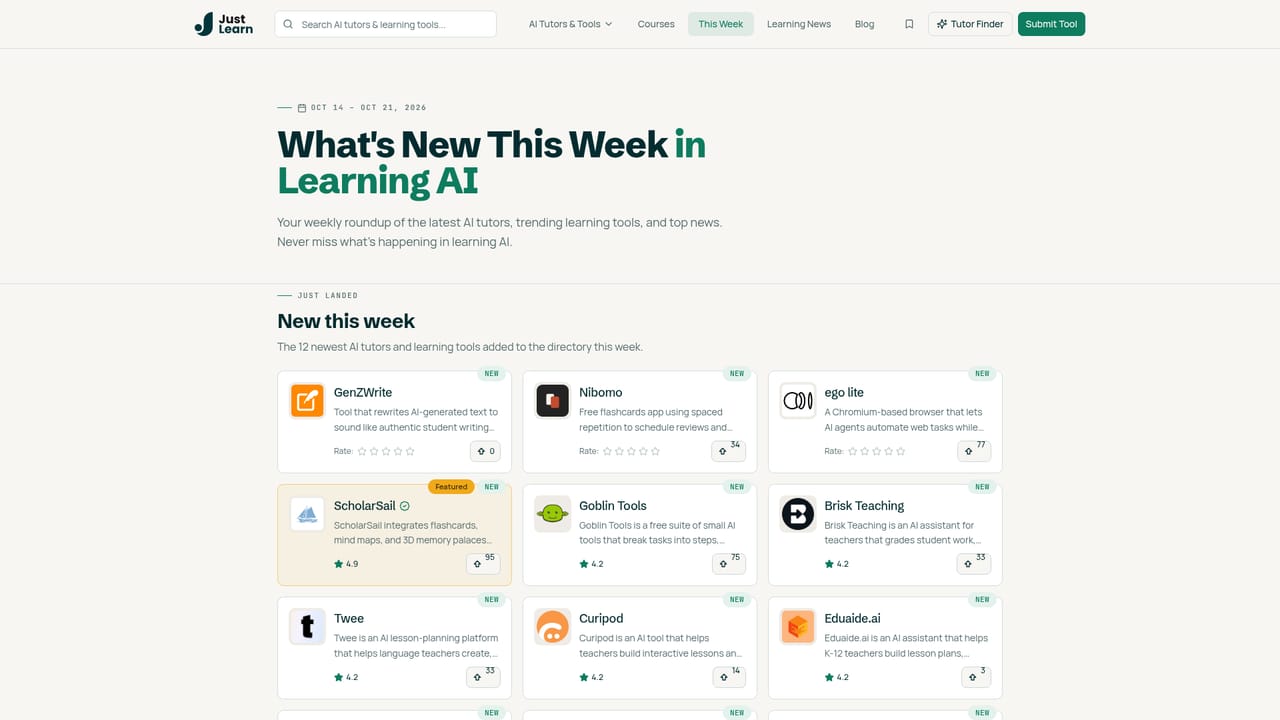
Justlearn is a curated directory of AI tutors and learning tools rather than a teaching product in its own right. The site indexes 229 tools across 16 learning categories and 30 learner types, and every entry is reviewed by editors before it appears. Instead of chasing a general-purpose chatbot, a learner can search by subject (math, coding, writing, flashcards), open a category shelf such as Language Learning or Test Prep, and compare shortlisted tools side by side. The browsing structure is the strongest part. Categories run from AI Tutors and Math and STEM to Homework Help, Writing and Essay Help, and Study Tools, each with a running tool count. A parallel axis sorts the same catalog by who is learning: K-12 students, college students, self-learners, homeschoolers, ESL learners, teachers, tutors, professors, parents and test takers. Each listing carries a short editorial description and a score, so the directory works as a first-pass shortlist before a user commits time to any single product. In practice, Justlearn functions as a research layer above the tools themselves. Featured picks, a Just landed feed for new additions, a Trending section and a weekly roundup give returning visitors a reason to check back, and the site publishes comparison and how-to articles on exam prep, STEM tutoring and note-taking. If the product you need is not listed, the submission flow opens at three paid tiers, with the top tier buying a homepage spotlight, a blog review and priority placement in its category. Justlearn suits students, parents and teachers who want an organized starting point rather than a single recommendation, and it is more useful than a plain search engine for that job. It is less suited to anyone expecting tutoring sessions or a study workspace on the site itself, and its editorial ratings are the directory's own scores, not independent benchmarks.

How do you use Justlearn?

  1. 1Start from the homepage and pick your entry point
    The homepage splits browsing into subject shelves, learner types and a featured row. Choose whichever axis matches your problem: a subject you want to learn or the kind of learner you are.
    Justlearn — Start from the homepage and pick your entry point
  2. 2Open a learning category
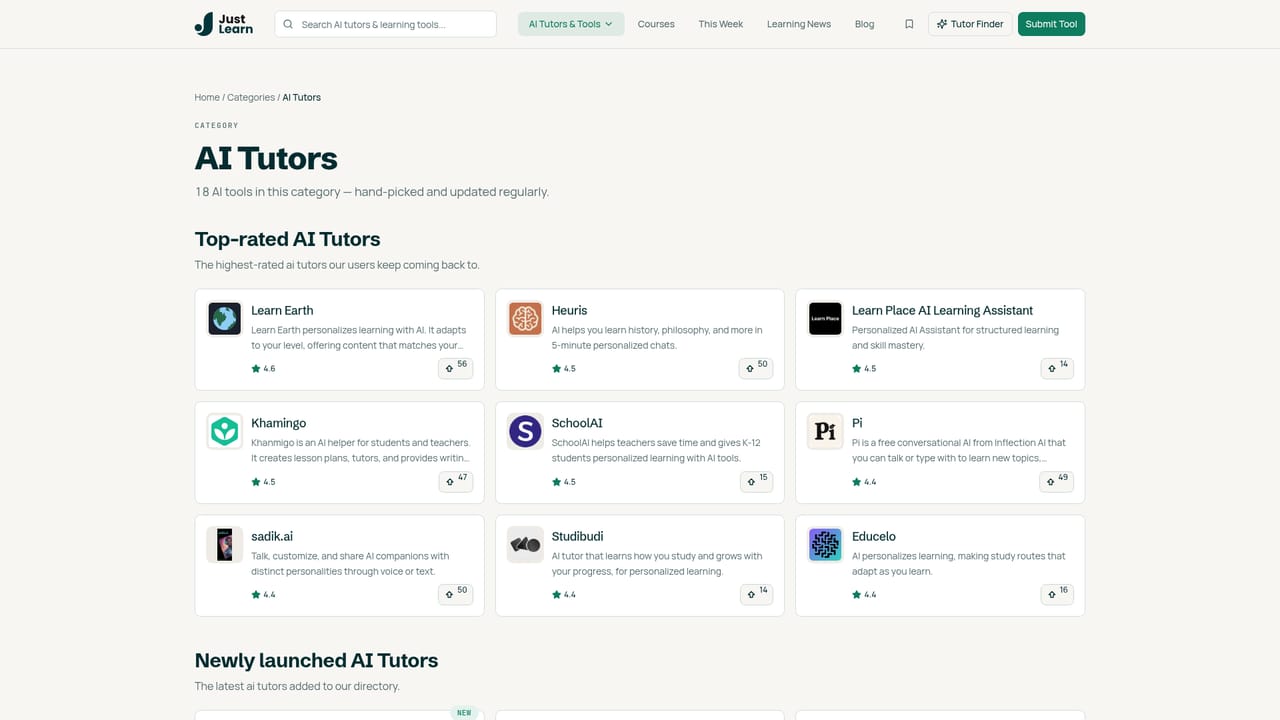
    Category shelves such as AI Tutors or Language Learning show every tool assigned to that subject with running counts. Use this when the subject is clear and you want the full list.
    Justlearn — Open a learning category
  3. 3Or browse by learner type
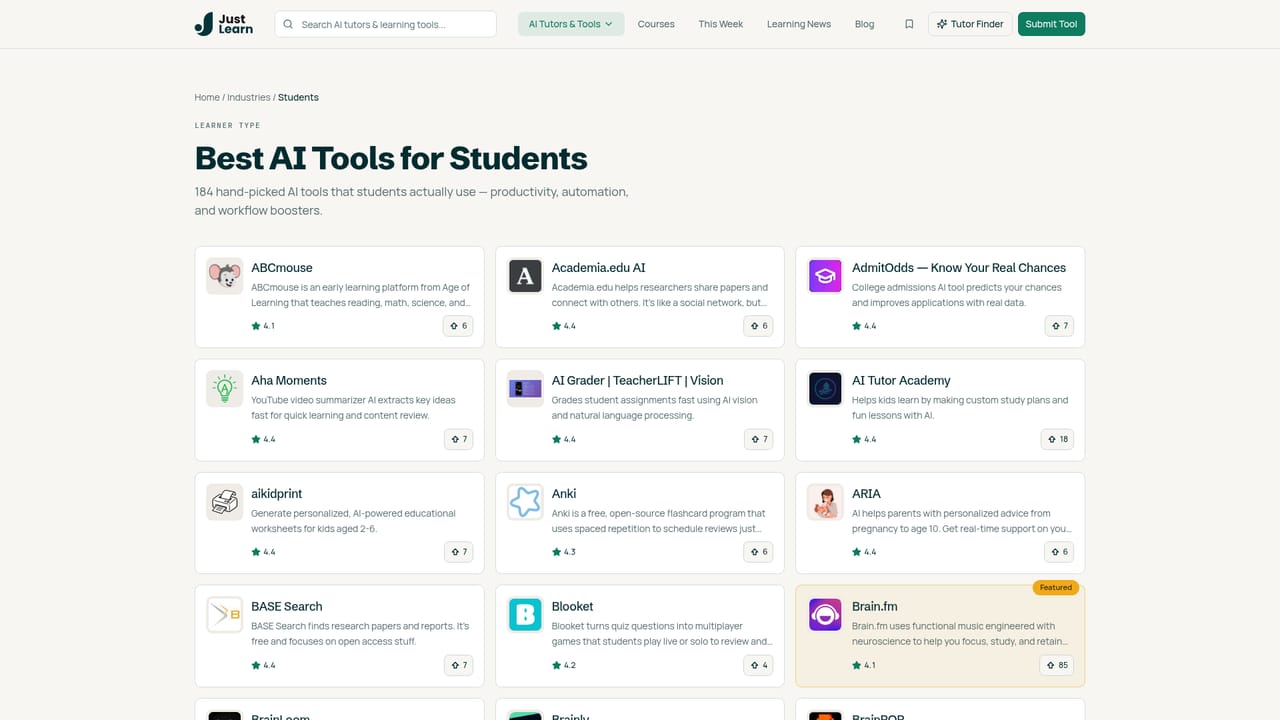
    If subject is not the constraint, pick an audience page such as K-12 students, self-learners or ESL learners to see a pre-sorted set of tools for that situation.
    Justlearn — Or browse by learner type
  4. 4Read a listing and check its score
    Each tool page carries a short description and an editorial score. Read a few before deciding, since the summaries are designed to rule tools out quickly rather than replace a trial.
    Justlearn — Read a listing and check its score
  5. 5Check recent additions and the weekly roundup
    The Just landed feed and weekly roundup flag tools and updates added recently, useful if your category is crowded and you want the current shortlist.
    Justlearn — Check recent additions and the weekly roundup
  6. 6Submit your own tool if the catalog is missing it
    Tool makers can list a product through the submission flow, choosing from Basic, Fast, Verified or Featured tiers. Pricing and placement benefits differ by tier.

Pros and cons

Pros

  • Editorial structure by both subject and learner type makes shortlisting fastAI
  • Hand-reviewed entries with short descriptions and scores beat an unstructured searchAI
  • 229 tools across 16 categories gives real breadth, from language learning to homework helpAI
  • New-tools feed and weekly roundup keep the catalog currentAI
  • Dedicated pages for narrow audiences such as ESL learners, homeschoolers and test takersAI

Cons

  • Directory only: no tutoring, chat or study workspace happens on Justlearn itselfAI
  • Scores are the site's own editorial ratings, with no published methodology or independent benchmarksAI
  • Listings are short summaries, so deep comparisons require visiting each tool's siteAI
  • Placement is influenced by paid submission tiers, including homepage spotlight and top category slotsAI
  • No visible filters for price or platform inside the tool catalogAI

How much does Justlearn cost?

Pricing

Browsing Justlearn is free. The only prices on the homepage cover listing a tool: Basic at $9.99, Fast at $19 (24-hour approval), Verified at $49 (badge) and Featured at $99 (two weeks of homepage spotlight, a blog review and top category placement).

Learn more

Support

Priority support is listed as a benefit of the $19 Fast submission tier for tool makers. The homepage names no support channel for learners browsing the directory.

Features

A hand-reviewed catalog of 229 AI learning tools across 16 categories and 30 learner types. Browsing runs by subject (AI Tutors, Language Learning, Math and STEM, Coding, Test Prep, Homework Help, Writing, Study Tools) or by learner. Featured picks, a Just landed feed, a trending list and a weekly roundup surface new and popular entries.

Learn more

Frequently asked questions about Justlearn

  • How much does Justlearn cost?
    Browsing Justlearn is free. The only prices on the homepage cover listing a tool: Basic at $9.99, Fast at $19 (24-hour approval), Verified at $49 (badge) and Featured at $99 (two weeks of homepage spotlight, a blog review and top category placement).
  • How do you use Justlearn?
    The walkthrough on this page covers 6 steps: 1. Start from the homepage and pick your entry point 2. Open a learning category 3. Or browse by learner type 4. Read a listing and check its score 5. Check recent additions and the weekly roundup 6. Submit your own tool if the catalog is missing it.
  • What platforms does Justlearn support?
    Justlearn is available on Web App.
  • What are the limitations of Justlearn?
    Directory only: no tutoring, chat or study workspace happens on Justlearn itself. Scores are the site's own editorial ratings, with no published methodology or independent benchmarks. Listings are short summaries, so deep comparisons require visiting each tool's site.

Status

StatusActive
Views0
Outbound clicks0
Added10/21/2026

Platforms

Web App

Pricing

FreePaid