Free trial
Premium begins with a 3-day free trial. Cancelling before it ends means you pay nothing. Billing runs through the App Store or Google Play.
Learn morePhoto, voice or barcode calorie logging with two AI coaches who talk back
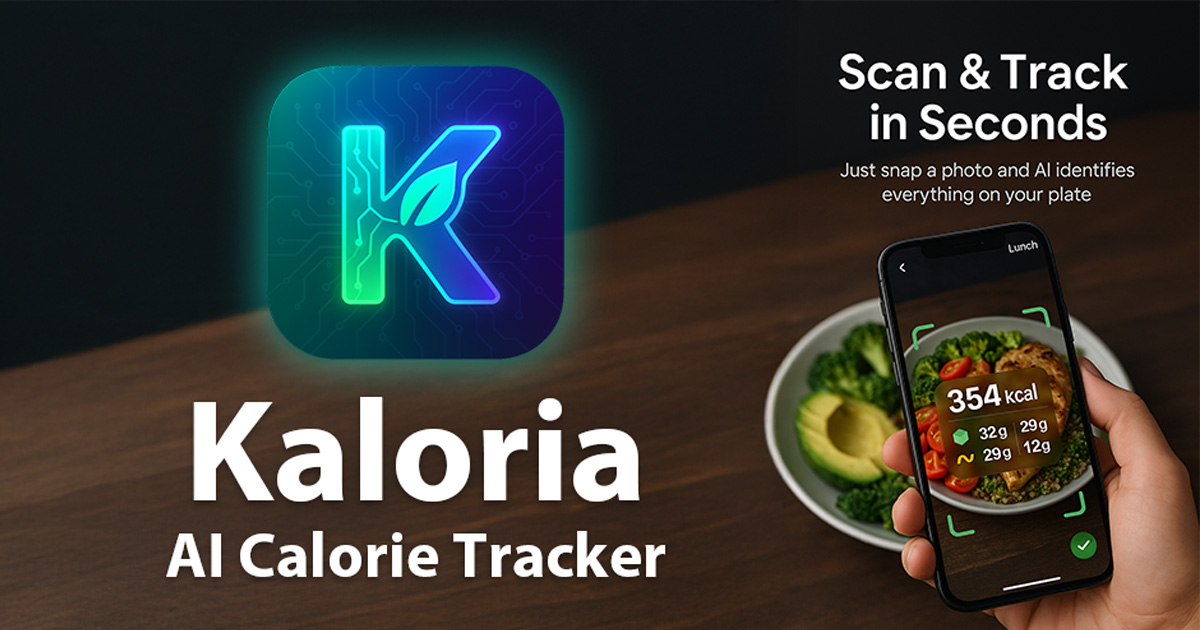
Kaloria is an accountability buddy tool. Kaloria logs meals by photo, voice or barcode in seconds and pairs the diary with two AI coaches, meal and workout plans, and Apple Health or Health Connect sync. Free to download, with voice logging and unlimited scans in Premium.
Kaloria is a calorie tracking app for iPhone and Android built around a simple premise: most people abandon food diaries because of the searching and typing, so the logging itself should take seconds. Point the camera at a plate and the app identifies the individual foods on it, estimates portions and calculates calories, protein, carbs and fat in roughly two seconds. You review and edit anything before it is saved. A spoken sentence works the same way in any of the 40 supported languages, and packaged food comes in through a barcode scan. Offline captures are queued and analysed once a connection returns, booked to the day you actually ate. The feature that sets Kaloria apart from a plain macro counter is its pair of AI coaches, Kalo and Ria, each available in four personalities (Fitness Bro, The Roaster, Zen Master, Science Nerd). They comment on meals, react to streaks and can act on requests: telling Kalo what you ate writes the entry for you, and he also logs water, weight and workouts, adjusts goals and remembers dietary preferences. All coaches and personalities are free. Beyond the diary, the app bundles a weekly meal plan with grocery list, recipes, guided workout programmes drawn from a 601 exercise library, water and step tracking, and analytics that forecast a goal date from your current pace. Fibre, sugar and sodium are tracked alongside the core macros. It suits casual trackers who want low friction more than laboratory precision, and people who respond to a bit of personality rather than a silent spreadsheet. Anyone training seriously will find the workout logging and Apple Health or Health Connect sync useful, since watch workouts and burned calories merge with intake on one screen and can optionally top up the daily budget. The honest limits: nutrition values are AI estimates, always editable but still estimates, so portion-heavy home cooking carries error. Voice logging and unlimited photo scans sit behind Premium, and the full macro picture depends on how consistently you log. Against manual apps it trades some precision for speed; against a human dietitian it trades expertise for availability.
Premium begins with a 3-day free trial. Cancelling before it ends means you pay nothing. Billing runs through the App Store or Google Play.
Learn moreFree tier includes daily AI photo scans, unlimited text logging, all coaches and personalities, diary, water and weight tracking, analytics with a goal date, recipes and the first personal meal plan. Premium (monthly or yearly, priced in your store) adds unlimited scans, voice logging, longer Kalo conversations, more plans and photo backup.
Learn moreA help section is available on the Kaloria site. In app account deletion and optional sign in with Apple, Google or e-mail are documented on the homepage.
Learn moreApple Health and Health Connect for two way sync of steps, workouts, burned calories, weight, meals and water. Apple Watch and Wear OS data arrives through those platforms, with no separate watch app.
Photo, voice and barcode meal logging with editable AI estimates; two AI coaches in four personalities; Kalo can log meals, water, weight and workouts by request; weekly meal plans with grocery lists; recipes in 40 languages; 601 animated exercises and 4 to 8 week programmes; water, steps and weight tracking; fibre, sugar and sodium alongside macros; analytics with a projected goal date.
 AI Angels400+ customizable AI girlfriends for NSFW chat, voice calls, and roleplay
 Candy AIExperience the future of companionship with AI friends who chat, role-play, and connect with you on a human level.
 ourdream.aiA vast AI roleplay platform with millions of characters for chat, images, video and voiceAI Angels400+ customizable AI girlfriends for NSFW chat, voice calls, and roleplayCandy AIExperience the future of companionship with AI friends who chat, role-play, and connect with you on a human level.ourdream.aiA vast AI roleplay platform with millions of characters for chat, images, video and voice