Free trial
Access starts with a $0.99 offer described as a 3 day trial on the weekly plan. It is a paid entry point rather than a free trial, and it converts to $5.99 per week.
Learn moreChrome extension that solves quiz and homework questions on screen
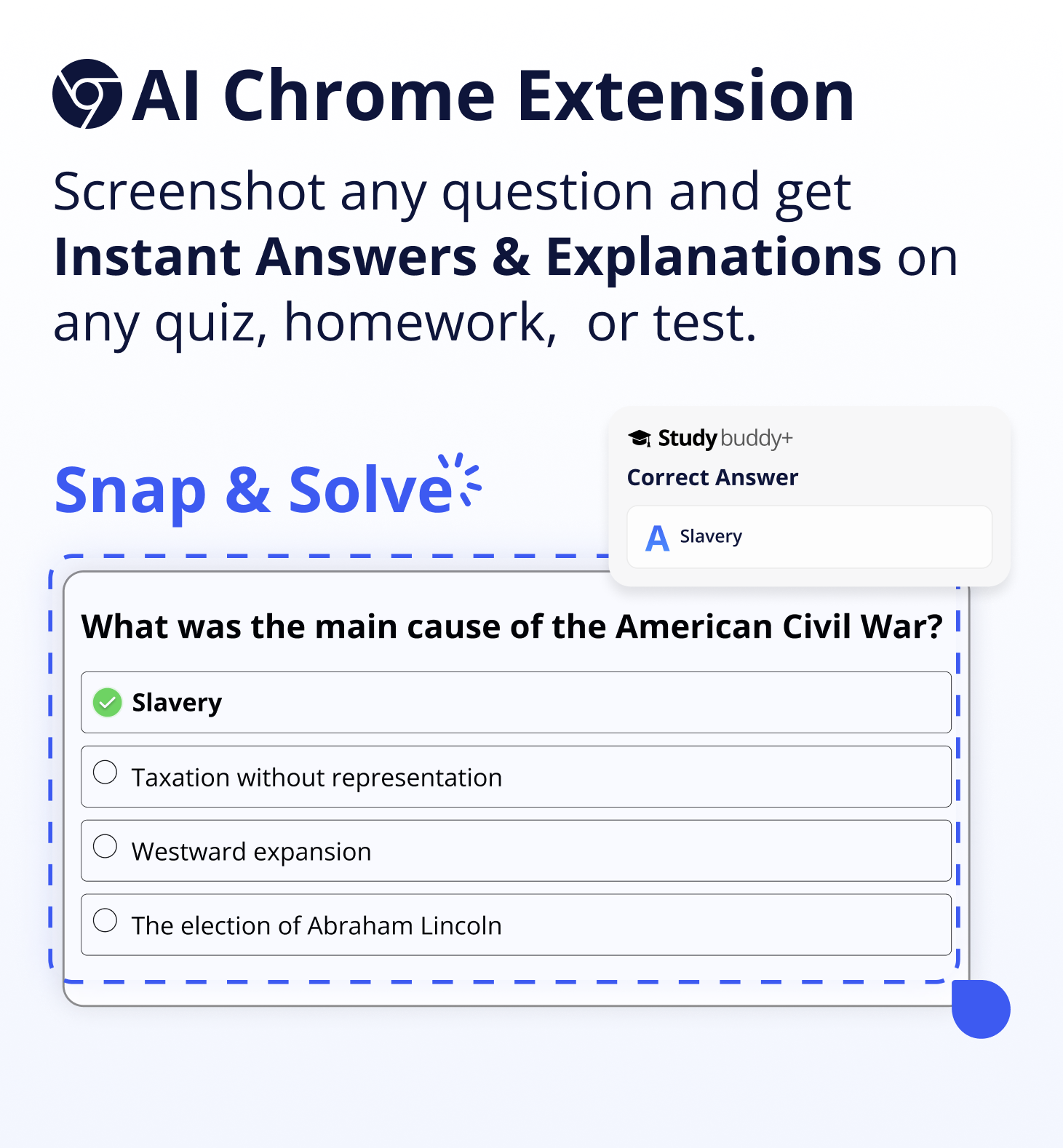
StudyBuddy is a Chrome extension that reads questions from online quizzes and homework, using screenshots, highlighting or a chat box, and returns answers with step by step explanations. It combines several AI models, supports English, Spanish and Portuguese, and charges a weekly subscription after a discounted trial.
StudyBuddy is a Chrome extension built around a single, narrow promise: when a question appears on screen, the answer should appear next to it. The extension sits on top of whatever quiz, test or homework platform a student is already using, and it reads the question from the page rather than asking the user to retype it. Three input paths are offered. A screenshot captures a question in full, a highlight gesture isolates just the part that matters, and a personal AI chat handles anything that does not fit the first two routes. The company says image based questions and diagrams are supported alongside text and math problems, and that answers arrive with step by step explanations rather than a bare final result. The product is aimed squarely at students working through online coursework, and the pitch is about removing friction more than about adding a novel capability. There is no copy and paste loop, no switching to a separate chatbot tab, and no manual transcription of formulas. Accuracy claims rest on an ensemble approach: StudyBuddy states that it routes questions through GPT-4o, Gemini and Claude 3 alongside fine tuned models and an internal database, and it claims this produces better results than ChatGPT alone. Whether that holds up depends heavily on subject matter, and the homepage does not break accuracy down by discipline. Language coverage is limited. The site names English, Spanish and Portuguese as current options, with more described as in progress. Data in transit is protected with HTTPS encryption according to the FAQ. Among study tools, StudyBuddy positions itself as an overlay rather than a standalone tutor or flashcard app: it is for the moment a problem is in front of you, not for building a revision plan over a semester. Pricing is a single weekly subscription with a discounted entry offer. There is no free tier mentioned, and the refund terms differ between the weekly plan and the longer semestral option.
Access starts with a $0.99 offer described as a 3 day trial on the weekly plan. It is a paid entry point rather than a free trial, and it converts to $5.99 per week.
Learn moreThe homepage lists a $0.99 introductory offer that renews at $5.99 per week, with cancel anytime and a satisfaction guarantee. A 3 month plan option is also shown. Users on the 1 week subscription are not eligible for refunds; semestral subscribers can request one within 3 days with evidence of dissatisfaction.
Learn more24/7 customer support is advertised, with refund and cancellation requests handled by email at support@studybuddy.gg.
Runs as a Google Chrome extension and is described as working on most major online quiz, test and homework platforms. No named third party integrations or public API are listed.
Screenshot any question for instant answers, highlight part of a question for a targeted solution, and chat with a personal AI for deeper help. The extension handles math, diagrams and image based questions, returns step by step explanations, and runs on Chrome across most major study platforms without copy and paste. It draws on GPT-4o, Gemini, Claude 3 and fine tuned models in English, Spanish and Portuguese.
 AI Angels400+ customizable AI girlfriends for NSFW chat, voice calls, and roleplay
 Candy AIExperience the future of companionship with AI friends who chat, role-play, and connect with you on a human level.
 ourdream.aiA vast AI roleplay platform with millions of characters for chat, images, video and voiceAI Angels400+ customizable AI girlfriends for NSFW chat, voice calls, and roleplayCandy AIExperience the future of companionship with AI friends who chat, role-play, and connect with you on a human level.ourdream.aiA vast AI roleplay platform with millions of characters for chat, images, video and voice