Kling

Text, image and reference driven video and image generation in one studio

Intermediate
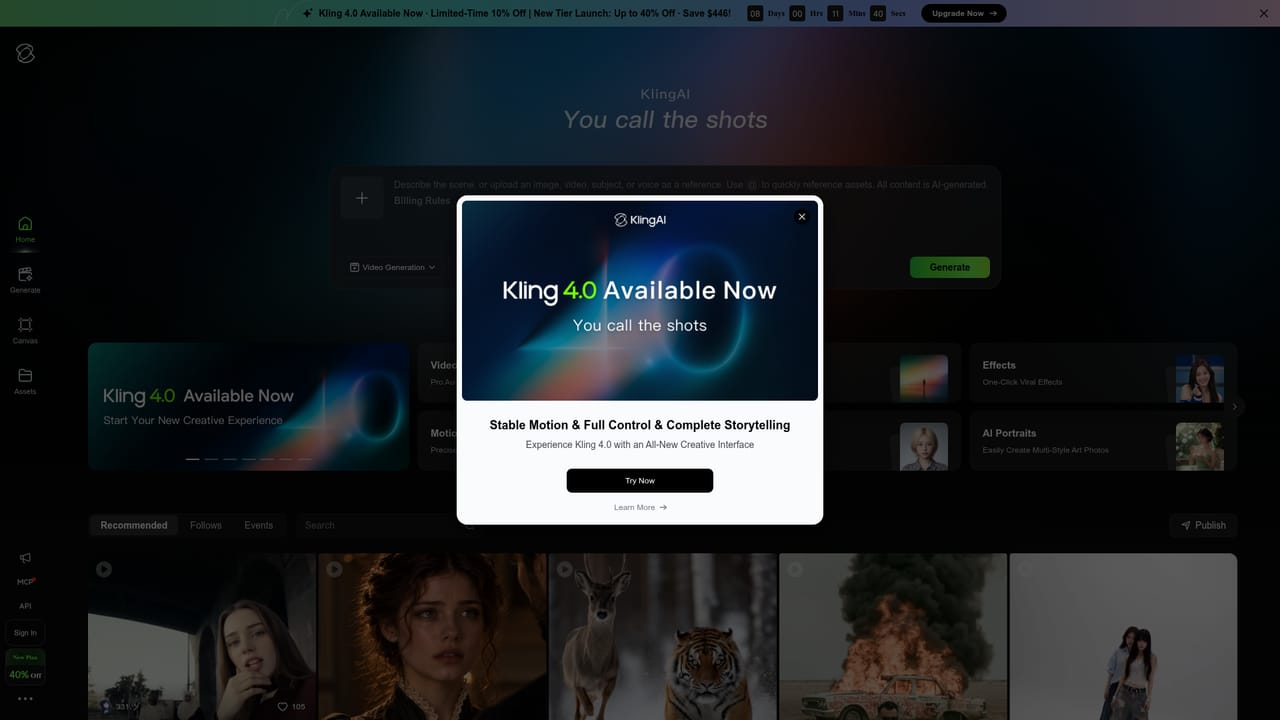
Screenshot of Kling, Text, image and reference driven video and image generation in one studio

What is Kling?

Kling is a text, image and reference driven generator for cinematic video and 4K stills, with synchronized audio in its 4.0 video model and a series mode for consistent multi-image outputs.

Kling is a generative video and image studio built around a multimodal approach: users can start from a text prompt, an uploaded still, or a reference image and steer the output toward a specific visual result. The current release, Kling 4.0, pairs stable dynamic motion with synchronized audio, so a generated clip arrives with sound and performance rather than as a silent, static-looking loop. That combination is the main thing separating it from older text-to-video tools that treat motion and audio as separate problems. The image side, Kling Image 3.0, is aimed at cinematic stills. It responds to film language in the prompt, including lens choice, depth of field, color grading references and lighting direction, and it generates natively at 4K. A separate series mode produces several connected images with a consistent visual style, which is useful for storyboards, mood boards and campaign sequences. The homepage examples lean heavily on this: reference-based character continuity, predicted next scenes, restyled variants of an existing frame, and Instagram-style interior sets. In practice the workflow is prompt-first. A user writes a detailed description (the sample prompts read like shot lists, with composition, atmosphere and texture spelled out), optionally attaches a reference image to lock character appearance or art style, and generates. Results can be iterated by rewriting parts of the prompt rather than starting over. The tool competes with other general video generators, but its positioning is closer to production prep than casual clips: advertising storyboards, film-style concept frames, and short cinematic sequences. Beginners can get usable output from a plain description, while the quality ceiling depends on how precisely the prompt is written. The homepage does not publish plan tiers or credit rates.

How do you use Kling?

  1. 1Open the studio
    Go to the Kling app entry point from the site header or the hero button. Sign in before generating, since projects and credits are tied to an account.
    Kling — Open the studio
  2. 2Choose video or image mode
    Decide whether the job is a moving clip or a still. Video mode targets Kling 4.0 for motion plus audio; image mode targets Kling Image 3.0 for 4K frames and series output.
  3. 3Write a shot-level prompt
    Describe subject, composition, lighting, lens and texture. The homepage examples show how much specificity the model responds to, including film stock and depth of field cues.
  4. 4Attach a reference image if continuity matters
    Uploading a still lets the model inherit character appearance or artistic style. Restyling and next-scene prediction both depend on this reference step.
  5. 5Generate, review and revise
    Run the prompt, then adjust the wording rather than rebuilding from scratch. Change one variable at a time (lighting, framing, palette) to keep the rest of the look intact.

Pros and cons

Pros

  • Handles text, image and reference inputs in one studio, so character look and style can be carried across generationsAI
  • Kling 4.0 adds synchronized audio to video output, reducing the need for a separate sound passAI
  • Image 3.0 generates natively at 4K with convincing lens, lighting and film grain detailAI
  • Series mode keeps visual style coherent across multiple images, useful for storyboards and campaign setsAI
  • Sample prompts double as templates for writing shot-level descriptions, which shortens the learning curveAI

Cons

  • Pricing and credit costs are not stated on the homepage, so budget planning requires checking inside the appAI
  • Prompt quality drives results heavily; vague descriptions produce generic output and there is no shortcut around detailed writingAI
  • Cinematic examples on the site are curated, so real-world output on complex motion or hands may fall short of themAI
  • No published details on commercial licensing or usage rights for generated footageAI

How much does Kling cost?

Features

Kling 4.0 covers video generation with stable motion and synchronized audio. Kling Image 3.0 adds cinematic prompt understanding, native 4K output and series mode for consistent multi-image sets. Inputs include text, images and references, with support for restyling, character continuity and next-scene storyboard prediction.

Frequently asked questions about Kling

  • How do you use Kling?
    The walkthrough on this page covers 5 steps: 1. Open the studio 2. Choose video or image mode 3. Write a shot-level prompt 4. Attach a reference image if continuity matters 5. Generate, review and revise.
  • What platforms does Kling support?
    Kling is available on Web App.
  • What are the limitations of Kling?
    Pricing and credit costs are not stated on the homepage, so budget planning requires checking inside the app. Prompt quality drives results heavily; vague descriptions produce generic output and there is no shortcut around detailed writing. Cinematic examples on the site are curated, so real-world output on complex motion or hands may fall short of them.

Status

StatusActive
Views0
Outbound clicks0
Added10/21/2026

Platforms

Web App

Pricing

Freemium


