Knola

Describe your course in one paragraph, get lessons, narrated videos and a sales page.

Beginner
Screenshot of Knola, Describe your course in one paragraph, get lessons, narrated videos and a sales page

What is Knola?

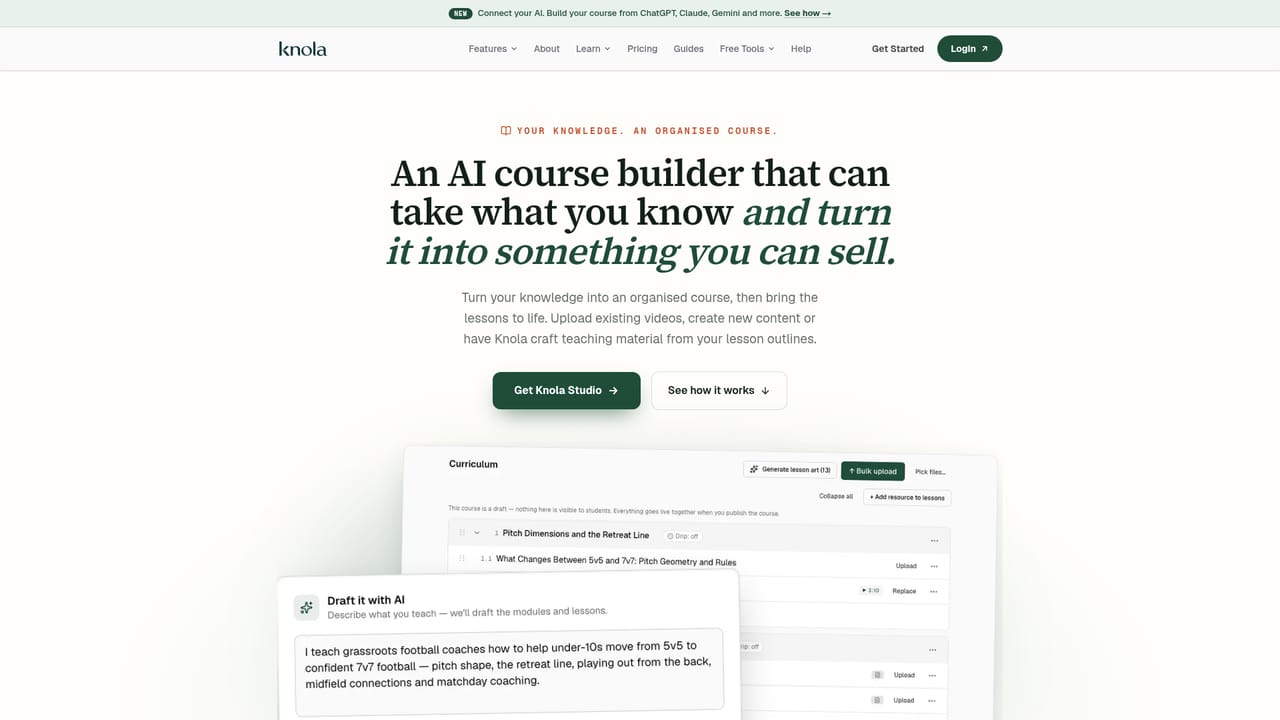
Knola turns a one paragraph course idea into an outline, written lessons, branded slides, narrated videos, ebooks, a sales page and checkout, sold as a one-time purchase rather than a monthly subscription.

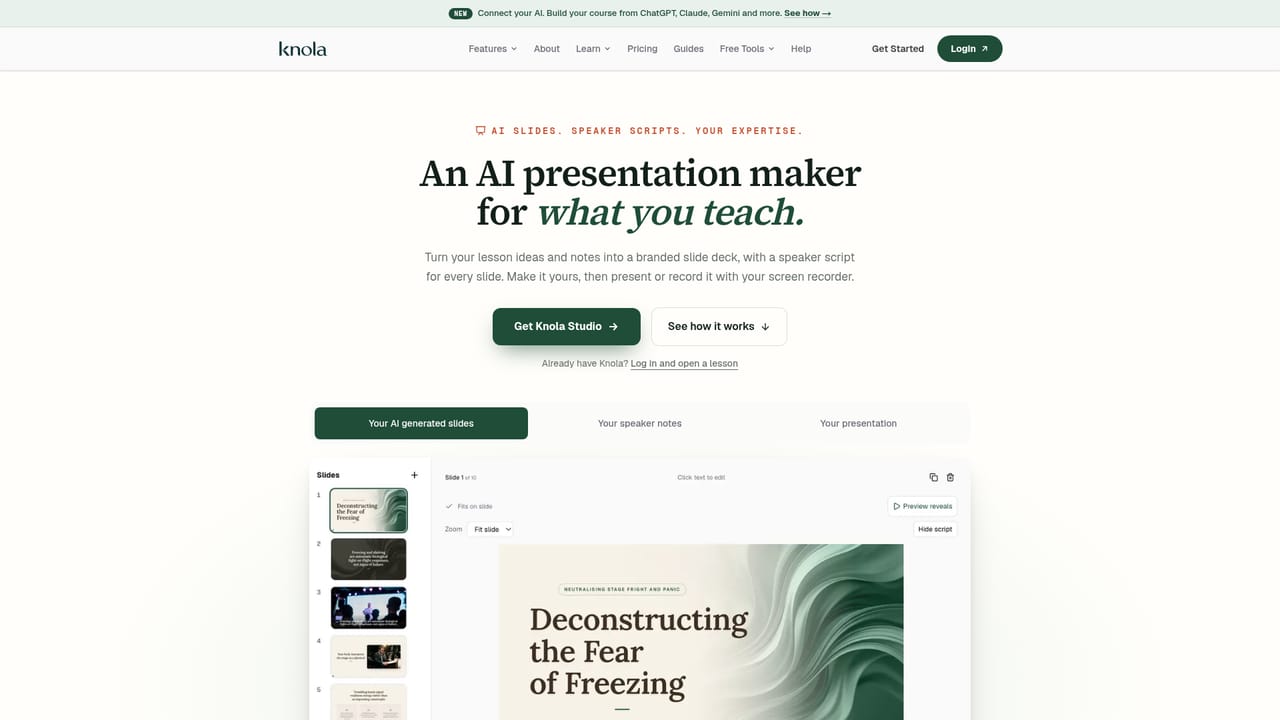
Knola is a course creation platform built around a single premise: the creator supplies the expertise, and the software produces the rest. A coach, consultant or educator writes one paragraph describing what they teach, and Knola drafts a course outline with modules and lessons in a suggested order. From there it writes the written lesson under each entry, builds a designed slide deck on the creator's branding with a speaker script under every slide, and generates narrated lesson videos using one of six AI voices or the creator's own. Videos run roughly ten minutes per lesson and carry captions and chapters. Editing a slide triggers a re-voice of only that slide. The build does not stop at the curriculum. Knola converts course material into ebooks, checklists and lead magnets that can be sold separately, given away for emails, or attached as an order bump at checkout. It writes sales page copy from the creator's own lesson content and lays the page out on their brand, with any section rewritable by prompt or by hand. Checkout, upsells and funnels are part of the same package, and sales notifications appear as they land. A practical workflow looks like this: paste or upload existing material, adjust the generated outline, refine the slides, then publish. Creators who already have a course can import it and use the AI layer to fill gaps, while first-timers can start from an idea and never record a video themselves. It also connects to external assistants, so a transcript or outline built in ChatGPT, Claude or Gemini can be the starting input. The competitive pitch is financial rather than technical. Knola sells as a one-time purchase (Studio at $197) instead of a recurring platform subscription, and the comparison page sets that against the monthly stack of a hosted platform plus separate tools for voice, video editing and design. That framing suits solo creators and small learning businesses who have not sold yet and want to keep their fixed costs near zero. The tradeoff is that buyers commit up front without a free tier, and the AI output still needs a human editing pass before it ships.

How do you use Knola?

  1. 1Describe what you teach
    Write one specific paragraph about the subject, the audience and the outcome. Knola uses this as the brief for the whole course draft.
    Knola — Describe what you teach
  2. 2Or bring an existing course
    Upload material you already have, or draft the outline in an external assistant and connect it to Knola as the starting point.
    Knola — Or bring an existing course
  3. 3Review the outline
    Rename, reorder or redraft the generated modules and lessons until the sequence matches how you actually teach the topic.
  4. 4Edit slides and narration
    Open the slide deck for a lesson, adjust wording or images, and choose an AI voice or record your own over the slides.
    Knola — Edit slides and narration
  5. 5Publish the sales page and checkout
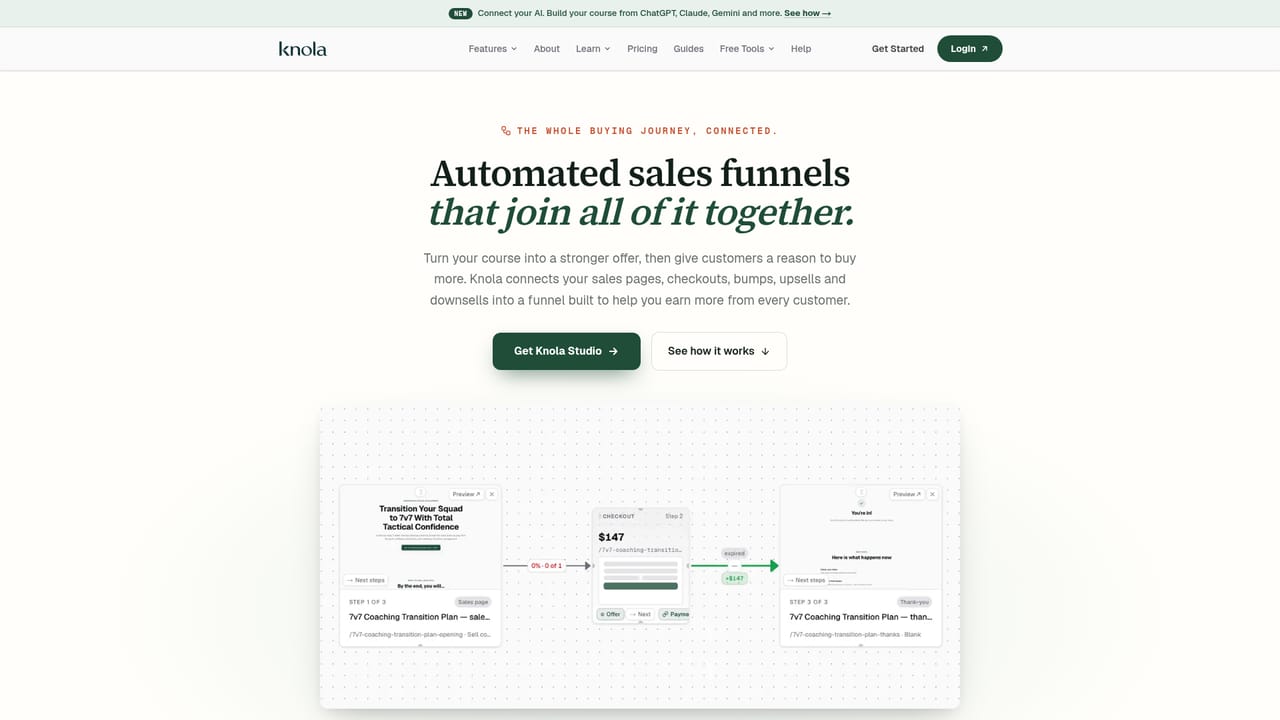
    Check the generated sales copy against your lessons, apply your branding, then switch on checkout with any bumps or upsells you want.
    Knola — Publish the sales page and checkout
  6. 6Track enrolments and sales
    Watch enrolments, order bumps and upsell activity, and review student analytics to see where learners drop off.

Pros and cons

Pros

  • One paragraph of input produces a full course structure: modules, lessons, slides and scripts.AI
  • Lesson videos are narrated in six voices or the creator's own, with captions and chapters, no camera needed.AI
  • Sales copy is generated from the creator's own lesson content and laid out on their branding.AI
  • Ebooks, checklists and lead magnets extend one course into several sellable or list-building assets.AI
  • One-time payment model removes the recurring platform fee while the course stays online.AI

Cons

  • No free tier or trial is advertised, so evaluating the output means committing to a purchase.AI
  • AI-drafted lessons, slides and sales copy still require a careful editing pass before publishing.AI
  • Voice quality is limited to the six voices offered, which may not suit every subject or audience.AI
  • The public site shows no detail on student limits, storage or bandwidth for hosted courses.AI
  • Suited to solo creators and small learning businesses rather than teams needing multi-author workflows.AI

How much does Knola cost?

Pricing

Pricing is a one-time purchase rather than a subscription. Knola Studio is listed at $197 paid once, with a 30-day money-back guarantee, no monthly fee to keep the course online, and 0% on your own checkout. A Solo purchase page also exists; the homepage only quotes Studio figures.

Learn more

Support

Support is handled by people rather than a ticket queue, according to customer quotes on the homepage, which describe same-hour replies. A help page and guides are published on the site.

Learn more

Integrations

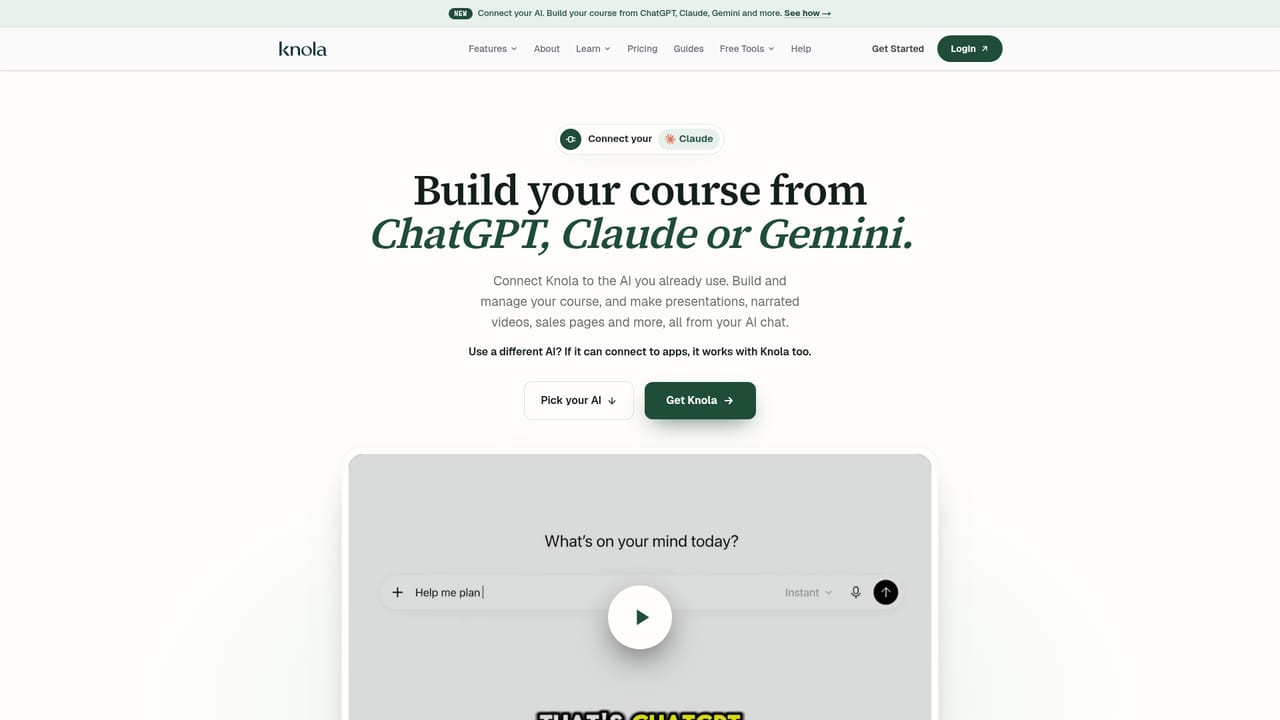
Courses can be drafted from ChatGPT, Claude, Gemini and other assistants through a dedicated connect-your-AI route. Nothing else is listed on the homepage.

Learn more

Features

Knola generates the course outline, written lessons, branded slides with speaker scripts, and narrated lesson videos in six AI voices or your own, with captions and chapters. It also turns courses into ebooks and lead magnets, writes and designs the sales page, and includes checkout, funnels, hosting and student analytics.

Learn more

Frequently asked questions about Knola

  • How much does Knola cost?
    Pricing is a one-time purchase rather than a subscription. Knola Studio is listed at $197 paid once, with a 30-day money-back guarantee, no monthly fee to keep the course online, and 0% on your own checkout. A Solo purchase page also exists; the homepage only quotes Studio figures.
  • How do you use Knola?
    The walkthrough on this page covers 6 steps: 1. Describe what you teach 2. Or bring an existing course 3. Review the outline 4. Edit slides and narration 5. Publish the sales page and checkout 6. Track enrolments and sales.
  • What platforms does Knola support?
    Knola is available on Web App.
  • What does Knola integrate with?
    Courses can be drafted from ChatGPT, Claude, Gemini and other assistants through a dedicated connect-your-AI route. Nothing else is listed on the homepage.
  • What are the limitations of Knola?
    No free tier or trial is advertised, so evaluating the output means committing to a purchase. AI-drafted lessons, slides and sales copy still require a careful editing pass before publishing. Voice quality is limited to the six voices offered, which may not suit every subject or audience.

Status

StatusActive
Views0
Outbound clicks0
Added10/21/2026

Platforms

Web App

Pricing

PaidFree Trial