Integrations
The homepage claims more than 1,400 app connections, naming Gmail, Slack, Notion, GitHub, Google Drive and Calendar, Figma, Salesforce, HubSpot, Airtable, Asana, Stripe and others.
One subscription to ChatGPT, Claude, Gemini and 500+ models

Krater.ai is a content tool. Krater puts ChatGPT, Claude, Gemini and 500+ other models behind one subscription, adding image and video generation, voice tools, scheduled agent tasks and 1,400+ app connections in a single web workspace.
Krater is a browser-based AI workspace that bundles many of the major language and media models behind a single subscription. ChatGPT, Claude, Gemini, Grok, Mistral and DeepSeek are among the 500+ models on offer, and users can switch between them mid-conversation rather than paying for each provider separately. The company reports more than 100,000 users and an average review score of 4.8, and says its servers are EU-hosted and GDPR compliant, with no training on customer data. The creative side is the part most people will notice first. Image generation and editing, upscaling, and video generation through models such as Kling, Seedance, Sora and HeyGen sit alongside text to speech, sound effects, voice changing and transcription using ElevenLabs and OpenAI voices. Describing a slide deck, visual or website produces an editable artifact with a live preview, which puts it in direct competition with single-purpose design and presentation tools. For written work there is code generation with live previews, plus deep research that browses the web and files findings into a built-in notebook called Keep. What separates Krater from a plain model aggregator is the agent layer. A user sets a goal, the agent plans it, researches, browses, and runs tools, then returns the finished result. Tasks can be scheduled, roughly 1,400 app connections cover services like Gmail, Slack, Notion, GitHub, Figma and Salesforce, and Memory and Projects store context, style and files between sessions. Auto Router picks a model automatically when the user has no preference. The interface is available in 12 languages. Krater suits freelancers, small teams and generalists who want breadth without managing a stack of subscriptions: marketers producing ad copy and visuals, analysts summarizing PDFs and URLs, and developers prototyping apps. Anyone with a narrow, high-volume workflow, or a compliance requirement that the homepage does not address, should verify the details before committing.
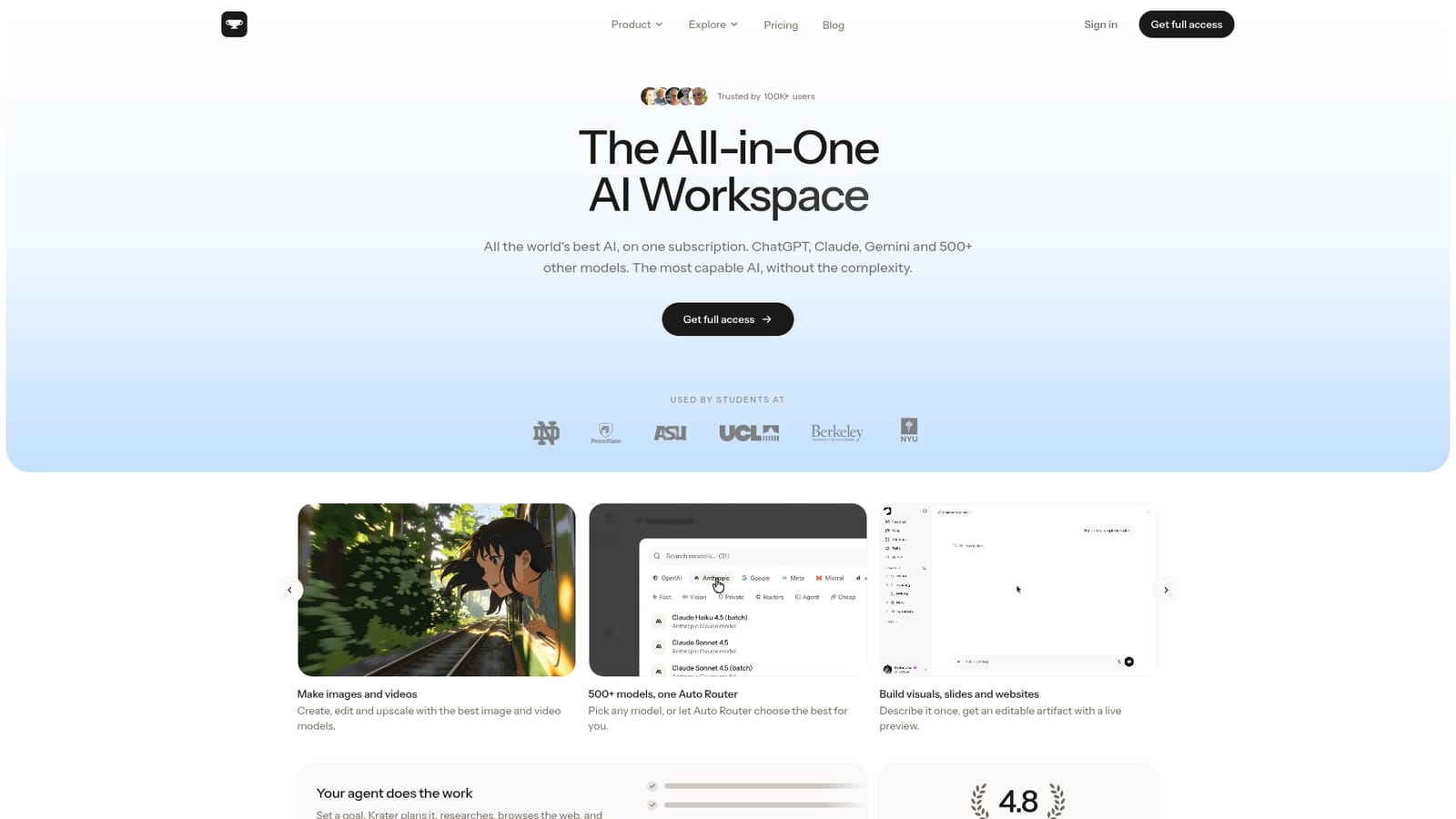
The homepage claims more than 1,400 app connections, naming Gmail, Slack, Notion, GitHub, Google Drive and Calendar, Figma, Salesforce, HubSpot, Airtable, Asana, Stripe and others.
The homepage lists 500+ models, a single Auto Router, image and video generation with upscaling, editable artifacts for visuals, slides and websites, 1,400+ app connections, scheduled Tasks, an agent that plans and executes work, Memory and Projects, document and video summarization, text to speech, sound effects and transcription, web-connected research saved to Keep, and a 12-language interface.
 AI Angels400+ customizable AI girlfriends for NSFW chat, voice calls, and roleplay
 Candy AIExperience the future of companionship with AI friends who chat, role-play, and connect with you on a human level.
 ourdream.aiA vast AI roleplay platform with millions of characters for chat, images, video and voiceAI Angels400+ customizable AI girlfriends for NSFW chat, voice calls, and roleplayCandy AIExperience the future of companionship with AI friends who chat, role-play, and connect with you on a human level.ourdream.aiA vast AI roleplay platform with millions of characters for chat, images, video and voice


