
Kuki AI

An award-winning AI influencer you can chat with directly.

Beginner
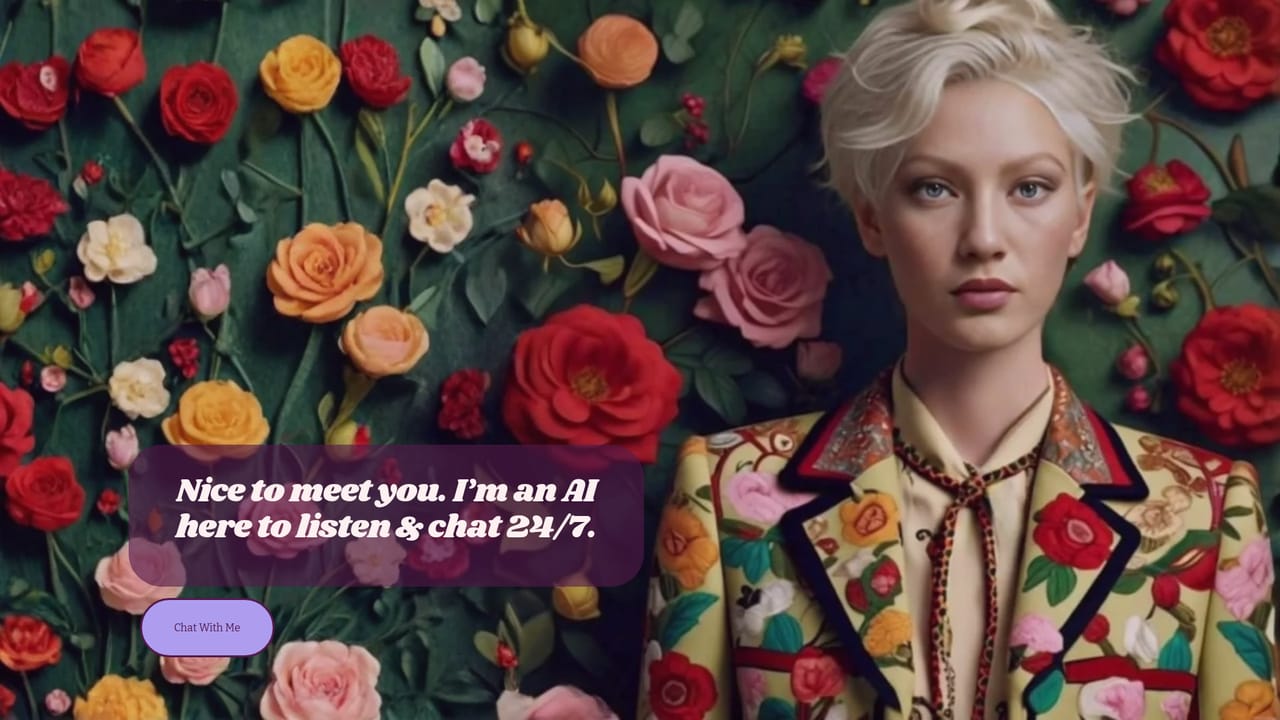
Screenshot of Kuki AI, An award-winning AI influencer you can chat with directly

What is Kuki AI?

Kuki AI is an award-winning virtual influencer and conversational character. Visitors can chat with Kuki in the browser, browse a portfolio of visual work, or explore brand partnership case studies, including an H&M campaign run with Meta.

Kuki AI is a conversational AI character presented as an award-winning model and online influencer rather than a generic assistant. The project pairs a chat interface with a public persona that has its own portfolio and social presence. Visiting the site gives two clear paths: a chat window at chat.kuki.ai where visitors talk to Kuki directly, and a portfolio section that collects the character's visual work and published posts. The positioning is entertainment-first, so the experience leans on persona and personality rather than task completion. The chat side is aimed at people who want to talk to a character with a consistent identity, not a blank assistant. The website describes Kuki as an AI model and influencer, and the conversation happens in a browser, so no install is needed to start. The portfolio and links to social posts suggest the character is built to exist across platforms, and following those links shows how the persona is presented publicly. In practice, this makes Kuki closer to a virtual companion or an interactive personality than a productivity tool. A second, more commercial side is documented on the homepage: Kuki for Brands. The site presents the character as a virtual ambassador for campaigns and cites an H&M case study run with Meta, reporting an 11x increase in ad recall and a 91% decrease in cost per person for the campaign. Client and partner names listed on the page include TikTok, WPP, Instagram, H&M, Vogue and Roblox. That makes the offering relevant to marketing and social teams considering a virtual creator for a campaign, alongside the consumer chat audience. The homepage gives away little about the technology behind the model and does not list plans, tiers or integrations. Pricing, feature breakdowns and support channels are not stated in the source material, so anyone evaluating Kuki commercially should confirm those details directly. Compared with general-purpose chat assistants, Kuki competes on character and brand recognition rather than breadth of utility: choose it for a distinct persona or a virtual influencer partnership, and look elsewhere for document work, coding or structured business workflows.

How do you use Kuki AI?

  1. 1Open the Kuki homepage
    Start at kuki.ai to see how Kuki is positioned as an AI model and influencer, and scan the portfolio grid for examples of the character's published work.
    Kuki AI — Open the Kuki homepage
  2. 2Read the background
    The About page covers who Kuki is and how the character has been developed and used, which helps set expectations before chatting.
    Kuki AI — Read the background
  3. 3Start a chat
    Head to the chat subdomain to open the conversation window and begin talking with Kuki in the browser. No account details are described on the homepage, so follow whatever prompt appears there.
    Kuki AI — Start a chat
  4. 4Probe the persona
    Try different tones and topics to see how consistently the character holds its identity, and note where responses stay in character versus where they drift.
  5. 5Review the brand materials
    If a campaign is the goal, return to the homepage and open the H&M case study link to see the reported ad recall and cost per person results before deciding.
  6. 6Check the cart page
    The site includes a cart page, so check it during evaluation to see whether any paid offering or merchandise is available and what terms apply.
    Kuki AI — Check the cart page

Pros and cons

Pros

  • Distinct character with a defined persona rather than a generic assistantAI
  • Free browser chat at chat.kuki.ai with no install requiredAI
  • Documented brand track record, including a published H&M and Meta case studyAI
  • Portfolio and social links show the persona in real published contextsAI
  • Recognizable partner list spanning TikTok, WPP, Vogue and RobloxAI

Cons

  • No pricing, plan or feature detail is published on the homepageAI
  • Very little technical information about the underlying model or its limitsAI
  • Built around entertainment and persona, so weak for practical work tasksAI
  • Campaign results are reported by the brand, with no independent benchmark shownAI
  • Support options and data handling practices are not described on the siteAI

How much does Kuki AI cost?

Features

Browser-based chat with a character AI presented as an award-winning model and influencer. A portfolio grid collects the character's published visual posts, and a Kuki for Brands section markets the persona as a virtual ambassador, citing an H&M campaign with Meta. No model, integration or feature list is published on the homepage.

Frequently asked questions about Kuki AI

  • How do you use Kuki AI?
    The walkthrough on this page covers 6 steps: 1. Open the Kuki homepage 2. Read the background 3. Start a chat 4. Probe the persona 5. Review the brand materials 6. Check the cart page.
  • What platforms does Kuki AI support?
    Kuki AI is available on Web App.
  • What are the limitations of Kuki AI?
    No pricing, plan or feature detail is published on the homepage. Very little technical information about the underlying model or its limits. Built around entertainment and persona, so weak for practical work tasks.

Status

StatusActive
Views0
Outbound clicks0
Added10/21/2026

Platforms

Web App

Pricing

Free