Free trial
A 7 day free trial is available. Start it from the Leadpages pricing page.
Learn moreAI sales assistant that qualifies, follows up, and routes leads automatically
Own Leadpages Agent? Verify ownership to get a dofollow link

Leadpages Agent is an AI chat bot tool. Lead Agent is an AI sales assistant that responds to form submissions instantly, qualifies leads through conversation, scores them, and routes hot prospects to the right rep while syncing qualified records to HubSpot, Salesforce, or another CRM.
Lead Agent is an AI sales assistant from Leadpages that takes over the moment a visitor submits a form. Instead of leaving a new lead to wait for a rep, it starts a natural language conversation within seconds, asking about budget, timeline, and requirements. Responses are scored in real time, so each prospect carries a qualification signal before any human gets involved. The stated goal is speed: the company cites research that most buyers choose the vendor who replies first, and the entire product is built around shrinking that gap. The workflow has three stages. Capture happens when a form is submitted and Lead Agent picks up the thread. Qualify is the conversational layer, where the AI asks its questions, answers common ones, and can book meetings. Route sends high scoring leads to the appropriate rep, team, or workflow, while warmer prospects enter an automated nurture sequence. Routing rules can key off lead score, company size, or product interest, and qualified records sync to HubSpot, Salesforce, or another CRM with the conversation history and score attached. That makes the tool a fit for marketing and sales teams already running Leadpages landing pages or forms, especially small teams that cannot staff instant follow-up around the clock. In practice, the product sits between a form builder and a CRM. It is not a standalone chatbot for general website support, and it is not a full CRM. Its value depends on having a form, a routing destination, and reps ready to act on the scored leads that arrive. Teams comparing it with generic conversational marketing platforms should weigh the tight coupling to Leadpages forms against the narrower scope: the pitch is lead qualification and handoff, not broad customer engagement. A 7 day free trial is offered, with billing details handled on the Leadpages pricing page.
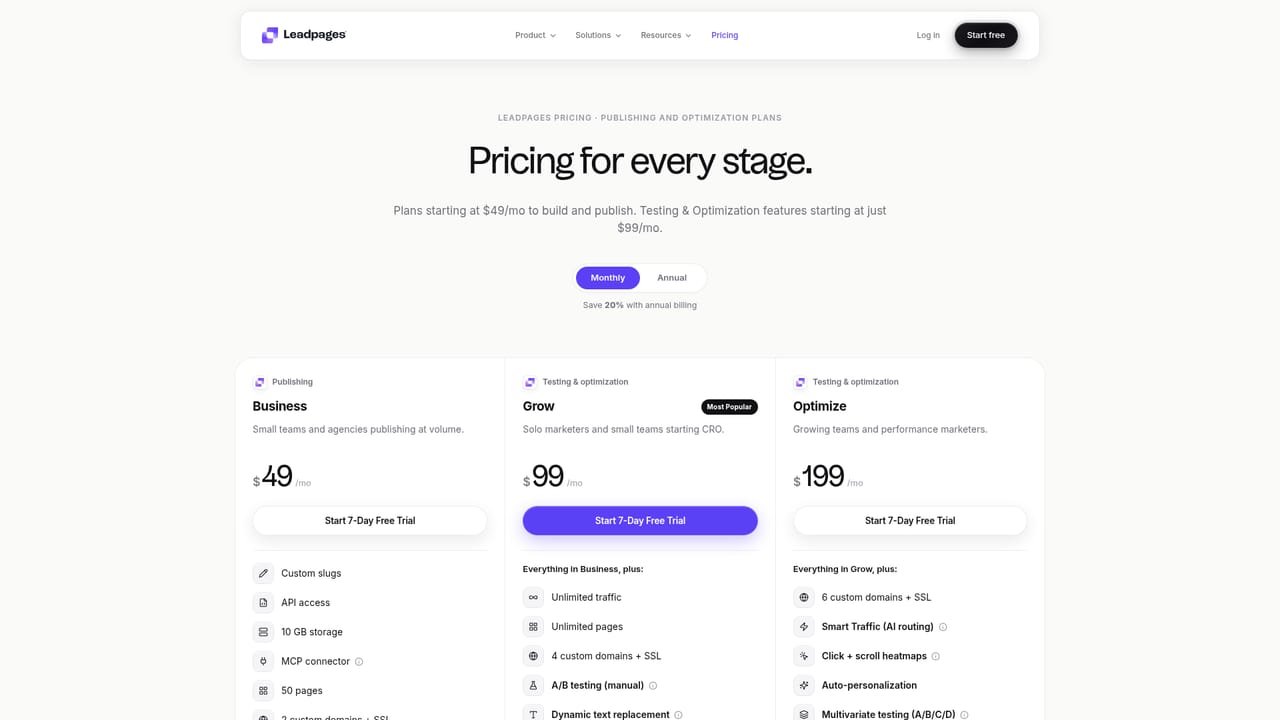
A 7 day free trial is available. Start it from the Leadpages pricing page.
Learn moreQualified leads sync to HubSpot, Salesforce, or another CRM with full conversation history and lead score included.
Lead Agent captures form submissions and starts an AI conversation instantly, asks qualifying questions on budget, timeline, and needs, scores leads in real time, sends personalized follow-ups within seconds, answers common questions, can book meetings, and routes or nurtures leads based on score, company size, or product interest.
 AI Angels400+ customizable AI girlfriends for NSFW chat, voice calls, and roleplay
 Candy AIExperience the future of companionship with AI friends who chat, role-play, and connect with you on a human level.
 ourdream.aiA vast AI roleplay platform with millions of characters for chat, images, video and voiceAI Angels400+ customizable AI girlfriends for NSFW chat, voice calls, and roleplayCandy AIExperience the future of companionship with AI friends who chat, role-play, and connect with you on a human level.ourdream.aiA vast AI roleplay platform with millions of characters for chat, images, video and voice


