Free trial
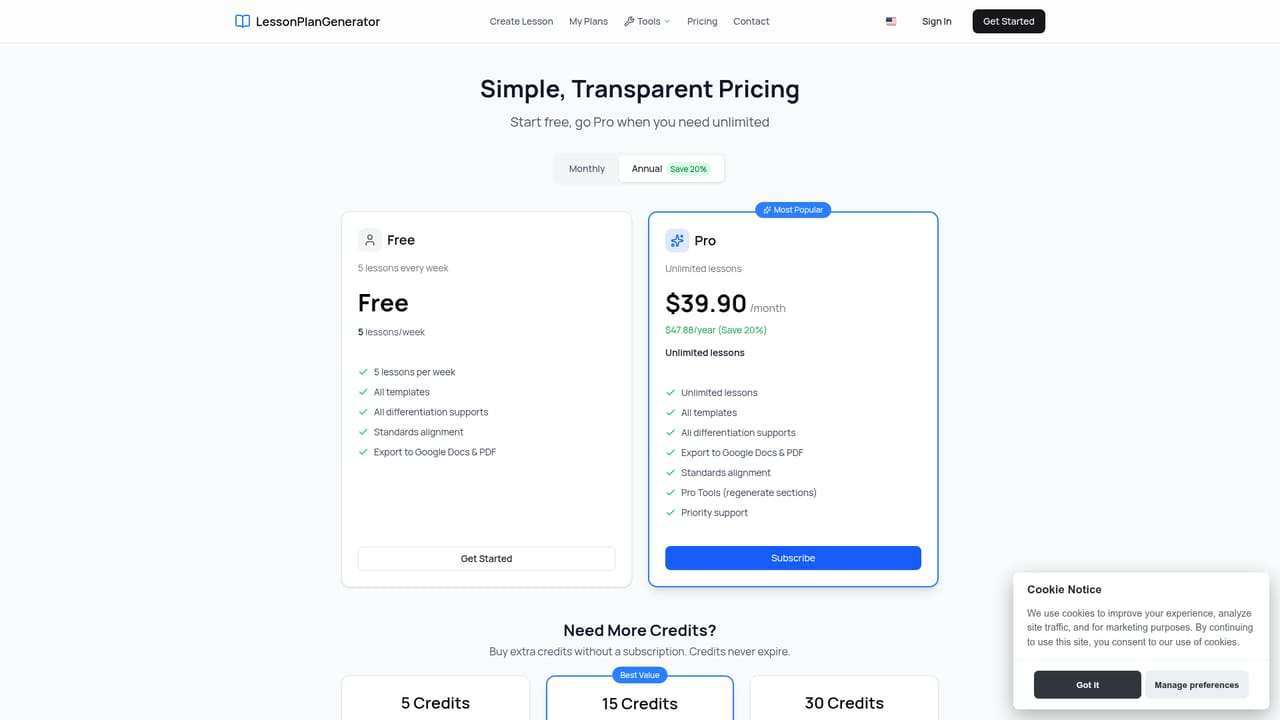
The first lesson is free with no credit card required, and the free tier continues at 5 lessons per week.
Learn moreStandards-aligned lesson plans drafted in under a minute.
Own LessonPlanGenerator? Verify ownership to get a dofollow link

LessonPlanGenerator is a courses tool. A browser based generator that turns a topic, grade and subject into a full lesson plan with objectives, activities and assessments, aligned to Common Core, NGSS and state standards, with ELL and IEP supports built in and one click export to Google Docs or PDF.
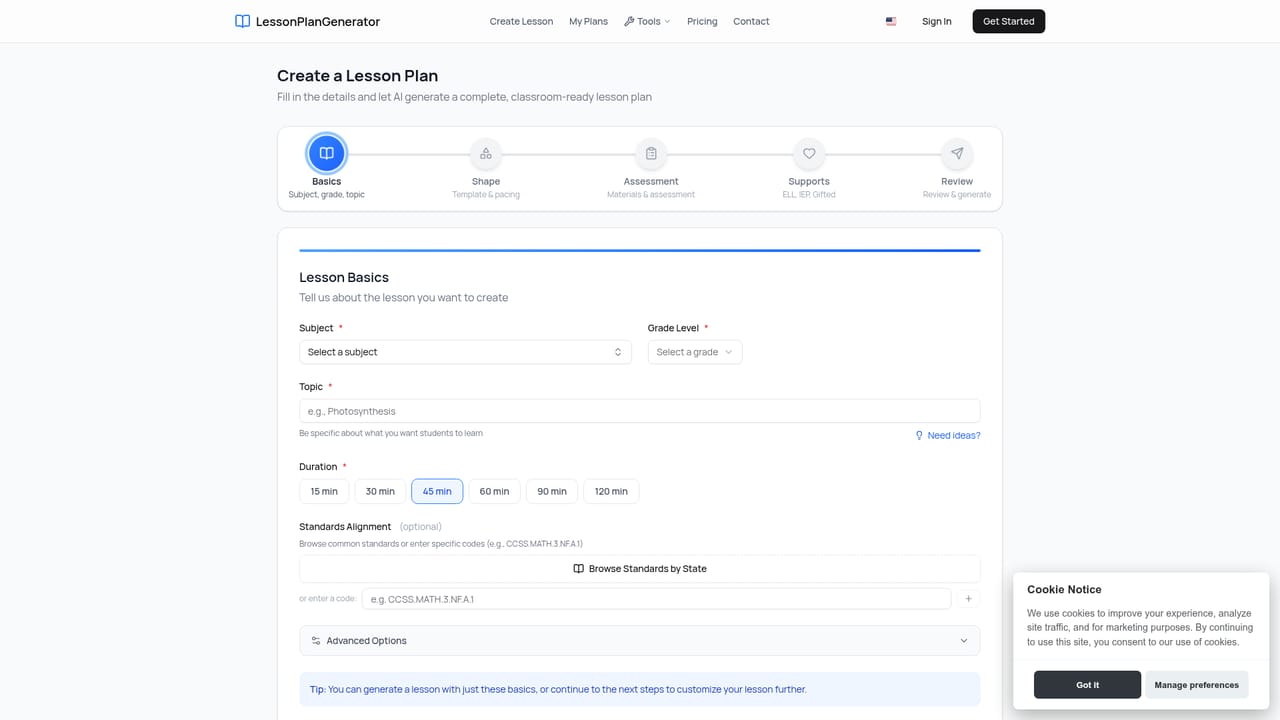
LessonPlanGenerator is a web tool that drafts complete lesson plans from a short set of inputs. A teacher supplies the topic, grade level, subject and available class time, then optionally layers on standards, learner supports and a preferred teaching style. The generator returns objectives, activities, assessments and a materials list, a package the site says arrives in under 60 seconds. The output is editable, and it exports to Google Docs or downloads as a PDF for a sub folder or an observation file. The standards angle is the core of the pitch. Common Core, NGSS and state standards are built in, and the product runs visual alignment checks so a teacher can spot gaps before an administrator does. Differentiation is generated alongside the plan rather than bolted on afterward: ELL supports, IEP accommodations and gifted extensions come with every lesson. Plans cover multiple subjects and grade levels, and can cover several grade levels at once under one subscription. The tool is aimed at three groups. Classroom teachers use it to cut prep hours and satisfy review requirements. Homeschool families get flexible pacing without curriculum lock-in or long commitments. School and district buyers can pilot it department by department, a route the site markets to STEM coordinators and department chairs. The site claims 400+ educators and 2000+ plans created. Against general purpose chatbots, the differentiator is the standards database and the formatting: output is structured for export and observation rather than left as raw chat text. Teachers who already have a curriculum platform will likely treat this as a drafting layer, not a replacement. Access is through the browser, and the workflow is simple enough that a first year teacher can use it without training.
The first lesson is free with no credit card required, and the free tier continues at 5 lessons per week.
Learn moreFree tier at $0 covers 5 lessons per week and includes all templates and exports. Pro is $4.99 per month for unlimited lessons, with an annual option that saves 20 percent. All plans include standards alignment, Google Docs and PDF export, and ELL, IEP and gifted supports. Cancellation is allowed at any time.
Learn moreGoogle Docs export is the only integration named on the site. No LMS, calendar or curriculum platform connections are listed.
Generation of complete plans (objectives, activities, assessments, materials) in under 60 seconds, with Common Core, NGSS and state standards built in and visual alignment checks. ELL, IEP and gifted differentiation is generated per lesson. Plans cover multiple subjects and grade levels and export to Google Docs or PDF in one click.
 AI Angels400+ customizable AI girlfriends for NSFW chat, voice calls, and roleplay
 Candy AIExperience the future of companionship with AI friends who chat, role-play, and connect with you on a human level.
 ourdream.aiA vast AI roleplay platform with millions of characters for chat, images, video and voiceAI Angels400+ customizable AI girlfriends for NSFW chat, voice calls, and roleplayCandy AIExperience the future of companionship with AI friends who chat, role-play, and connect with you on a human level.ourdream.aiA vast AI roleplay platform with millions of characters for chat, images, video and voice


