
Lewis by Keytalk

AI storytelling hub where readers and writers build serial fiction together

Beginner
Screenshot of Lewis by Keytalk, AI storytelling hub where readers and writers build serial fiction together

What is Lewis by Keytalk?

Lewis by Keytalk is an interactive story tool. Keytalk AI's Lewis is a web platform for reading and generating serial fiction. It pairs an AI story creator with a public discovery feed of character-led narratives, trend charts and story chats grouped by mood tags.

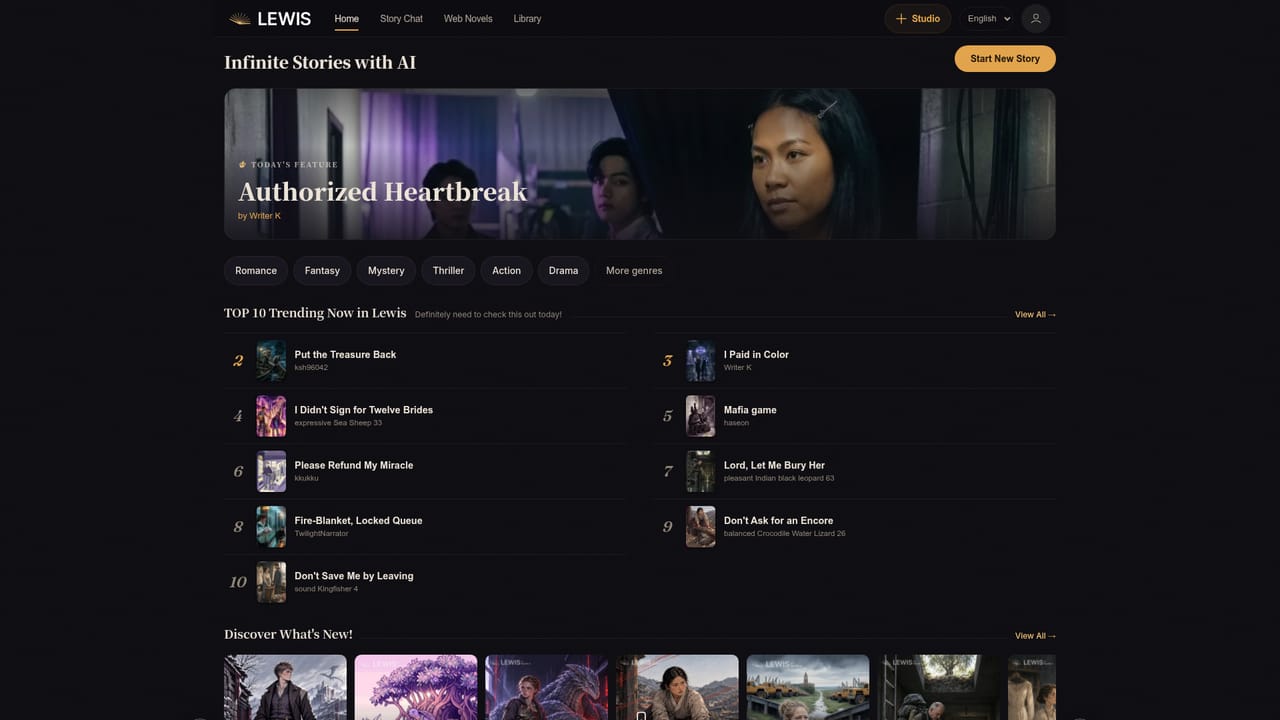
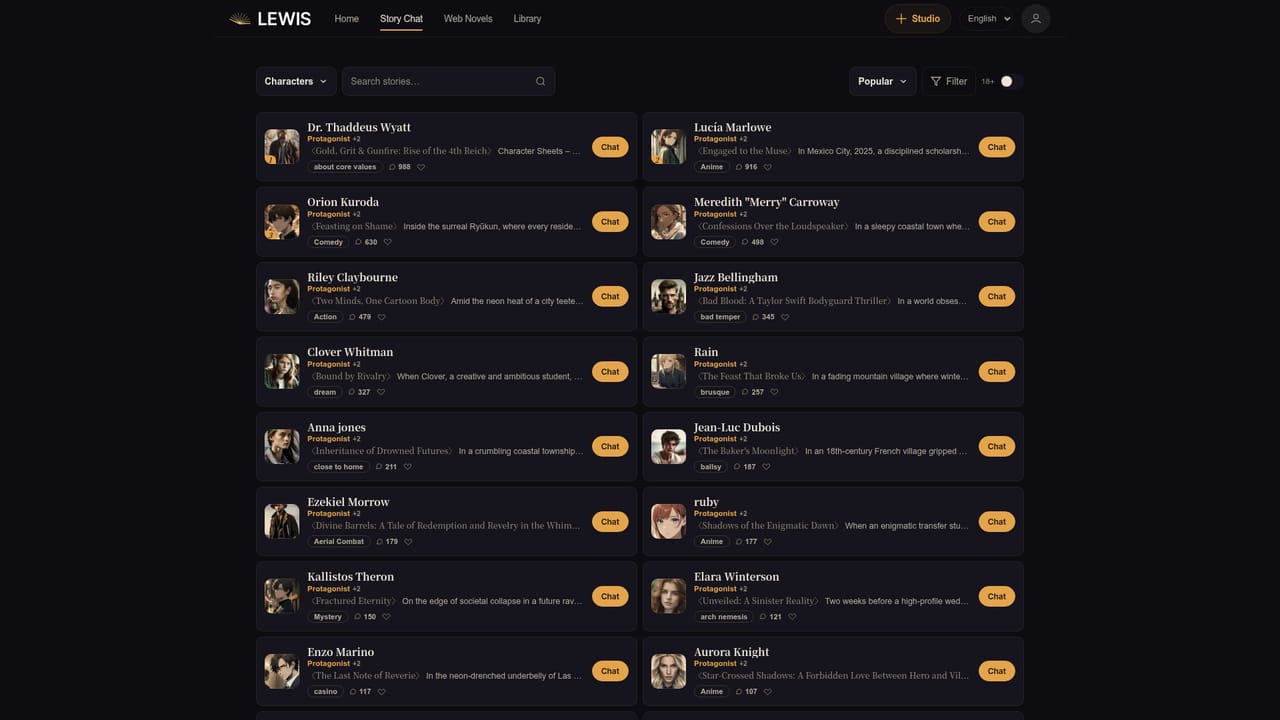
Lewis is the storytelling platform from Keytalk AI, built around the idea of infinite stories drafted and continued with machine help. The homepage presents it as two things at once: a publishing surface and a creation tool. A visitor lands on a featured story of the day, a Top 10 trending chart, a rolling discovery feed of new arrivals, and a shelf of story chats, so the first impression is a reading community rather than a bare text generator. The written work is anchored in characters. Each story chat listing pairs a title with a named protagonist (Eirik, Tamsin Clinker, Clara Vance, Yun Gwi-bun) and a short premise that reads like a cover blurb: a dragon curled around the last working furnace, a deaf zither maker defending a Joseon mountain town, industrial synthetics marching toward a Kansas church. Those premise cards suggest the workflow: a writer describes a world and a lead, Lewis spins that into an opening chapter, and the resulting story becomes both readable content and a conversational entry point. A Start New Story button sits at the top of the homepage for creating one from scratch. Discovery is organized by mood rather than genre alone. Feed views are grouped under labels such as striking visual, sexy, super cute, abusive, exciting climax and surprising ending, which tells you the platform is chasing emotional beats as much as categories. Engagement counters (23 to 38 on the cards shown) sit beside each title, giving a rough signal of what other readers are opening. Who it suits: hobbyist fiction writers who want a fast first draft and a built-in audience, readers who prefer serialized character-driven stories to finished novels, and marketers or content creators testing narrative formats. Compared with general writing assistants, Lewis is narrower and more community facing: it does not present itself as a document editor for emails, reports or long-form SEO copy. Anyone weighing it should treat the public feed as the real test of quality, since the homepage shows output but no model specifications or export options.

How do you use Lewis by Keytalk?

  1. 1Look at the featured story and trending chart
    Open the homepage and read Today's Feature plus the Top 10 list. It shows the tone and length Lewis aims for before you commit to writing.
    Lewis by Keytalk — Look at the featured story and trending chart
  2. 2Browse the discovery feed by mood
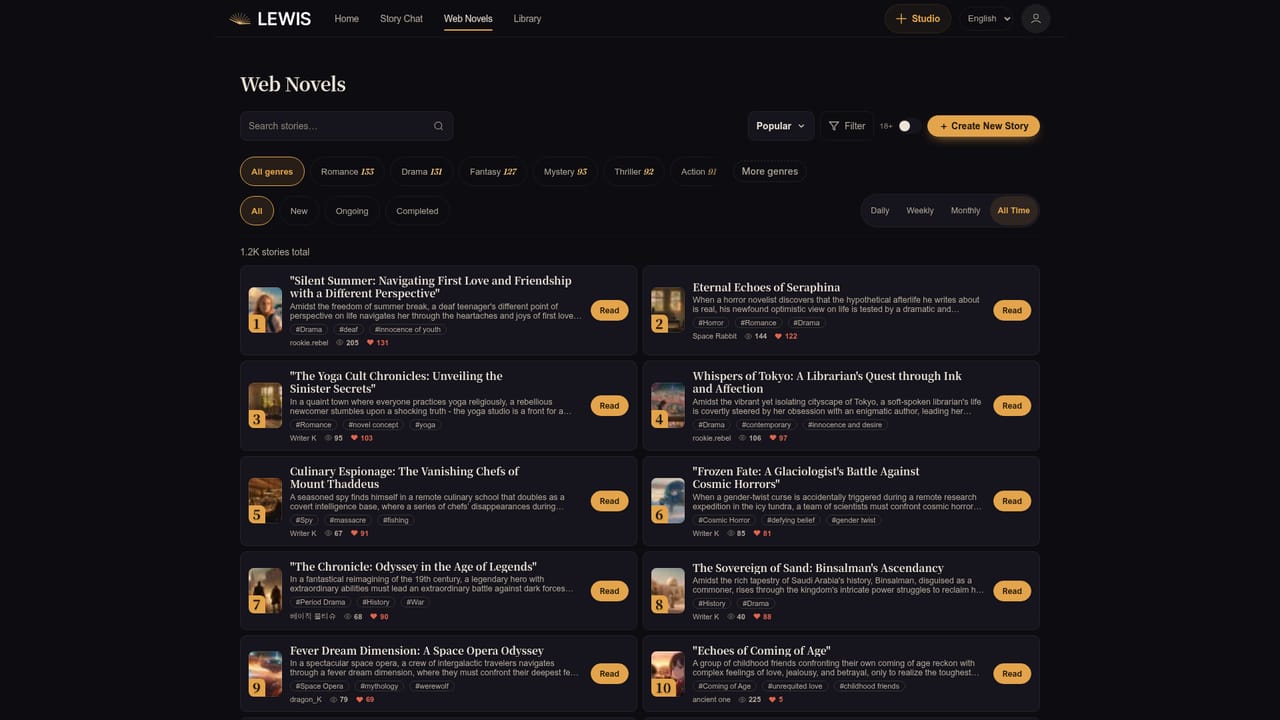
    Use View All to open the full feed, then filter by tags such as exciting climax or super cute to see which narrative beats get traction.
    Lewis by Keytalk — Browse the discovery feed by mood
  3. 3Read a story and its cast
    Open a title from the chart to study how the premise, characters and chapter structure fit together on a story detail page.
    Lewis by Keytalk — Read a story and its cast
  4. 4Study a story chat entry
    The story chat list shows how a protagonist and premise are framed as an interactive entry point rather than a flat text page.
    Lewis by Keytalk — Study a story chat entry
  5. 5Start your own story
    Select Start New Story on the homepage, describe your world and lead character, and let Lewis draft the opening.

Pros and cons

Pros

  • Combines a story generator with a public reading feed, so drafts can find an audience inside the same product.AI
  • Character-first structure gives each story a named lead and a cover-style premise, which keeps generated fiction coherent.AI
  • Mood tags such as surprising ending and exciting climax make browsing for a specific emotional payoff quick.AI
  • Trending and newest charts give an immediate read on what other users are actually opening.AI
  • Start New Story sits front and center, so getting from an idea to a first chapter takes little setup.AI

Cons

  • The homepage publishes no pricing, plan tiers or credit rules, so cost has to be discovered after signing up.AI
  • No documentation of model choice, context length or how much of a story the AI retains across sessions.AI
  • Discovery skews toward engagement counts and mood tags, with no visible genre filters or editorial curation standards.AI
  • No stated export, copyright or ownership terms for stories written on the platform.AI
  • The featured content leans heavily on romance and drama tropes, which may not suit writers outside those genres.AI

How much does Lewis by Keytalk cost?

Features

AI-assisted story creation with a Start New Story entry point, character profiles with avatars, illustrated story covers, a Top 10 trending chart, a newest-first discovery feed, story chats built around named protagonists, and mood-based feed tags including striking visual, sexy, super cute, abusive, exciting climax and surprising ending.

Learn more

Frequently asked questions about Lewis by Keytalk

  • How do you use Lewis by Keytalk?
    The walkthrough on this page covers 5 steps: 1. Look at the featured story and trending chart 2. Browse the discovery feed by mood 3. Read a story and its cast 4. Study a story chat entry 5. Start your own story.
  • What platforms does Lewis by Keytalk support?
    Lewis by Keytalk is available on Web App.
  • What are the limitations of Lewis by Keytalk?
    The homepage publishes no pricing, plan tiers or credit rules, so cost has to be discovered after signing up. No documentation of model choice, context length or how much of a story the AI retains across sessions. Discovery skews toward engagement counts and mood tags, with no visible genre filters or editorial curation standards.

Status

StatusActive
Views0
Outbound clicks0
Added10/21/2026

Platforms

Web App

Pricing

Freemium