Free trial
Free to try with no credit card required, according to the homepage. The site does not state how many free runs or minutes are included.
Learn moreTurn silent video into text by reading lip movements, no audio needed.
Own Lip Reader Pro? Verify ownership to get a dofollow link

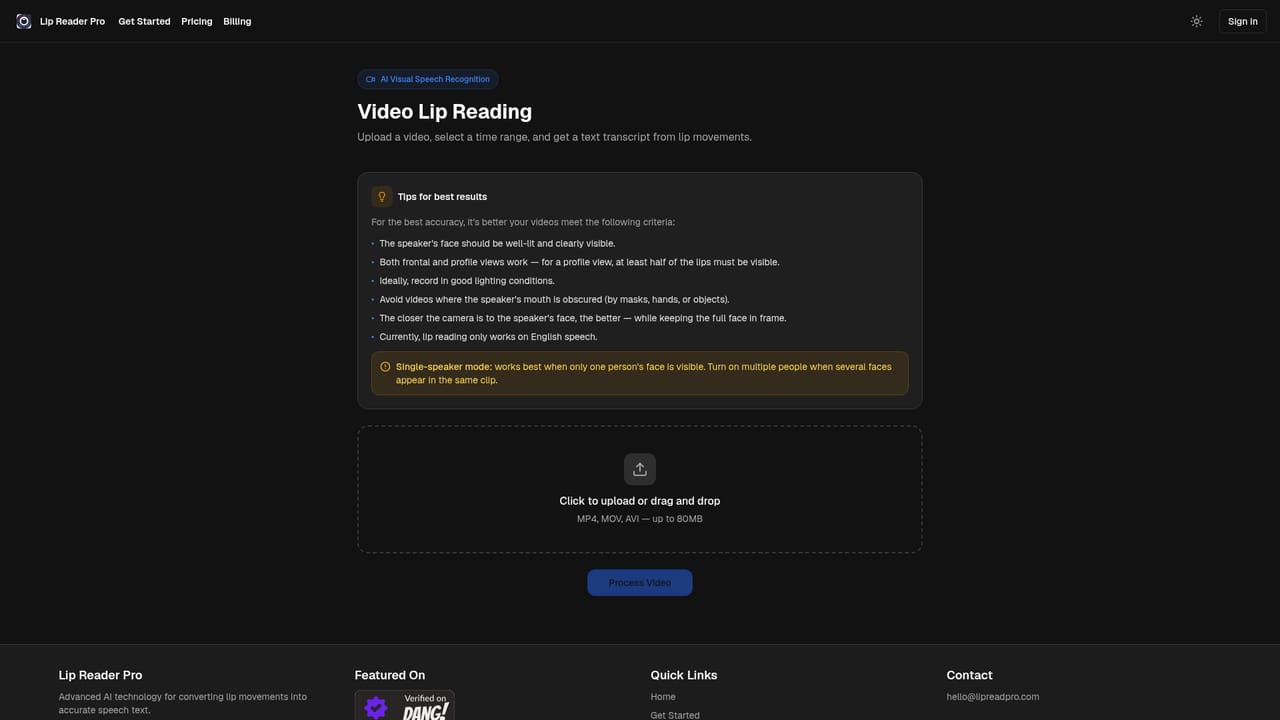
Lip Reader Pro is an AI transcriber tool that turns silent video into text by reading lip movements, no audio needed. Lip Reader Pro converts silent or audio-damaged video into text transcripts by analysing lip movements. Upload an MP4, MOV or AVI clip up to 80MB, select a time range, and receive a written transcript in seconds.
Lip Reader Pro is a visual speech recognition tool that extracts spoken words from video by analysing lip movements alone. Upload a clip, mark the segment you care about, and the service returns a written transcript without ever touching the audio track. That makes it useful in situations where sound is missing, muted, corrupted or simply unusable: silent CCTV recordings, archival film, damaged media files or footage captured in noisy environments. The homepage demonstrates the concept with a muted clip whose transcript is generated entirely from the speaker's mouth shapes. The workflow is deliberately narrow. Files in MP4, MOV or AVI format up to 80MB are accepted through a drag and drop uploader. A visual timeline editor lets you isolate the exact stretch of video to process, which keeps the analysis focused and avoids transcribing irrelevant footage. Results come back in seconds according to the site, and the underlying models are described as trained on varied datasets to cope with different speakers, camera angles and lighting. Multiple languages and accents are supported, though the homepage does not list which ones. The tool is pitched at media professionals and organisations with specialised needs rather than general transcription users. Named use cases include security and surveillance teams reviewing silent CCTV, archives recovering dialogue from silent films, forensic analysts reconstructing conversations from video evidence, and creators making content accessible to deaf and hard of hearing audiences. Media recovery from corrupted audio tracks and remote monitoring of visual only feeds round out the list. Compared with conventional speech to text services, Lip Reader Pro occupies a distinct niche: it is the option to consider when there is no usable audio to transcribe in the first place. Privacy is addressed with a statement that uploaded video data is not stored or persisted, a relevant detail for anyone handling surveillance or evidence footage. Pricing tiers are not detailed on the homepage, and the site directs users to a separate plans page.
Free to try with no credit card required, according to the homepage. The site does not state how many free runs or minutes are included.
Learn moreThe homepage advertises a free trial with no credit card required but does not list plan prices or tiers. Visitors are pointed to a separate pricing page for details.
Learn moreVisual speech recognition that transcribes lip movements without audio. Accepts MP4, MOV and AVI files up to 80MB, includes a timeline editor for selecting segments, returns transcripts in seconds, and claims support for multiple languages and accents. The site also states that uploaded video data is not stored or persisted.
Learn more AI Angels400+ customizable AI girlfriends for NSFW chat, voice calls, and roleplay
 Candy AIExperience the future of companionship with AI friends who chat, role-play, and connect with you on a human level.
 ourdream.aiA vast AI roleplay platform with millions of characters for chat, images, video and voiceAI Angels400+ customizable AI girlfriends for NSFW chat, voice calls, and roleplayCandy AIExperience the future of companionship with AI friends who chat, role-play, and connect with you on a human level.ourdream.aiA vast AI roleplay platform with millions of characters for chat, images, video and voice





