Free trial
The free plan itself works as a trial: up to 6 songs per day at no cost, with the v1 model described as the free option. Paid tiers unlock the newer models.
Learn moreTurn a text prompt or your own lyrics into a finished song with vocals.
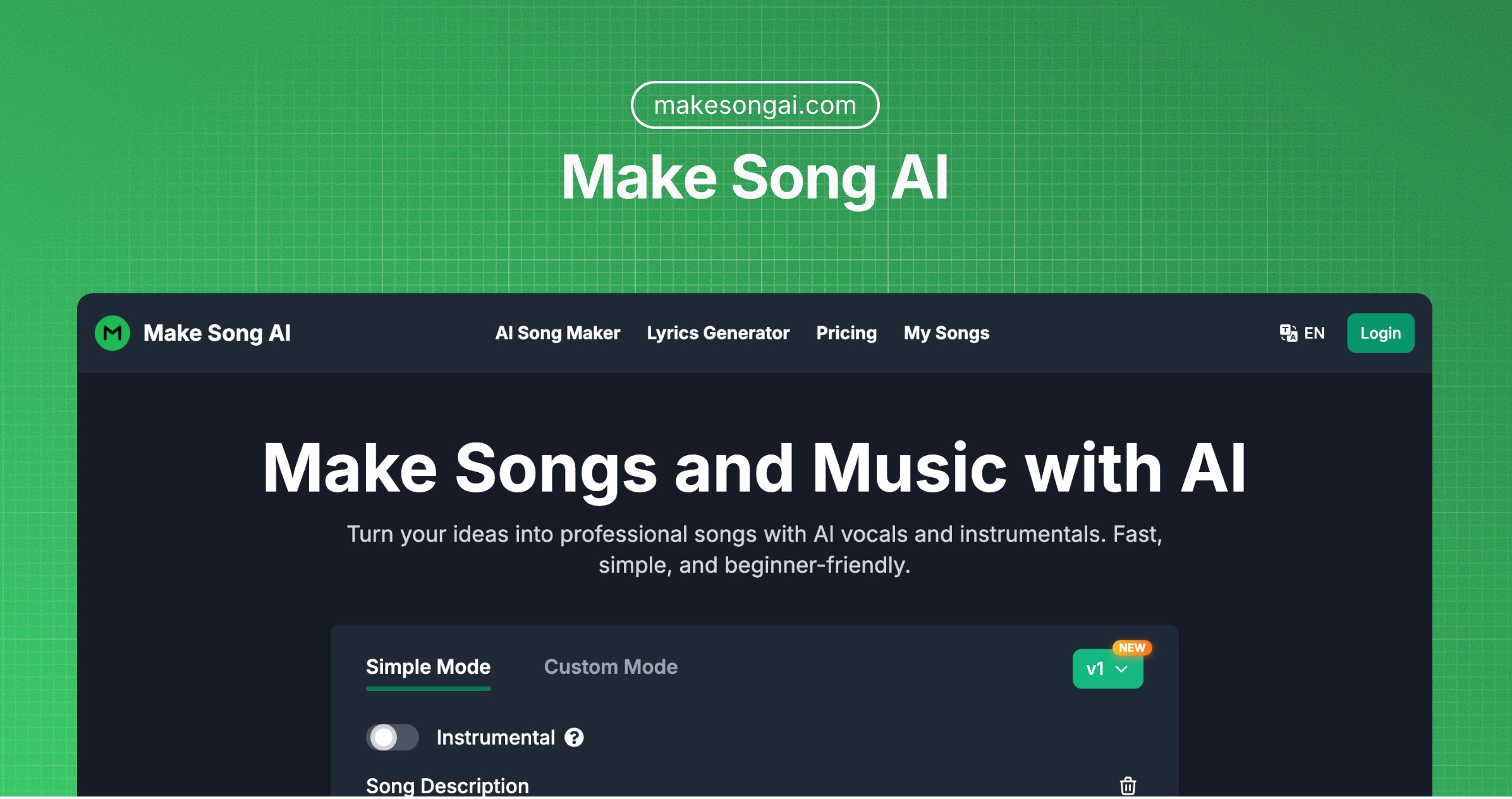
Make Song AI is a death metal generator tool that turns a text prompt or your own lyrics into a finished song with vocals. A web app that generates full songs with vocals from text prompts, custom lyrics or AI-written lyrics, with genre, mood, voice and tempo controls plus a model selector and a library for saving and downloading tracks.
Make Song AI is a browser-based music generator that turns written input into complete tracks, vocals included. You can start from a plain description of a concept, paste in your own lyrics, or ask the built-in AI lyrics generator to draft a set for you. The output is not a loop or a short clip: the platform aims at full arrangements with instrumental parts and sung vocals, in the style, mood and vocal character you specify. Two workflows sit side by side. Simple Mode is for quick results: describe the idea, pick a style, generate. Custom Mode exposes the controls. A style box accepts up to 1,000 characters and is backed by preset pickers for genre (Afrobeats, Bollywood, Lo-Fi, Trap, Opera and dozens more), mood (cinematic, melancholic, uplifting and similar), voice type (male, female, choir, falsetto, rap and others), instruments and tempo ranges in BPM. A title field caps at 80 characters and a song description field at 500, and an instrumental toggle removes vocals entirely. A model selector offers v1 through v4, with v4 described as the most controllable and v1 as the free option. In practice the tool behaves like a fast sketchpad for song ideas. The site states that a complete song usually arrives in about 3 minutes, with some tracks finishing in under a minute, and that paid tiers get priority processing. Finished tracks land in My Songs, where they can be played back, downloaded as audio and shared, and the homepage gallery of public tracks shows work in Indonesian, French, Spanish, Romanian and Portuguese, which suggests users are writing prompts in their own languages. It sits in the same bracket as consumer text-to-song services rather than DAW plugins or stem-separation utilities. The pitch is accessibility: no music theory, no mixing, no software install. The main trade-off is depth, since the control surface is prompt and preset based rather than a timeline editor. Licensing also matters: personal use on the free plan, commercial rights on paid plans.
The free plan itself works as a trial: up to 6 songs per day at no cost, with the v1 model described as the free option. Paid tiers unlock the newer models.
Learn moreA free plan covers up to 6 songs per day under a personal-use license. Pro and Enterprise plans are offered for unlimited generation, commercial licensing rights and advanced features, but the homepage does not publish prices for those tiers.
Learn moreLyrics-to-song and prompt-to-song generation with vocals and full arrangements, an AI lyrics generator, Simple and Custom modes, instrumental toggle, style input up to 1,000 characters, preset pickers for 60+ genres, 30 moods, 20 vocal styles, 30 instruments and seven tempo ranges, plus a model selector spanning v1 to v4.
 AI Angels400+ customizable AI girlfriends for NSFW chat, voice calls, and roleplay
 Candy AIExperience the future of companionship with AI friends who chat, role-play, and connect with you on a human level.
 ourdream.aiA vast AI roleplay platform with millions of characters for chat, images, video and voiceAI Angels400+ customizable AI girlfriends for NSFW chat, voice calls, and roleplayCandy AIExperience the future of companionship with AI friends who chat, role-play, and connect with you on a human level.ourdream.aiA vast AI roleplay platform with millions of characters for chat, images, video and voice