MUSICTOOLVerified: MUSICTOOL's team confirmed this listing with the aiwizard badge on its website

Turn a prompt or your own lyrics into a finished AI song, right in the browser.

Beginner
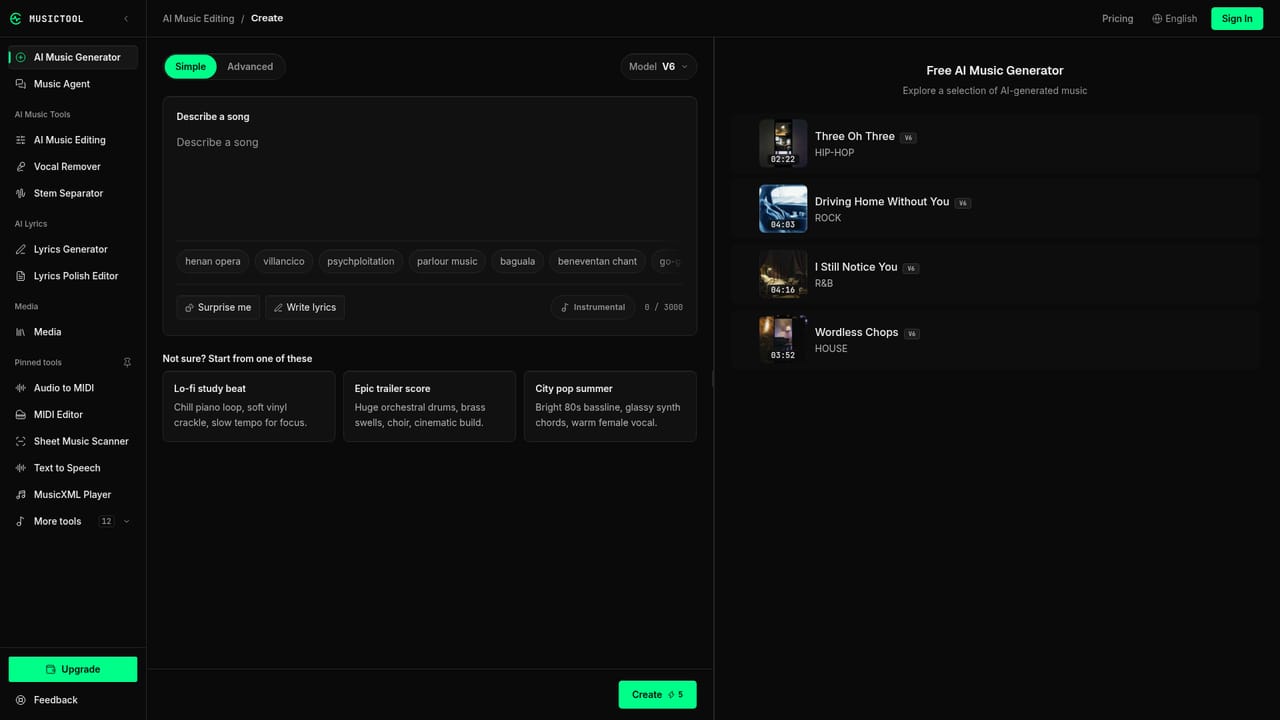
Screenshot of MUSICTOOL, Turn a prompt or your own lyrics into a finished AI song, right in the browser

What is MUSICTOOL?

MUSICTOOL is an audio editing tool that turns a prompt or your own lyrics into a finished AI song, right in the browser. Browser-based AI tool that turns text prompts or custom lyrics into full songs with vocals and instrumentation, plus stem separation, mastering, and a set of free standalone music utilities.

MUSICTOOL is a browser based workspace for turning written ideas into complete songs. Users type a description of a mood, story or theme, or paste their own lyrics, and the system generates vocals and instrumentation to match. A guided Music Agent walks less experienced users through the process, while an Advanced mode gives more control over lyrics and style for people who want to steer the output more precisely. Beyond initial generation, the platform supports iterating on a track rather than starting over each time. Users can extend a song, rework a single passage, blend two tracks together, or separate vocals from instrumentals using stem separation. Each AI action displays its credit cost up front, and new versions are saved alongside the original so nothing gets overwritten. Additional capabilities mentioned on the site include AI mastering, audio to MIDI conversion, and BPM or key detection, positioning the tool as a fuller production aid rather than a single song generator. The tool fits musicians, content creators, podcasters and hobbyists who want usable music or vocal tracks without playing an instrument or hiring a producer. It also appeals to anyone who wants quick access to utility music tools: the site bundles a chord progression generator, audio trimmer, speed and pitch changer, MIDI editor, tuner, metronome, vocal range test and royalty calculator, all usable in the browser without an account. Among AI music generators, MUSICTOOL differentiates itself by pairing full song generation with a toolbox of free, no-signup utilities and by separating audio playback from paid downloads, letting users judge output quality before committing to a subscription or credit pack for commercial use.

How do you use MUSICTOOL?

  1. 1Describe your song or paste your lyrics
    Open the song creator and either write a short description of the mood or story you want, or switch to Advanced mode to paste your own lyrics and describe the musical style.
    MUSICTOOL — Describe your song or paste your lyrics
  2. 2Generate the song
    Submit the prompt to generate vocals and instrumentation together. The interface shows the credit cost of the generation before it runs.
  3. 3Listen and compare versions
    Play back the result inside your account library. Free accounts can listen and share songs without paying for a download.
  4. 4Refine with extend or rework
    If a section needs changes, use Extend to continue the track or Replace section to rework a specific passage; each creates a new version without overwriting the original.
  5. 5Unlock downloads or try a free utility
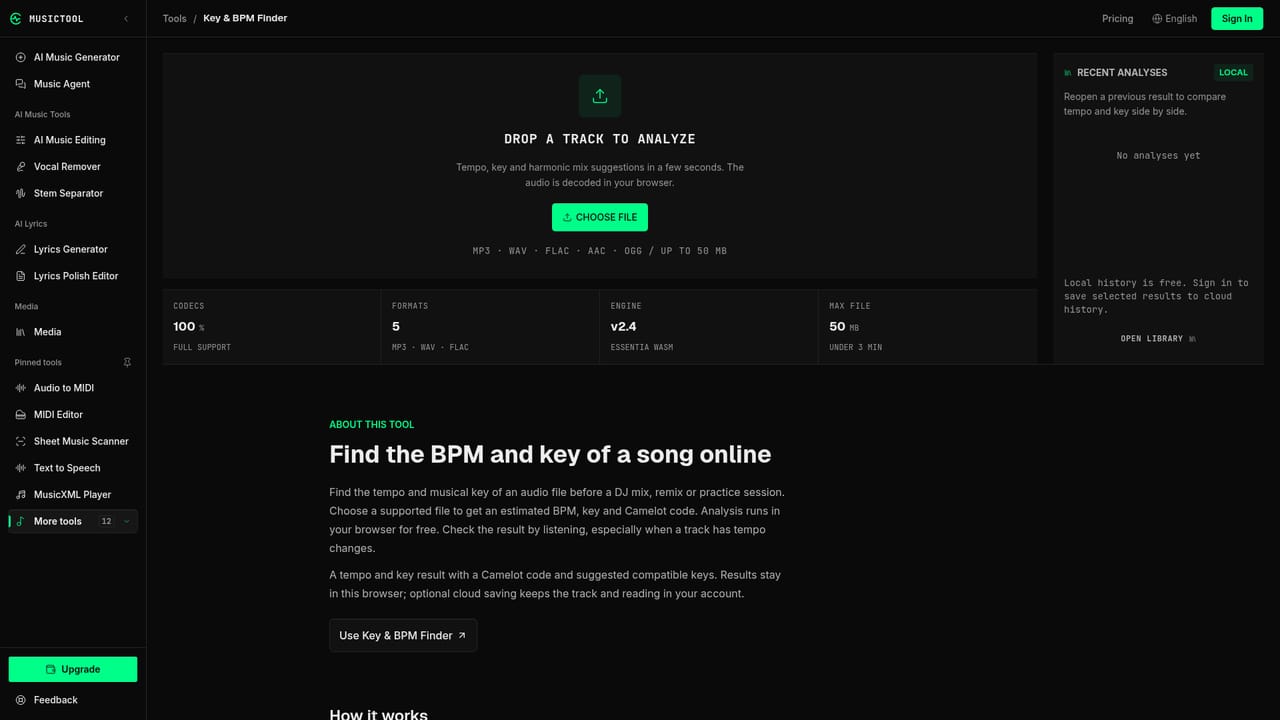
    Buy a credit pack or subscribe to download MP3, WAV, or FLAC files with a commercial license, or explore free browser tools like the key and BPM finder while deciding.
    MUSICTOOL — Unlock downloads or try a free utility

Pros and cons

Pros

  • Generates complete songs with AI vocals and music from a text prompt or user supplied lyricsAI
  • Free account includes signup and daily check-in credits, letting people create and share songs without payingAI
  • Supports iterative editing: extending a song, reworking one passage, or blending two tracks into a new versionAI
  • Includes a dozen free standalone browser tools like a BPM and key finder, tuner, metronome, and MIDI editorAI
  • Paid plans bundle multi-format downloads (MP3, WAV, FLAC) with a commercial license in one subscriptionAI

Cons

  • Audio downloads and commercial licensing require a paid credit pack or subscription, not the free tierAI
  • No mention of an API or integrations with DAWs, streaming platforms, or other production softwareAI
  • Only offered as a web app, with no desktop or mobile applications listedAI
  • Every generation, extend, or rework attempt consumes credits even if the result is not what the user wantedAI
  • Credits are refunded only when no playable output is produced, not when a user simply dislikes the resultAI

How much does MUSICTOOL cost?

Pricing

Free plan offers signup and daily check-in credits with no card required. Starter is $9.99 per month for 400 credits (about 80 songs), and Pro is $24.99 per month for 1000 credits (about 200 songs); both add multi-format downloads, commercial licensing, and storage. One-time credit packs are also available without a commercial license.

Learn more

Support

Support is available by email at support@musictool.tools, with listed hours of Monday to Friday 09:00 to 18:00 UTC+8, alongside an on-site FAQ covering credits, downloads, and licensing.

Features

AI song generation from prompts or lyrics, a guided Music Agent, song extension and passage rework, track blending, vocal and stem separation, AI mastering, audio-to-MIDI conversion, BPM and key detection, plus free browser tools for chords, trimming, tuning, tempo, and royalty estimates.

Frequently asked questions about MUSICTOOL

  • How much does MUSICTOOL cost?
    Free plan offers signup and daily check-in credits with no card required. Starter is $9.99 per month for 400 credits (about 80 songs), and Pro is $24.99 per month for 1000 credits (about 200 songs); both add multi-format downloads, commercial licensing, and storage. One-time credit packs are also available without a commercial license.
  • How do you use MUSICTOOL?
    The walkthrough on this page covers 5 steps: 1. Describe your song or paste your lyrics 2. Generate the song 3. Listen and compare versions 4. Refine with extend or rework 5. Unlock downloads or try a free utility.
  • What platforms does MUSICTOOL support?
    MUSICTOOL is available on Web App.
  • What are the limitations of MUSICTOOL?
    Audio downloads and commercial licensing require a paid credit pack or subscription, not the free tier. No mention of an API or integrations with DAWs, streaming platforms, or other production software. Only offered as a web app, with no desktop or mobile applications listed.

Status

StatusActive
Views0
Outbound clicks0
Added10/17/2026

Platforms

Web App

Pricing

FreeFreemiumSubscription