Free trial
A Free Forever plan is promoted on the homepage rather than a time limited trial, so teams can start without a card according to the site.
Learn moreNo-code chatbot builder that answers from your own documents
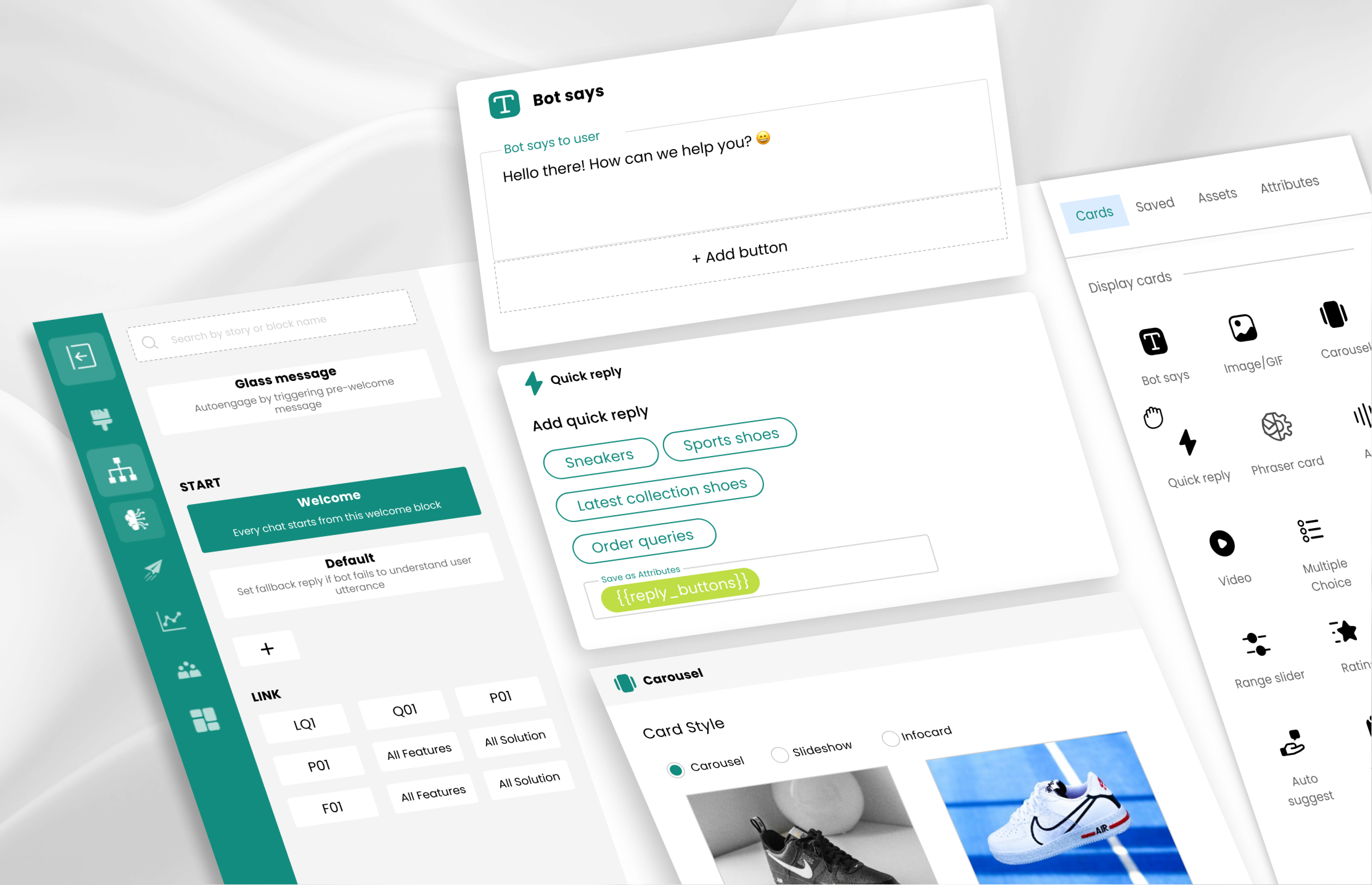
Makerobos builds Frontman, a no-code generative AI chatbot platform. Import files, crawl a site or sync sources like Drive and Notion, tune the bot's personality, embed it with a JS snippet and track answer confidence and analytics. Connectors include Shopify, HubSpot, Salesforce and Zapier.
Makerobos is a generative AI chatbot platform built around Frontman, its Instinct AI engine. The core promise is simple: give the system your documents, pages and connected knowledge sources, and it produces a support or sales assistant that answers customer questions using that material rather than generic model output. Text is converted into vector representations so the bot can search large libraries quickly, and citations accompany answers so users can check the source. The build path is aimed at teams without engineers. You define a personality and instructions, import data by uploading files, crawling a website or connecting a source such as Google Drive, OneDrive, Notion, Amazon S3, GitHub or Zendesk, then adjust colors and logos to match the brand. Deployment is a JavaScript snippet or page embed. A drag and drop Story Builder handles scripted flows and business rules, while an agent layer adds capabilities like internet search, Wikipedia and YouTube lookup, recent news and CSV analysis. Operationally, Frontman offers response confidence monitoring, which flags answers the model is unsure about and collects user ratings, plus analytics on time saved, copied chats and most cited documents. Admins can pick from multiple LLM providers and tune randomness, confidence thresholds, memory and text splitting. Around the chatbot sit extras: a persistent menu, broadcast messaging, an internal knowledge base, and connector apps for Shopify, Zapier, Zoho, HubSpot and Salesforce. Makerobos suits support, marketing and sales teams at mid sized companies that want a deployable assistant rather than a demo prototype, and it lists customers including Cardekho, Jeep and Asian Paints. It competes with custom RAG stacks and hosted bot builders. Sibling products cover WhatsApp (Chatman) and a newsletter (SumUP); a free forever plan is advertised for entry.
A Free Forever plan is promoted on the homepage rather than a time limited trial, so teams can start without a card according to the site.
Learn moreThe homepage advertises a Free Forever plan with a start link, but no paid tier prices, usage caps or feature split between plans are stated. Budget figures require contacting the team.
Learn moreA contact page is provided for reaching the team and booking a build conversation. No help centre, documentation portal or support tier details appear on the homepage.
Learn moreThe site claims over 50 connectors, naming Google Drive, Microsoft OneDrive, Amazon S3, Notion, GitHub, GitBook, Zendesk and websites for knowledge, plus Shopify, Zapier, Zoho, HubSpot and Salesforce for workflows.
Frontman pairs Instinct AI with vector search over your documents, auto-synced sources, citations, a drag and drop Story Builder, selectable LLM providers with tunable thresholds and memory, agent tools for search and CSV analysis, confidence monitoring, analytics, a persistent menu, broadcast messaging and an inbuilt knowledge base.
Learn more AI Angels400+ customizable AI girlfriends for NSFW chat, voice calls, and roleplay
 Candy AIExperience the future of companionship with AI friends who chat, role-play, and connect with you on a human level.
 ourdream.aiA vast AI roleplay platform with millions of characters for chat, images, video and voiceAI Angels400+ customizable AI girlfriends for NSFW chat, voice calls, and roleplayCandy AIExperience the future of companionship with AI friends who chat, role-play, and connect with you on a human level.ourdream.aiA vast AI roleplay platform with millions of characters for chat, images, video and voice


