Free trial
A 7-day free trial is offered on the yearly plan only; the monthly subscription has no trial. The free tier itself requires no credit card.
Learn moreA vocabulary builder for the language your daily life runs on.

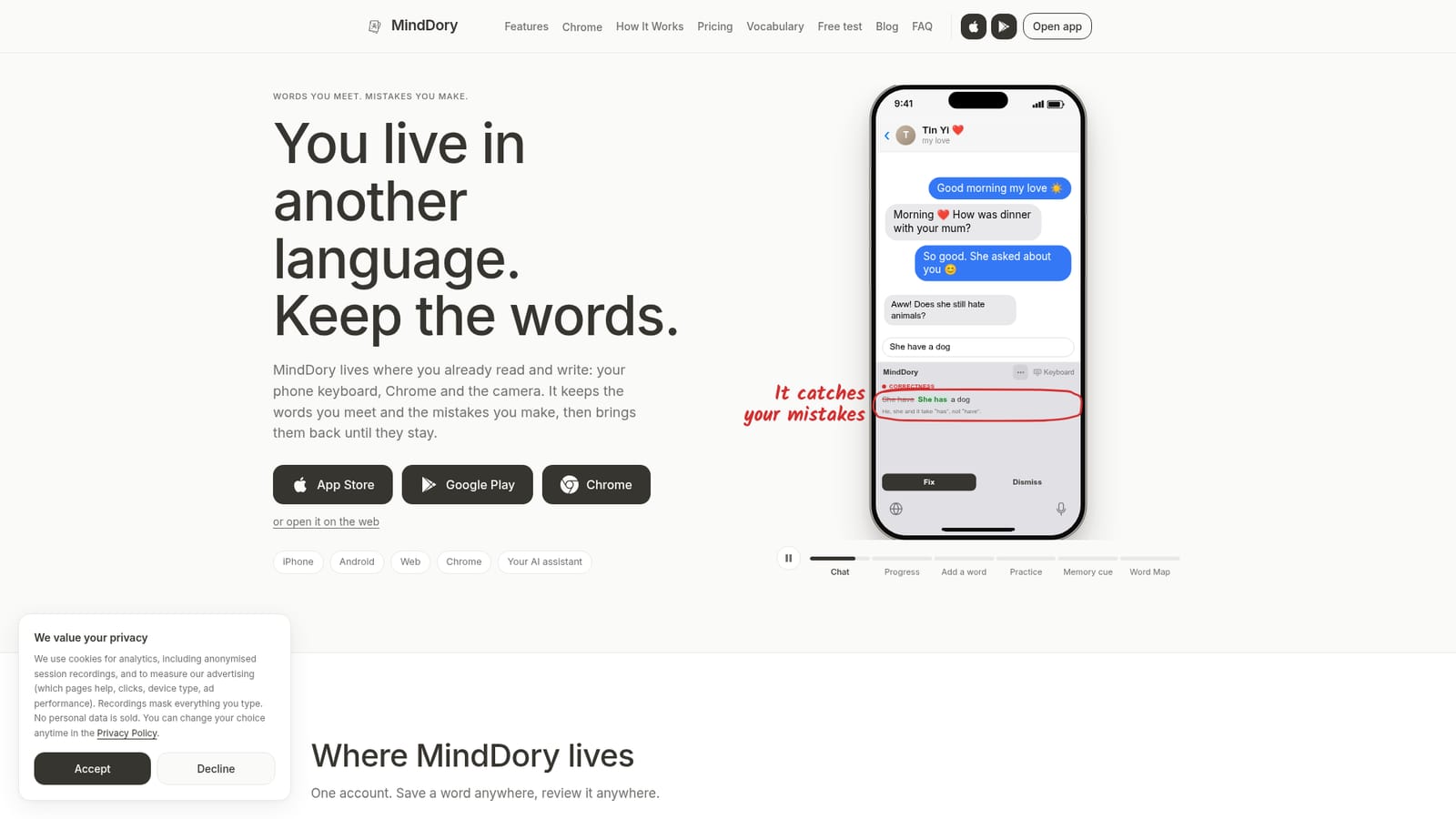
MindDory is a spaced repetition vocabulary app for people living in a second language. It saves words from a Chrome extension, a grammar-checking keyboard, photos or AI chats, then reviews them in short daily sessions with AI memory cues and stories.
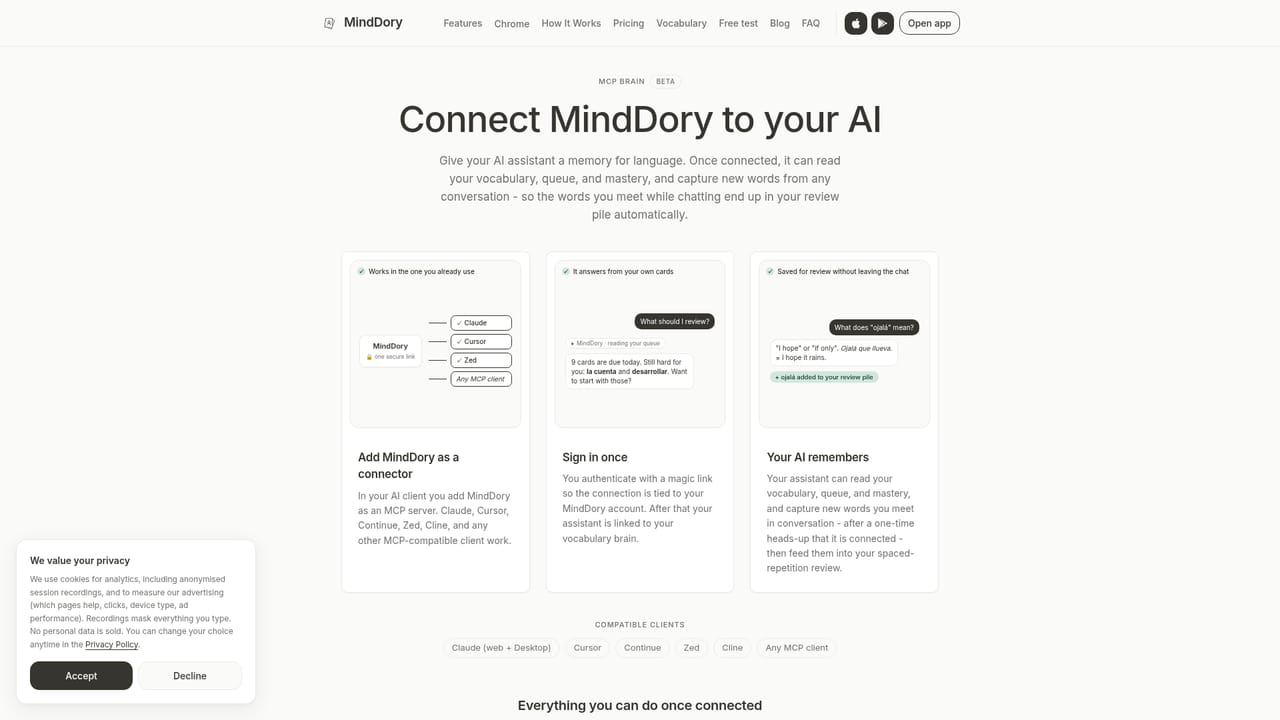
MindDory is a vocabulary builder built around a simple observation: most of the words an adult learner actually needs never appeared in a course. They show up at a partner's family table, in a letter from a landlord, on a form at the town hall. The app captures words at the moment they are met and schedules them for review using spaced repetition, the same memory technique behind Anki, but wrapped in a modern interface with AI features layered on top. Capture happens in several places. The Chrome extension lets you select a word on any page and save it, or select a sentence and have it checked. The mobile keyboard marks grammar mistakes as you type in any app, explains the error, and waits for a tap before changing anything. It also counts the dictionary words you use so a progress view called Active Words can track what you can genuinely produce. You can photograph a page, or have an AI assistant such as Claude save words through an MCP connection. Each saved word comes back with a translation, example sentences and real usage context. Review is deliberately short. The app surfaces only what is due today, typically a handful of words, and you rate each as hard or easy. Struggling words can get an AI memory cue, a mental image meant to anchor the term, or be reintroduced through a short generated story. A Word Map groups known vocabulary by level so gaps are visible, and a Grammar tab shows recurring errors drawn from your own writing. The fit is narrow on purpose. MindDory suits people living in a second language who want practical vocabulary, not a gamified course or a self-managed flashcard deck. Coverage runs to more than 60 languages for learning and translation, grammar checking works in nine, and Word Map and the level test cover eight, with CEFR levels in six.
A 7-day free trial is offered on the yearly plan only; the monthly subscription has no trial. The free tier itself requires no credit card.
Learn moreFree plan: unlimited cards and reviews, the keyboard, the Chrome extension, the Word Map and 30 translations per day. Premium costs $7.99 per month or $49.99 per year (saving 48%) and raises the daily caps on scanning, stories and cues, adding deeper Word Map insights and example sentences in the add-card flow.
Learn moreA FAQ page, setup guide for the AI assistant connection and an active blog cover common questions. The homepage names no email, chat or ticket support channel.
Learn moreChrome extension, iOS and Android keyboards, camera-based word capture, and an MCP connection that lets Claude or other compatible AI assistants save words as cards. No other third-party integrations are listed.
Learn moreSpaced repetition reviews, AI cards with translations, synonyms and real usage examples, AI memory cues and context stories, a grammar-checking keyboard for nine languages, a Chrome extension for saving words and checking sentences, photo scanning of pages, an MCP connection for AI assistants, the Word Map with CEFR levels, a Grammar tab and daily study reminders.
 AI Angels400+ customizable AI girlfriends for NSFW chat, voice calls, and roleplay
 Candy AIExperience the future of companionship with AI friends who chat, role-play, and connect with you on a human level.
 ourdream.aiA vast AI roleplay platform with millions of characters for chat, images, video and voiceAI Angels400+ customizable AI girlfriends for NSFW chat, voice calls, and roleplayCandy AIExperience the future of companionship with AI friends who chat, role-play, and connect with you on a human level.ourdream.aiA vast AI roleplay platform with millions of characters for chat, images, video and voice