Free trial
Every Google account gets one free separation for a song up to 5 minutes, with unlimited listening and mixing afterward. Exporting that project needs a paid pack.
Learn moreSix-stem AI separation that drops straight into a browser mixing timeline
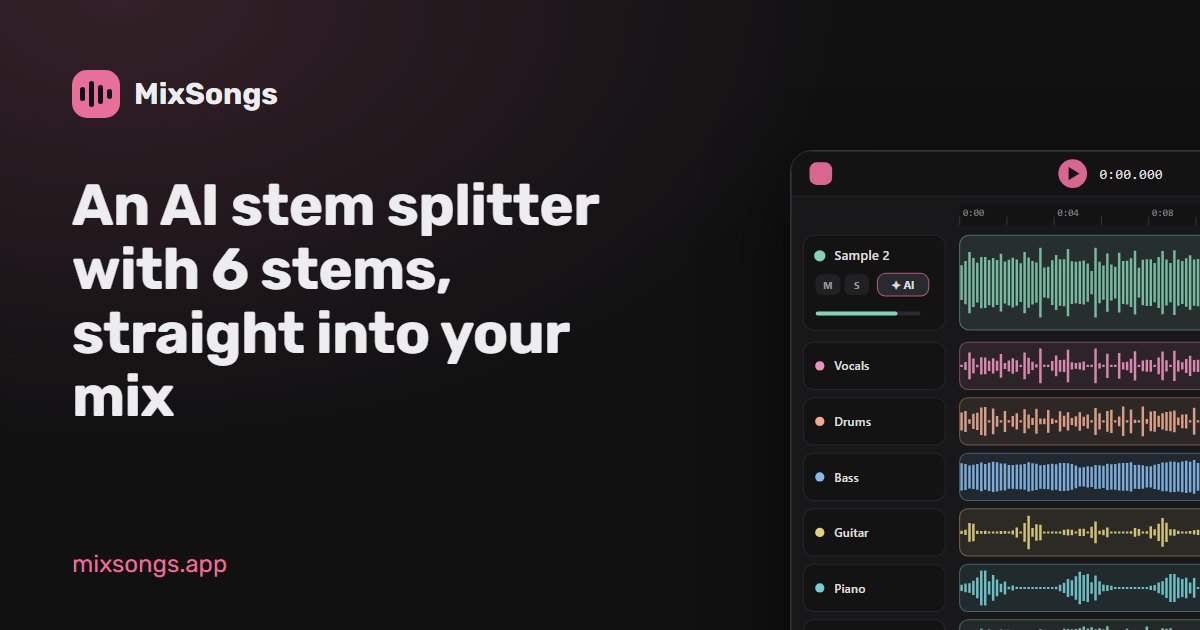
MixSongs is an AI mashup maker tool. An online stem splitter that separates a song into six stems (vocals, drums, bass, guitar, piano, music) and opens them as editable lanes in a browser mixer, with lossless FLAC output and a formant-preserving pitch tool for the vocals.
MixSongs is a browser-based audio workspace whose headline feature is AI stem separation: any song is split into six lanes (vocals, drums, bass, guitar, piano and a catch-all music stem) instead of the two or four that most online splitters return. The separation runs in two stages with two dedicated models. The first isolates the voice, the second divides the remaining instrumental into drums, bass, guitar and piano, and any vocal traces it finds in that second stage are kept out of the instrument stems. Both models read the song through overlapping windows arranged so every moment is processed four times and blended, which the site presents as a way of smoothing the seams and artefacts that show up in cheaper two-pass separations. The practical draw is that nothing has to be downloaded and reopened elsewhere. Once separation finishes, the six stems appear as lanes under the track inside the same project, each with a fader, mute, solo and volume checkpoints, so a karaoke instrumental or an acapella is a mute away. Stems are written as lossless 24-bit FLAC, and anything a model was unsure about is routed into the music stem rather than discarded. Separated songs also unlock Natural voice, a pitch engine that shifts the vocals separately from the instruments while preserving the singer's formants, so a key change avoids the chipmunk effect. It suits hobbyists and semi-pro users who need vocals out of a track, an acapella for a remix, or an isolated part to learn by ear. Limits are stated plainly: songs up to 10 minutes and 60 MB, roughly a minute of processing for a typical track, and weaker results on live, heavily processed or old mono recordings. Uploads are the only part of MixSongs that leaves the browser, are held privately for 30 days, and are never used for training. Against subscription-based splitters, the pitch is pay-per-song credits and a free mixer that stays free.
Every Google account gets one free separation for a song up to 5 minutes, with unlimited listening and mixing afterward. Exporting that project needs a paid pack.
Learn moreFirst song up to 5 minutes is free to separate and mix. A one-time pack of 10 separations costs $3 and must be used within 7 days. The Monthly plan is $6 for 20 separations every month, cancel anytime. Both unlock Pro lossless export; taxes may apply.
Learn moreNo dedicated help centre is listed. The homepage FAQ and the privacy, terms and copyright pages cover costs, file handling and usage rights.
Six-stem separation (vocals, drums, bass, guitar, piano, music) using one vocal model and one instrument model, with four overlapping passes over every moment. Stems arrive as lossless 24-bit FLAC lanes with fader, mute, solo and volume checkpoints, feeding a free browser mixer. Separated songs unlock Natural voice formant-preserving pitch shifting. Songs up to 10 minutes and 60 MB, processed in about a minute for a typical track.
 AI Angels400+ customizable AI girlfriends for NSFW chat, voice calls, and roleplay
 Candy AIExperience the future of companionship with AI friends who chat, role-play, and connect with you on a human level.
 ourdream.aiA vast AI roleplay platform with millions of characters for chat, images, video and voiceAI Angels400+ customizable AI girlfriends for NSFW chat, voice calls, and roleplayCandy AIExperience the future of companionship with AI friends who chat, role-play, and connect with you on a human level.ourdream.aiA vast AI roleplay platform with millions of characters for chat, images, video and voice


