Mockmaster

AI mock interviews for frontend, backend, DevOps and data roles

Intermediate
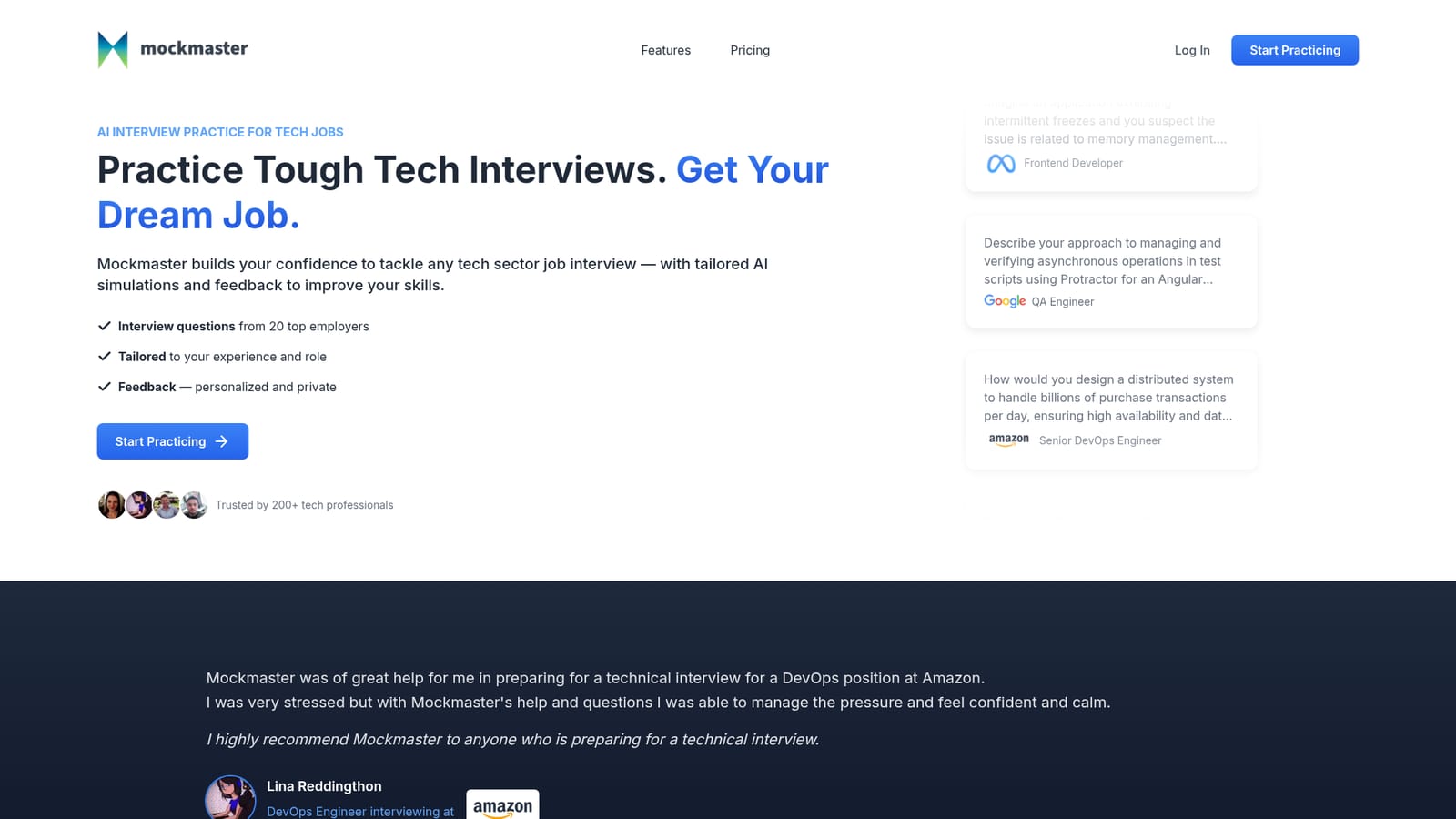
Screenshot of Mockmaster, AI mock interviews for frontend, backend, DevOps and data roles

What is Mockmaster?

Mockmaster is a career tool. AI mock interview platform for technical roles, generating role-specific sessions across frontend, backend, fullstack, QA, data science and DevOps, with employer-style questions, a timer, code blocks and post-interview feedback plus a readiness score.

Mockmaster is an AI interview simulator built for technical job candidates rather than for general career coaching. The product generates practice interviews that match a chosen role, technology stack and seniority level, then asks questions drawn from a bank associated with 20 major employers. Frontend, backend, fullstack, QA, data science and DevOps tracks all appear in the sample questions on the site, which range from linked list puzzles and Dijkstra shortest path exercises to distributed systems design and memory leak diagnosis. Setup follows three paths. A candidate can pick a standard interview for a role and level, upload or paste a job description so the simulation mirrors that posting, or select a big tech company such as Google, Apple, Netflix or Meta for questions styled after that employer. Each session runs in a distraction-free workspace with a timer and a code block, so answers can mix prose and snippets in the same response. After the interview closes, Mockmaster returns written feedback, a breakdown by question category and a readiness score that indicates whether the candidate is close to applying. The tool suits developers preparing for a specific loop, career changers moving between disciplines, and engineers who freeze under interview pressure and want repeated exposure to realistic prompts. Reviewers quoted on the homepage describe using it to steady nerves before an Amazon DevOps interview, and the site claims more than 200 tech professionals have used it. Compared with peer mock interview platforms that lean on live human interviewers, Mockmaster trades human nuance for speed and privacy: sessions are self-serve and feedback is described as personalized and private. Compared with algorithm grind sites, it spends more effort on role-specific and system design questions, though the homepage does not describe any live coding execution environment.

How do you use Mockmaster?

  1. 1Create an account and open the interview builder
    Sign up on the site, then start a new session from the practice area. The builder asks for the role and experience level before any questions are generated.
    Mockmaster — Create an account and open the interview builder
  2. 2Choose a mode: standard, job description or big tech
    Pick a standard role interview, a simulation built from a job description you supply, or a big tech track for companies such as Google, Apple or Netflix.
  3. 3Set your role and seniority
    Select a discipline (frontend, backend, fullstack, QA, data science, DevOps) and a level so the difficulty and question depth match your target position.
  4. 4Answer under the timer
    Work through each question in the distraction-free view, using the code block for snippets and the timer to track how fast you respond.
  5. 5Read the feedback and readiness score
    After the session, review the written feedback, the breakdown by question category and the readiness score to decide what to study next.

Pros and cons

Pros

  • Question sets cover multiple technical tracks, from algorithms and React internals to distributed systems and disaster recoveryAI
  • Three interview modes (standard, job description based, big tech company style) let candidates target a specific applicationAI
  • Post-session feedback includes a category breakdown and a readiness score, which gives a clear signal beyond a vague pass or failAI
  • Self-serve sessions are private and repeatable, useful for candidates who want volume before a real loopAI
  • Built-in timer and code block make the practice surface closer to the real interview format than reading question listsAI

Cons

  • Pricing details are not published on the homepage, so cost has to be checked on the pricing page before committingAI
  • Question pool is tied to 20 employers, which may feel thin for candidates targeting smaller firms or niche stacksAI
  • Feedback quality is hard to verify, no sample report or scoring rubric is shown on the homepageAI
  • Homepage does not mention live code execution, so algorithmic answers appear to be written rather than run against test casesAI
  • Only a browser-based web experience is described, with no detail on offline use, mobile apps or integrations with existing prep toolsAI

How much does Mockmaster cost?

Features

Mock interviews tailored to role, technology and experience level, including standard interviews, job description based simulations and big tech company tracks from 20 employers. Sessions include a distraction-free workspace, code blocks, a time tracker, and post-interview feedback with a category breakdown and readiness score.

Frequently asked questions about Mockmaster

  • How do you use Mockmaster?
    The walkthrough on this page covers 5 steps: 1. Create an account and open the interview builder 2. Choose a mode: standard, job description or big tech 3. Set your role and seniority 4. Answer under the timer 5. Read the feedback and readiness score.
  • What platforms does Mockmaster support?
    Mockmaster is available on Web App.
  • What are the limitations of Mockmaster?
    Pricing details are not published on the homepage, so cost has to be checked on the pricing page before committing. Question pool is tied to 20 employers, which may feel thin for candidates targeting smaller firms or niche stacks. Feedback quality is hard to verify, no sample report or scoring rubric is shown on the homepage.

Status

StatusActive
Views0
Outbound clicks0
Added10/21/2026

Platforms

Web App

Pricing

Paid